VR Technology Limited
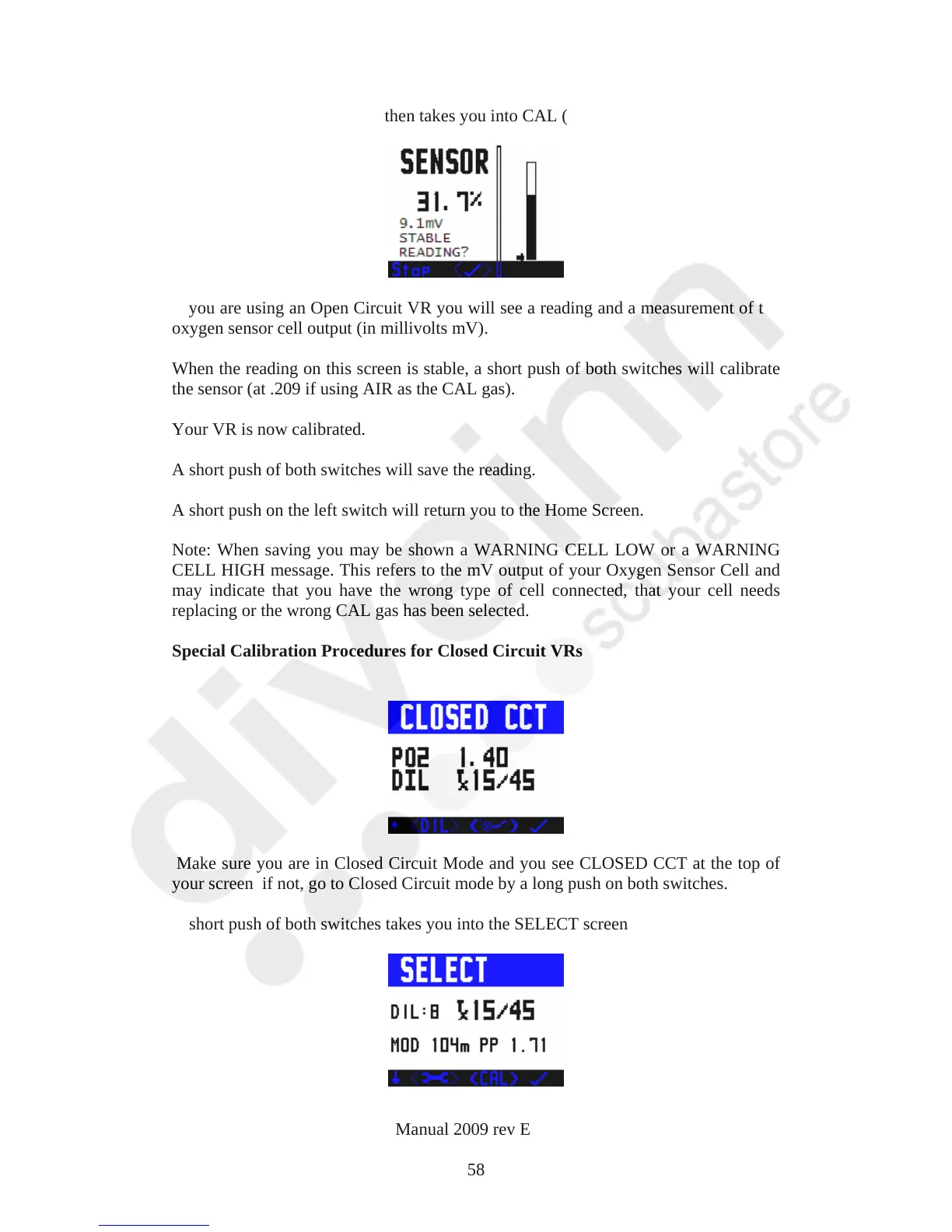
A long push on both switches then takes you into CAL (calibration) mode.
If you are using an Open Circuit VR you will see a reading and a measurement of the
oxygen sensor cell output (in millivolts mV).
When the reading on this screen is stable, a short push of both switches will calibrate
the sensor (at .209 if using AIR as the CAL gas).
Your VR is now calibrated.
A short push of both switches will save the reading.
A short push on the left switch will return you to the Home Screen.
Note: When saving you may be shown a WARNING CELL LOW or a WARNING
CELL HIGH message. This refers to the mV output of your Oxygen Sensor Cell and
may indicate that you have the wrong type of cell connected, that your cell needs
replacing or the wrong CAL gas has been selected.
Special Calibration Procedures for Closed Circuit VRs
Make sure you are in Closed Circuit Mode and you see CLOSED CCT at the top of
your screen if not, go to Closed Circuit mode by a long push on both switches.
A short push of both switches takes you into the SELECT screen
VR Dive Computer Operations Manual 2009 rev E 28/01/2009
58



 To Next Page