VR Technology Limited
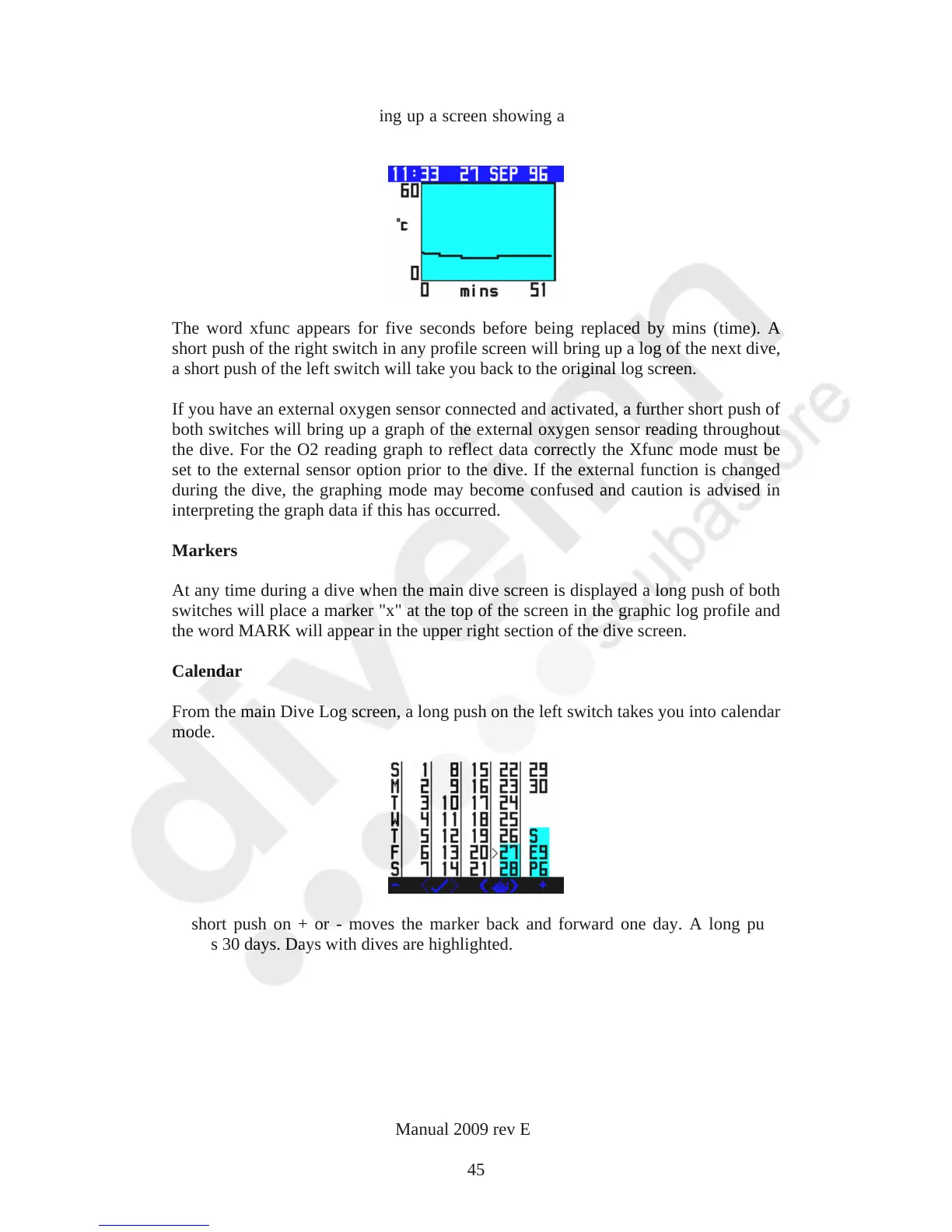
push of both switches will bring up a screen showing a graph of ambient temperature
throughout the dive.
The word xfunc appears for five seconds before being replaced by mins (time). A
short push of the right switch in any profile screen will bring up a log of the next dive,
a short push of the left switch will take you back to the original log screen.
If you have an external oxygen sensor connected and activated, a further short push of
both switches will bring up a graph of the external oxygen sensor reading throughout
the dive. For the O2 reading graph to reflect data correctly the Xfunc mode must be
set to the external sensor option prior to the dive. If the external function is changed
during the dive, the graphing mode may become confused and caution is advised in
interpreting the graph data if this has occurred.
Markers
At any time during a dive when the main dive screen is displayed a long push of both
switches will place a marker "x" at the top of the screen in the graphic log profile and
the word MARK will appear in the upper right section of the dive screen.
Calendar
From the main Dive Log screen, a long push on the left switch takes you into calendar
mode.
A short push on + or - moves the marker back and forward one day. A long push
moves 30 days. Days with dives are highlighted.
VR Dive Computer Operations Manual 2009 rev E 28/01/2009
45



 To Next Page