VR Technology Limited
The HUD system comes configured as a PIN and a cable for monitoring 3 oxygen
sensors (green PO2 light) and decompression (red light). The functions are;
Red light Green light
Slow flash
Below decompression
ceiling
Below Setpoint
selected
Fixed light
At decompression
ceiling
At setpoint
Fast flash
Above decompression
ceiling/fast ascent
Above setpoint
Screen Saver (VRx)
In 3xPO2 mode and with Screen Saver (2
nd
Dvo screen) set to ON or timer. The VRx
will automatically revert to the screen saver below. A push of any button will return to
the dive screen.
When at the surface a push of the right button will display sensor millivolts.
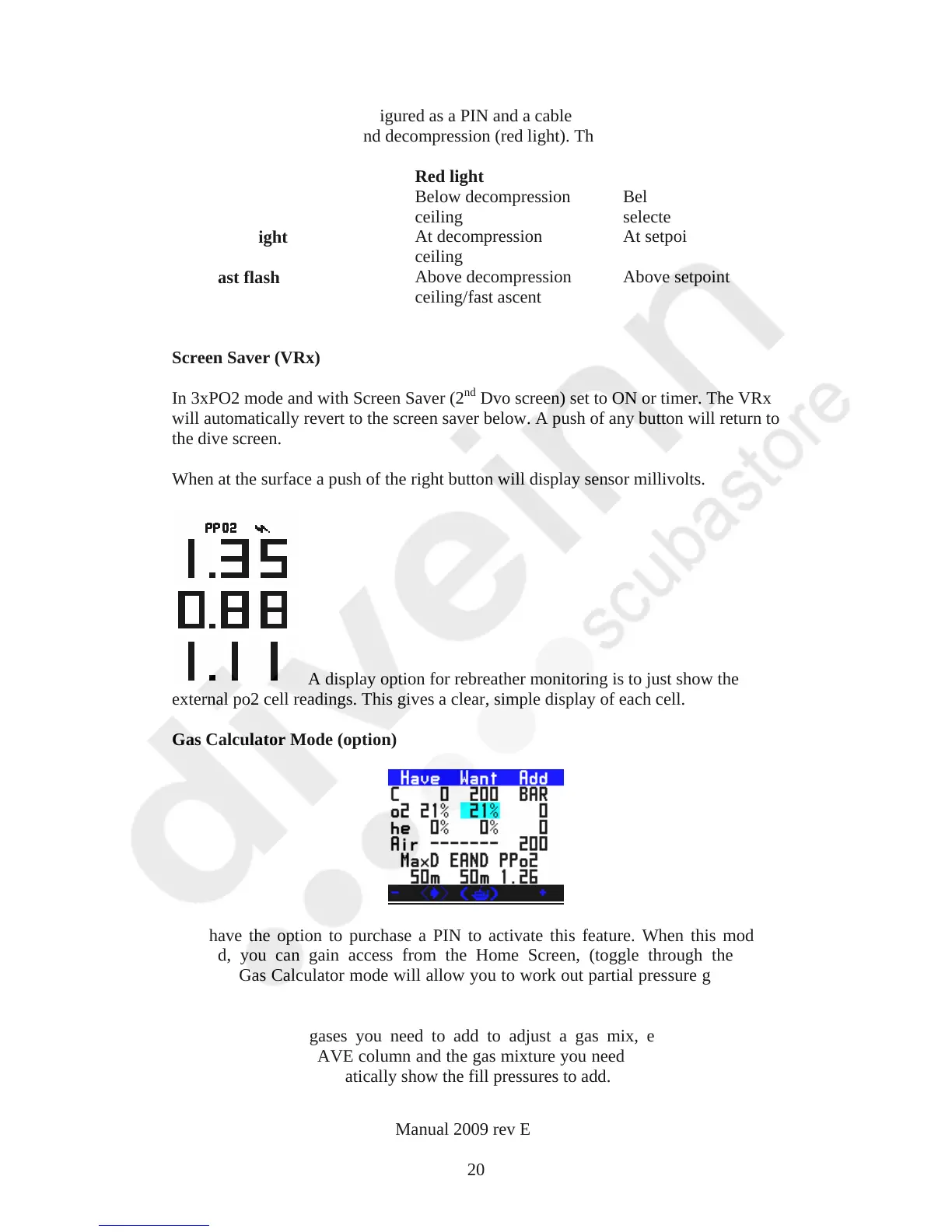
A display option for rebreather monitoring is to just show the
external po2 cell readings. This gives a clear, simple display of each cell.
Gas Calculator Mode (option)
You have the option to purchase a PIN to activate this feature. When this mode is
enabled, you can gain access from the Home Screen, (toggle through the mini-
screens). Gas Calculator mode will allow you to work out partial pressure gas fills on
your VR.
To find out what gases you need to add to adjust a gas mix, enter your current
cylinder fill in the HAVE column and the gas mixture you need in WANT. The ADD
BAR column will automatically show the fill pressures to add.
VR Dive Computer Operations Manual 2009 rev E 28/01/2009
20



 To Next Page