VR Technology Limited
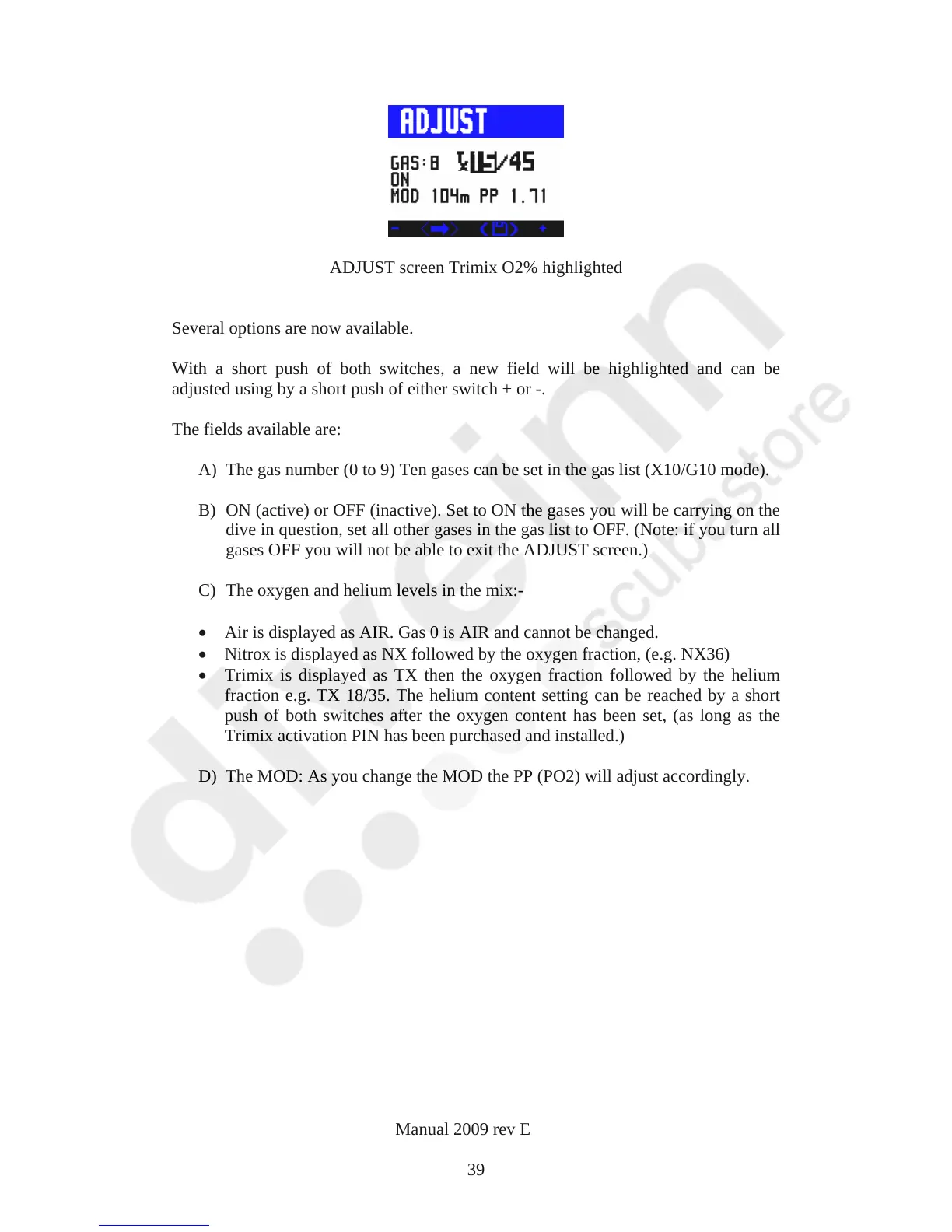
ADJUST screen Trimix O2% highlighted
Several options are now available.
With a short push of both switches, a new field will be highlighted and can be
adjusted using by a short push of either switch + or -.
The fields available are:
A) The gas number (0 to 9) Ten gases can be set in the gas list (X10/G10 mode).
B) ON (active) or OFF (inactive). Set to ON the gases you will be carrying on the
dive in question, set all other gases in the gas list to OFF. (Note: if you turn all
gases OFF you will not be able to exit the ADJUST screen.)
C) The oxygen and helium levels in the mix:-
Air is displayed as AIR. Gas 0 is AIR and cannot be changed.
Nitrox is displayed as NX followed by the oxygen fraction, (e.g. NX36)
Trimix is displayed as TX then the oxygen fraction followed by the helium
fraction e.g. TX 18/35. The helium content setting can be reached by a short
push of both switches after the oxygen content has been set, (as long as the
Trimix activation PIN has been purchased and installed.)
D) The MOD: As you change the MOD the PP (PO2) will adjust accordingly.
VR Dive Computer Operations Manual 2009 rev E 28/01/2009
39



 To Next Page