210
W&T Firmware update of the Com-Server
26�2�1 Update in routed environments
The WuTility Update Wizard divides itself on the network side
into three steps, whereby the specified TCP and UDP services
are used:
1. Identification/Inventory of the device
Destination port Com-Server: UDP/8513
2. Initialization of the update process
Destination port Com-Server: TCP/ 8002
3. Upload firmware
Destination port Com-Server: UDP/69 (TFTP)
The previously described automatic processing of the update
requires that any security components (firewalls, routers ...)
used between WuTility and the Com-Server allow transparent
communication via these services.
The TFTP port is required for actual sending of the firmware.
Identification and initializing however can be done manually.
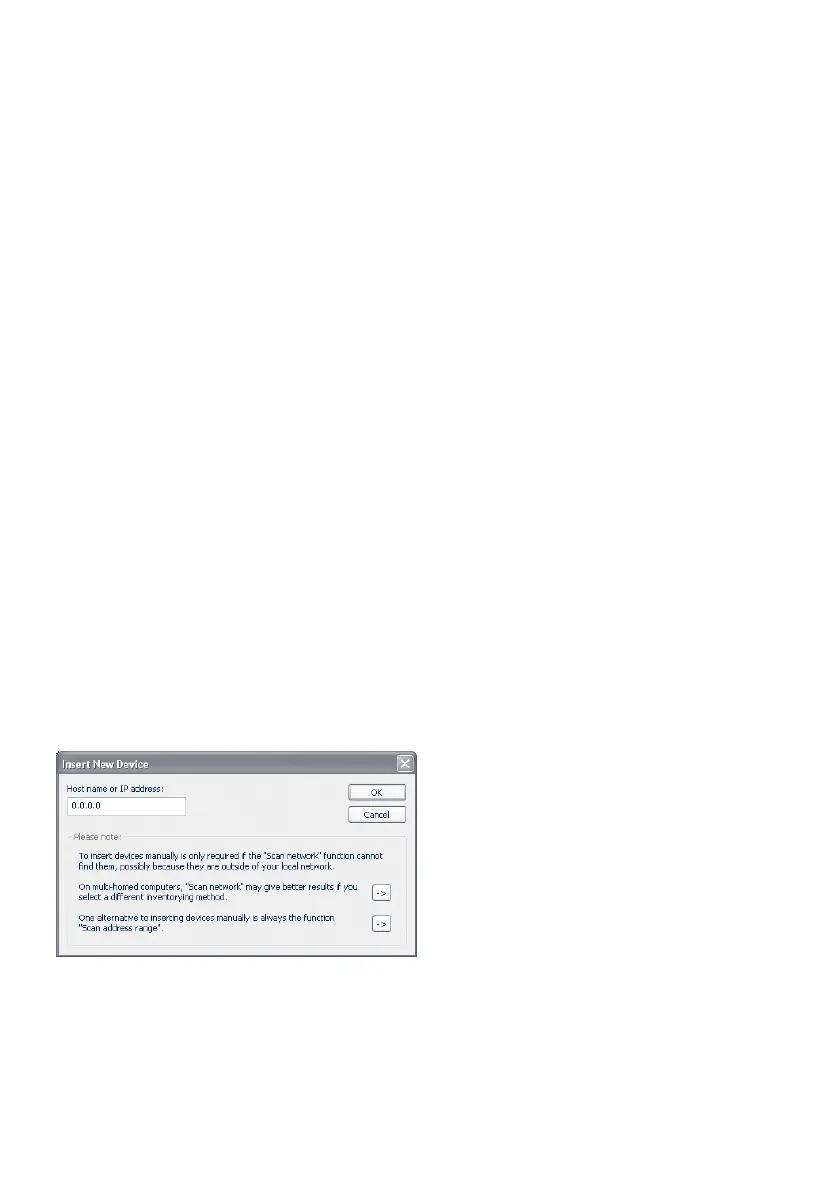
Manual device entry in the inventory list
If UDP port 8513 for example is blocked by a firewall, auto-
matic inventorying using WuTility is not possible. In this case
the Com-Server can be manually entered in the inventory list
using the menu item Add device.
Enter the IP address of the Com-Server in the corresponding
entry field and click on OK to close the dialog box. The device
is added to the inventory list.



 To Next Page