211
W&T Firmware update of the Com-Server
Subject to error and alteration
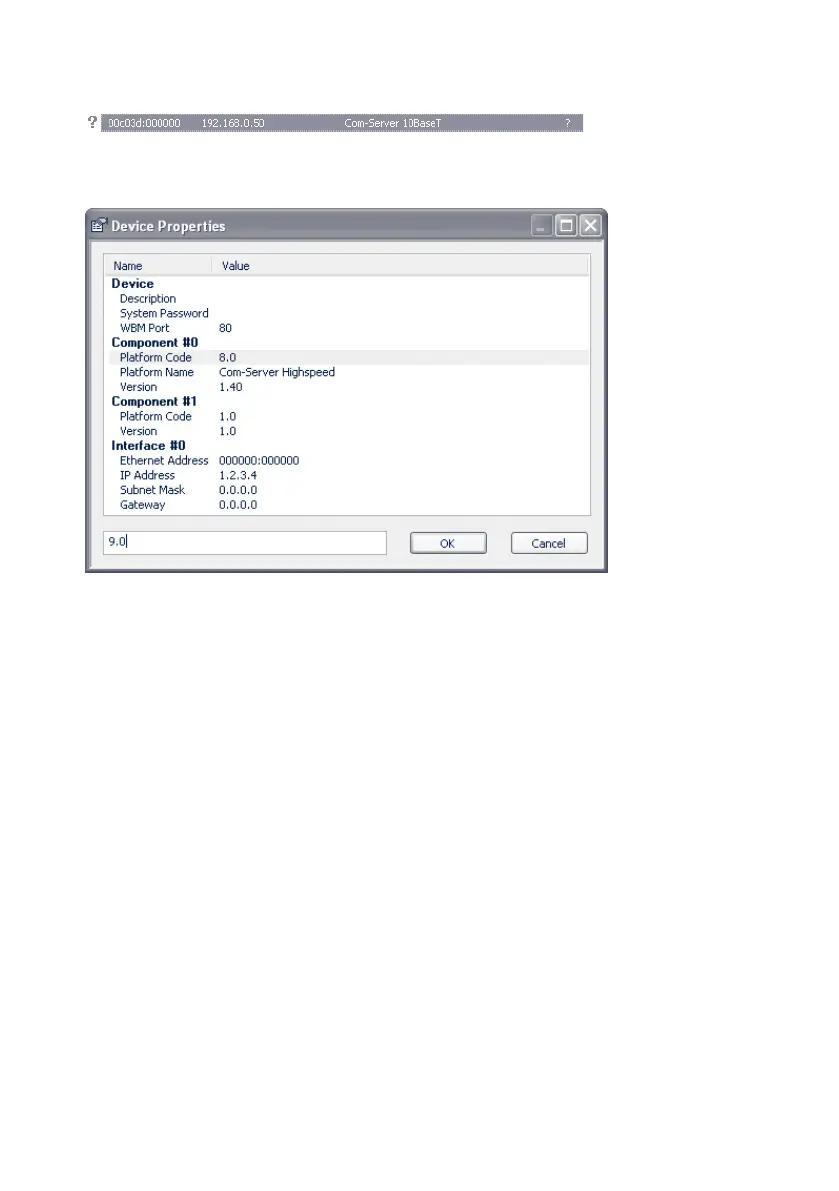
Highlight the desired Com-Server in the WuTility inventory list
with the right mouse button and choose Properties.
Highlight the line Component#0 r Platform Code and enter
the value 9.0 for the Com-Server++, 58665 in the correspon-
ding entry field For the Com-Server 3x Isolated, 58662 enter
the value 9.2.
Manual initializing of the update process
For security reasons the Com-Server must first be initialized
for receiving new firmware. This initializing is done using Tel-
net or Web-Based-Management:
Telnet: SETUP System r Flash update
WBM: Logout page r Button Firmware update
1
Activating update mode closes all open TCP
connections to the Com-Server. At the same time all
network services (including PING) are stopped. A return to
standard mode is only possible by sending firmware or perfor-
ming a hardware reset of the Com-Server.



 To Next Page