78 Maintenance Procedures
6. Insert the new fuse and holder back into the fuse chamber on the rear panel.
7. Lock the fuse holder into place using the screwdriver.
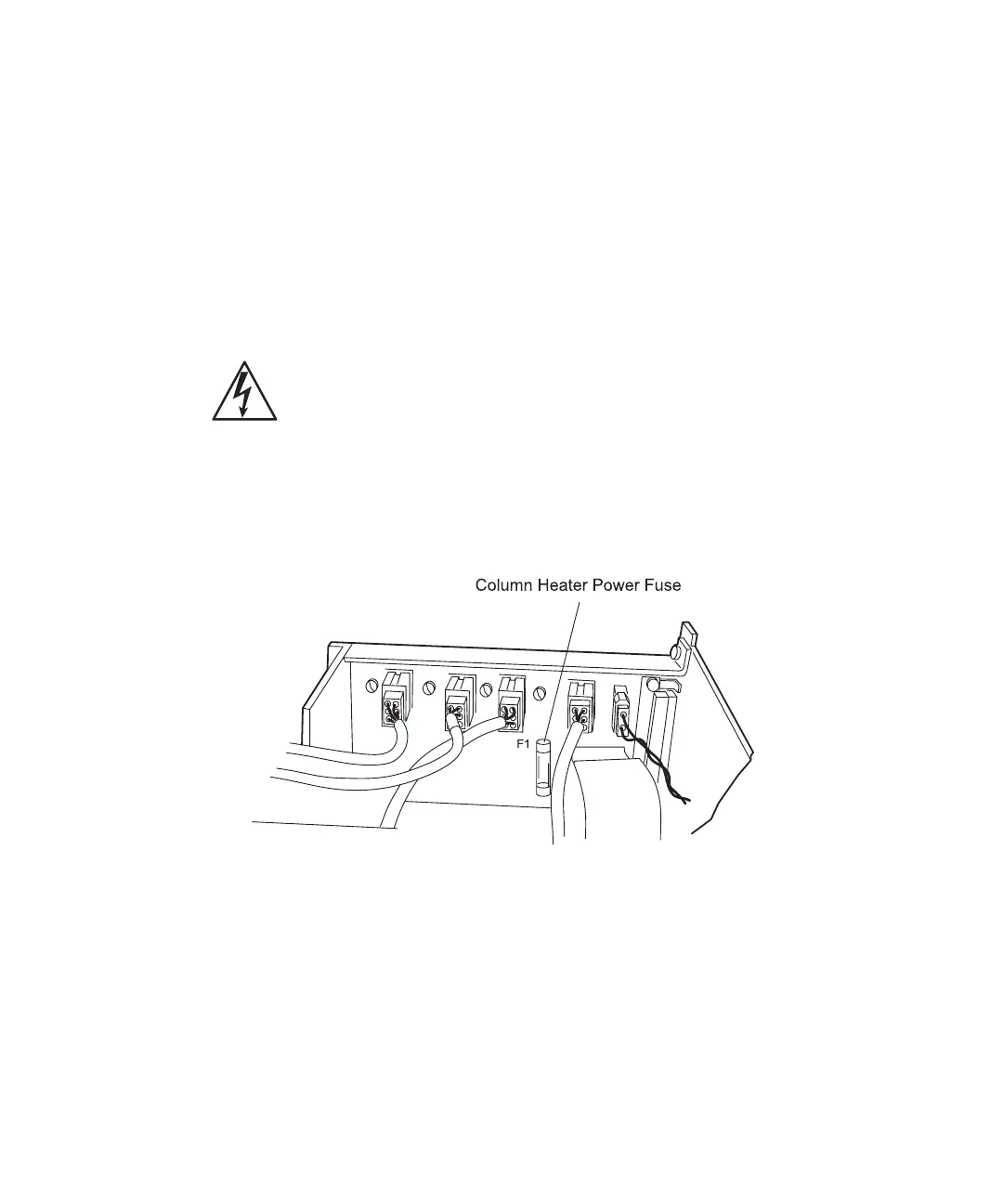
4.3.3 Replacing the Column Heater Power Fuse
The column heater fuse, located on the 600E pump interconnect board, is labeled F1. To
replace a defective column heater power fuse:
1. Turn off the 600 controller front panel power switch and remove the power cord
from its connector on the rear panel of the 600 controller.
2. Loosen the two pump cover retaining screws at the rear of the 600E pump. Lift the
cover off the pump.
3. Locate the fuse (see Figure 4-18). Replace the blown fuse with the correct spare fuse
(included in the 600E Startup Kit). The fuse has a 2.5 A, 250 V, fast rating.
Figure 4-18 Replacing the Column Heater Power Fuse
4. To replace the 600E pump cover, gently grasp the bottom of the cover and slide it
into place. Replace the two retaining screws and tighten.
Caution: To avoid the possibility of electric shock, turn off the 600 controller
front panel power switch and unplug the power cord from the rear panel.



 To Next Page