64 Maintenance Procedures
2. Reconnect the transducer cable on the interconnect board at J2 and replace the pump
cover and tighten the four retaining screws. Connect the pressure transducer
connector on the interconnect board (see Figure 4-4).
3. Replace the cover of the pump and connect the power cord.
4. Check the calibration adjustment of the transducer.
4.2.3 Removing the Pump Head
Note: For information about isolating problems in the 600E pump, see Chapter 6,
Troubleshooting.
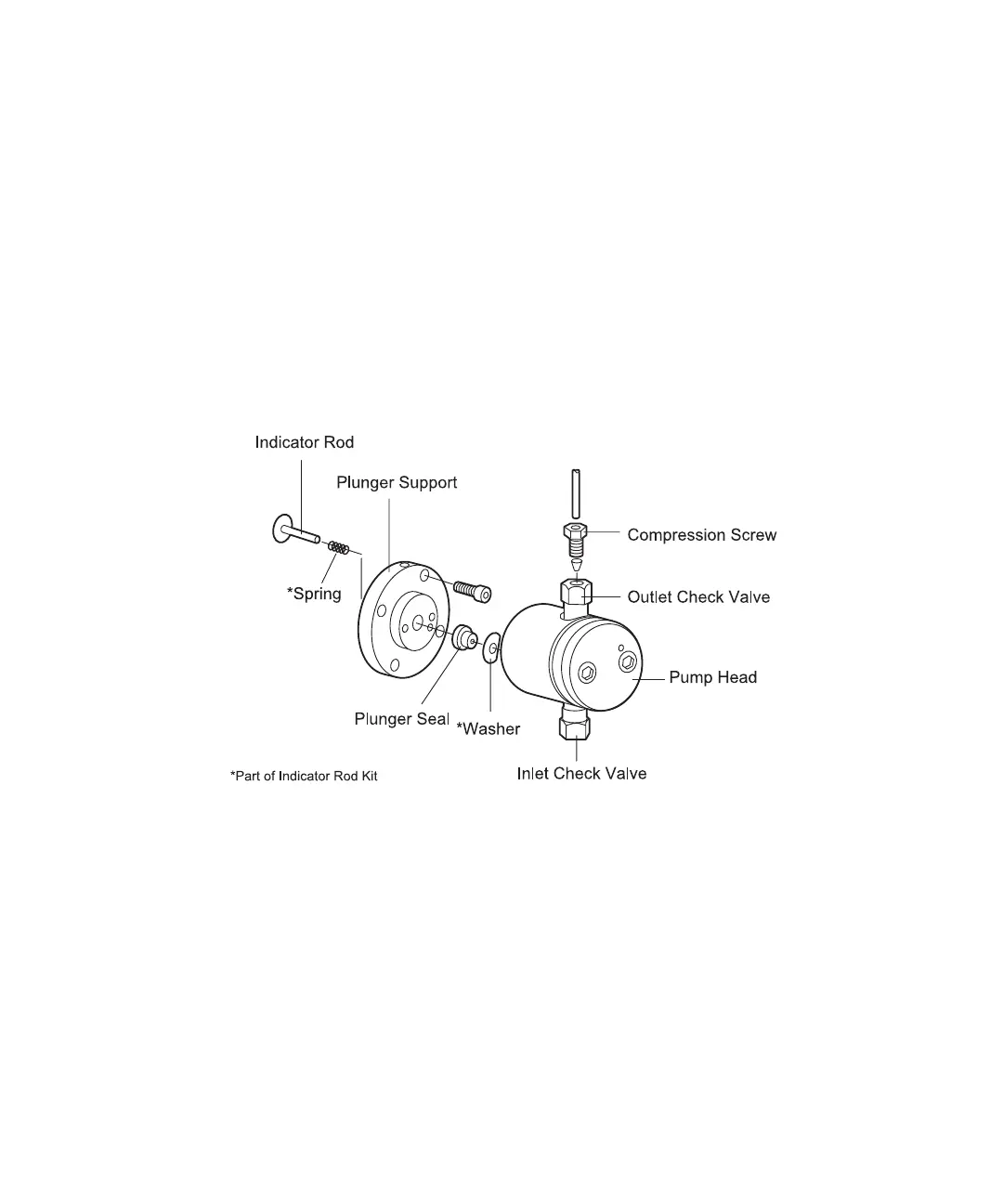
Figure 4-5 is an exploded diagram of a pump head. For a list of replacement parts, see
Appendix A, Spare Parts.
Figure 4-5 Pump Head Assembly
Removing the Pump Head
1. Flush the pump with methanol (if miscible with the previous solvent).
2. Remove the eluent lines from the reservoirs.
3. Turn the inlet manifold knob to the Draw position. Use the priming syringe to draw
all of the methanol from the eluent lines.
4. Disconnect the pump head inlet line from the inlet manifold.



 To Next Page