Making Fluidic Connections to an Autosampler 25
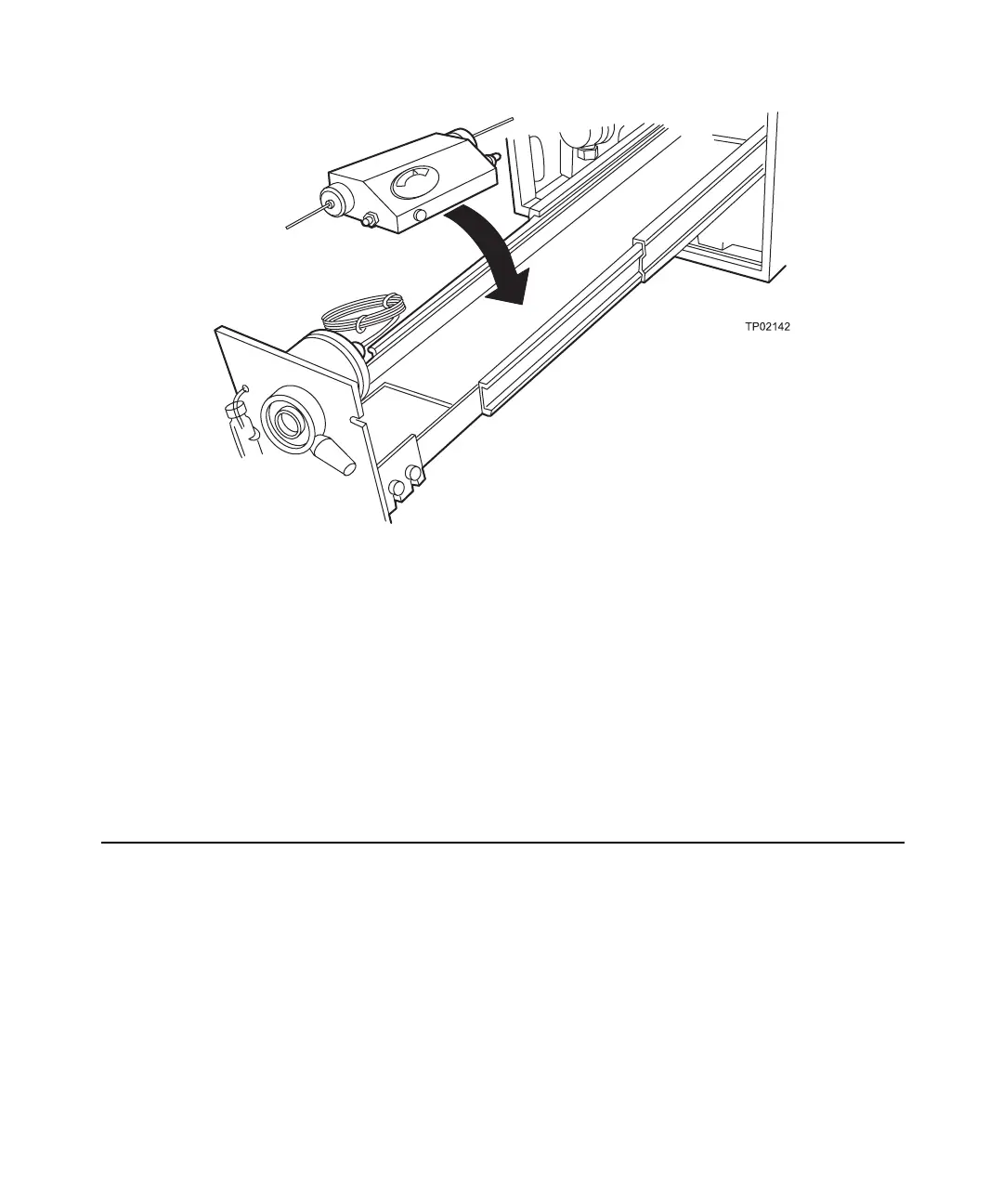
Figure 2-15 RCM 8 x 10 Orientation
4. Pass the cartridge outlet tubing through the notch in the pump drawer front panel.
Use the shortest possible length of 0.009-inch ID tubing possible from the column
outlet to the detector cell inlet.
5. Pump eluent through the RCM 8 x 10. Verify that there are no leaks at the inlet or
outlet connections.
For detailed operation information, refer to your Waters RCM 8 x 10 Operator’s Manual.
2.4 Making Fluidic Connections to an Autosampler
You have the option to use the Waters 600E Multisolvent Delivery System with an
external autosampler. You can:
• Connect an autosampler in series with the Rheodyne 7725i manual injector
• Connect an autosampler in place of the Rheodyne 7725i manual injector
Note: When using a non-IEEE-488 autosampler, you must also attach a cable from
the autosampler to the Inject terminal (on the 600 controller) to instruct the 600
controller to acquire data or run methods and tables. See Section 3.5.2, Connecting
a Non-IEEE-488 Autosampler.



 To Next Page