76 Maintenance Procedures
6. Close the power connector cover.
7. Plug the power cord into its connector on the rear panel of the controller.
4.3.2 Replacing Auxiliary +12 V and Pump Fuses
This section includes procedures for replacing the following fuses:
• Auxiliary +12 V power fuse
• 600E pump power fuse
Note: For information about isolating power problems in the 600E pump, see Chapter 6,
Troubleshooting.
The auxiliary +12 V fuse protects the AUX +12 V terminal on the 600 controller rear
panel from excessive current loads. If this fuse is blown, no power is available from this
terminal.
Replacing the Auxiliary +12 V Fuse
To replace the auxiliary +12 V fuse:
1. Turn off the 600 controller front panel power switch and remove the power cord
from its connector on the rear panel of the 600 controller.
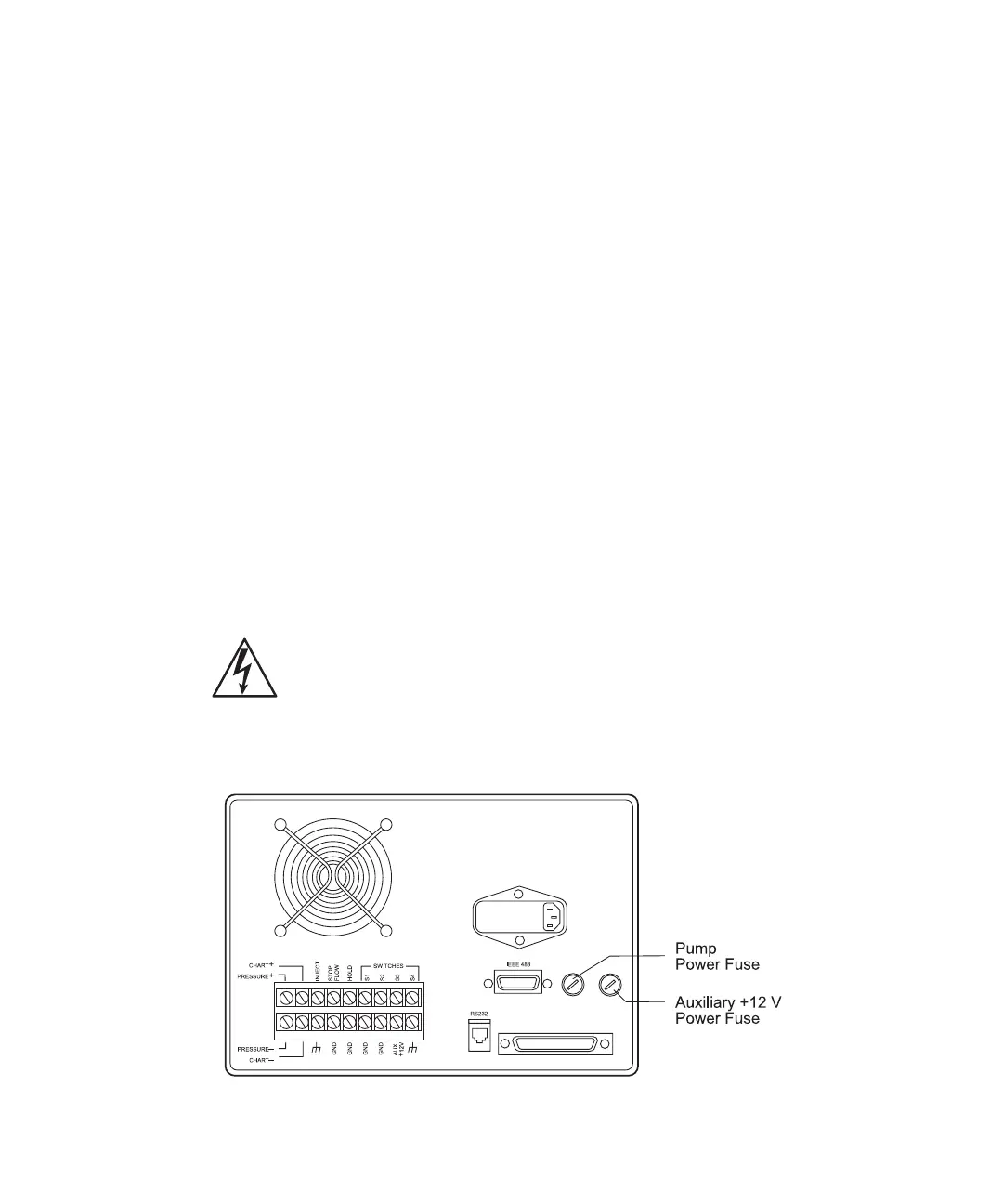
2. Insert a small flat-blade screwdriver into the slot on the fuse holder for the Aux
+12 V fuse (see Figure 4-17).
Figure 4-17 Auxiliary +12 V and Pump Power Fuses
Caution: To avoid the possibility of electric shock, turn off the 600 controller
front panel power switch and unplug the power cord from the rear panel.



 To Next Page