22 Making Fluidic Connections to the 600E Pump
2.3.2 Installing a Column Heater
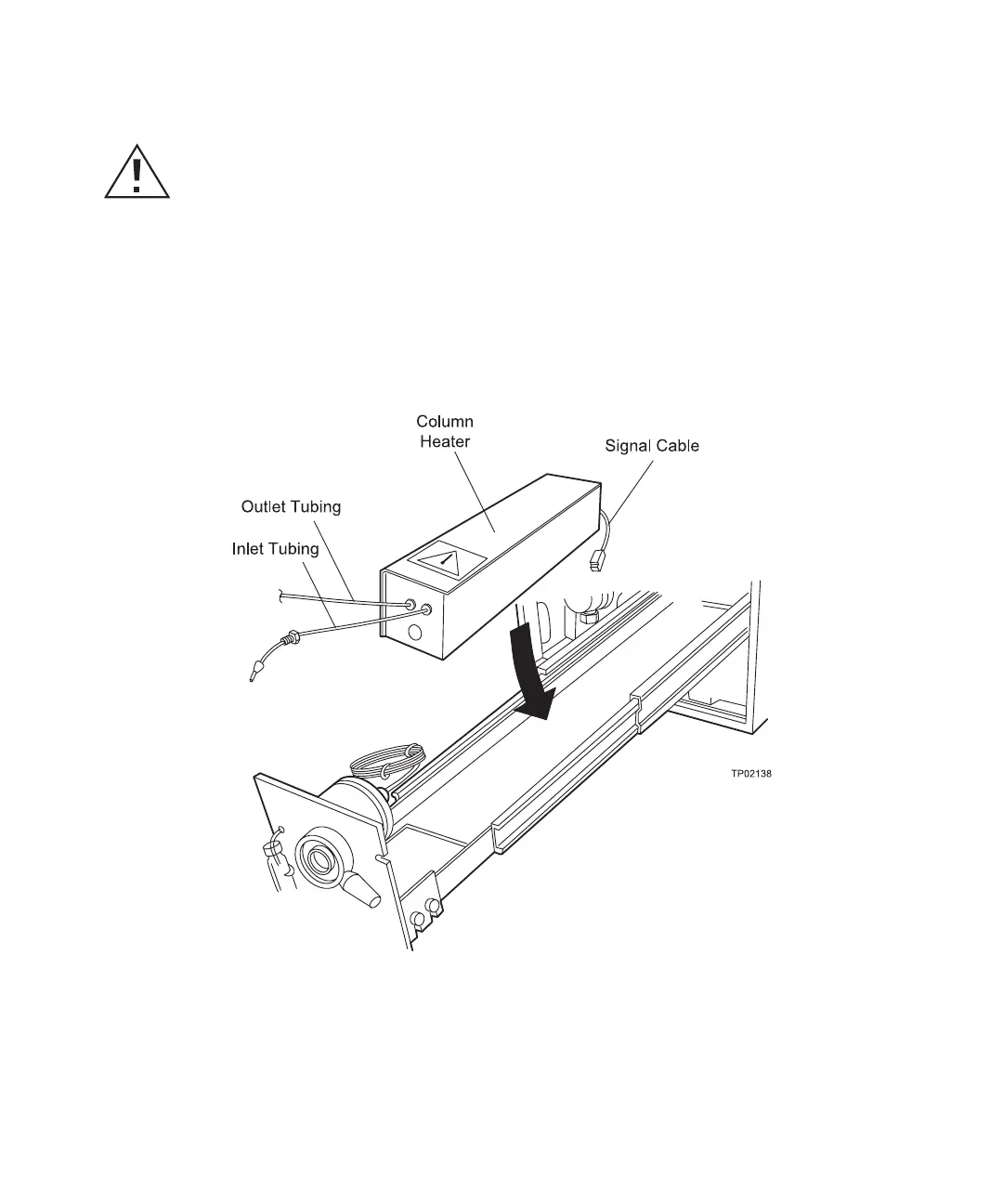
To install a column heater (and column) in the pump slide-out drawer:
1. Turn the latch on the front of the pump (see Figure 2-5) and pull out the slide-out
drawer.
2. Place the column heater in the drawer with the column inlet and outlet tubing
pointing toward the front of the drawer (Figure 2-12). Allow the column heater to lie
flat in the drawer.
Figure 2-12 Column Heater Orientation
3. Pull the drawer toward you and locate the receptacle at the back of the drawer
(Figure 2-13). Plug the signal cable into the receptacle on the right side of the
drawer. The receptacle is keyed to ensure correct alignment.
Caution: When removing or replacing a column from the column heater, ensure you
allow sufficient time for the column heater to cool to avoid the possibility of burns.



 To Next Page