Installing a Column or Cartridge 21
3. Place the column in the tray with the arrow on the column label pointing toward the
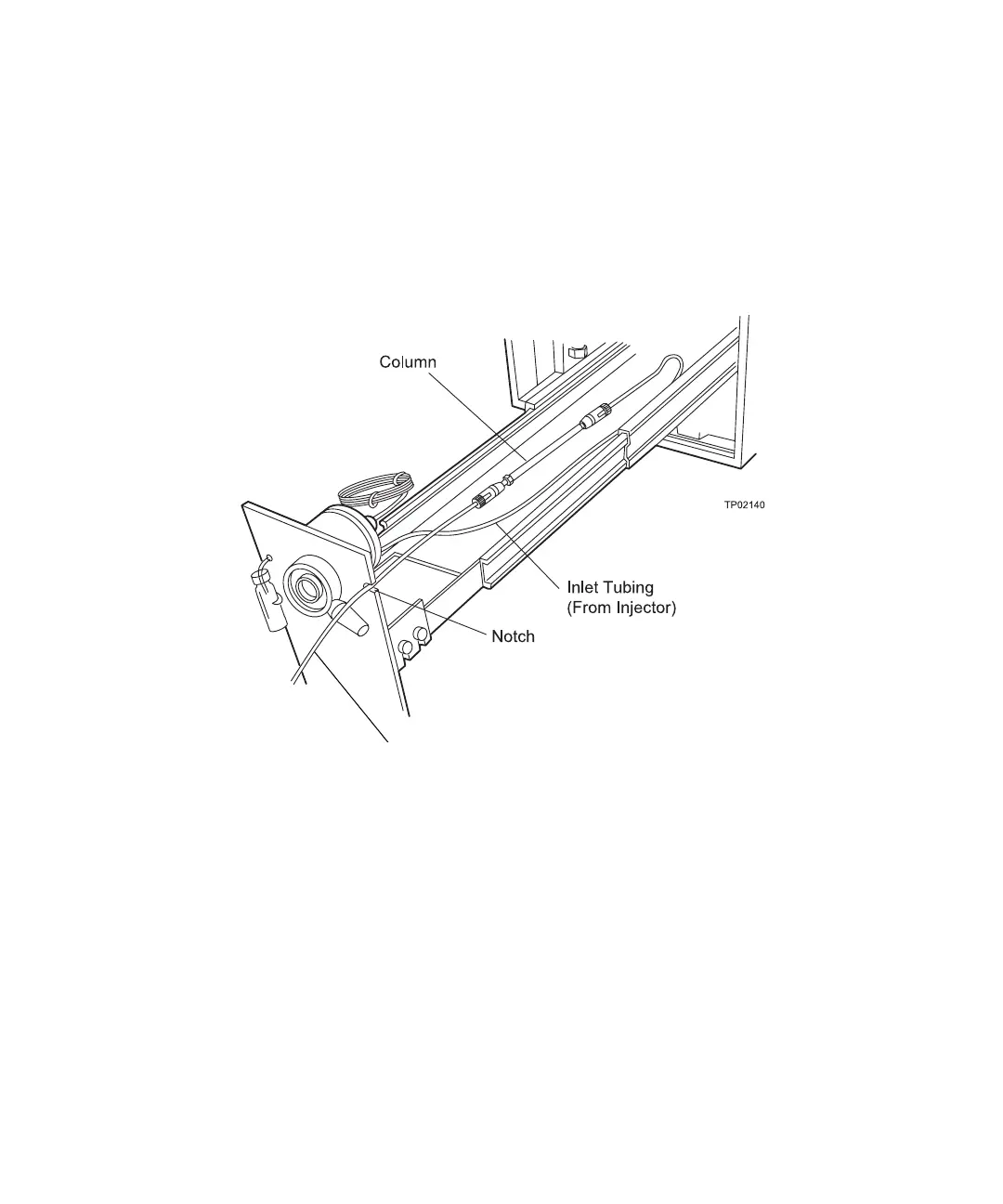
front of the drawer. Allow the column to lie flat in the drawer (Figure 2-11).
4. Attach the inlet tubing and outlet tubing to the column as described below
(Figure 2-11). Follow column instructions for flow direction.
• Column Inlet - Attach the 0.009-inch ID tubing from the Rheodyne 7725i
manual injector (or external autosampler) to the column inlet.
• Column Outlet - Attach a piece of 0.009-inch ID tubing to the column outlet.
Figure 2-11 Column Installation
5. Pass the column outlet tubing through the notch in the pump drawer front panel. Use
the shortest possible length of 0.009-inch ID tubing from the column outlet to the
detector cell inlet.
6. Check for leaks by pumping eluent through the column. Ensure there are no leaks at
the inlet or outlet connections.
Outlet Tubing
(To Detector)



 To Next Page