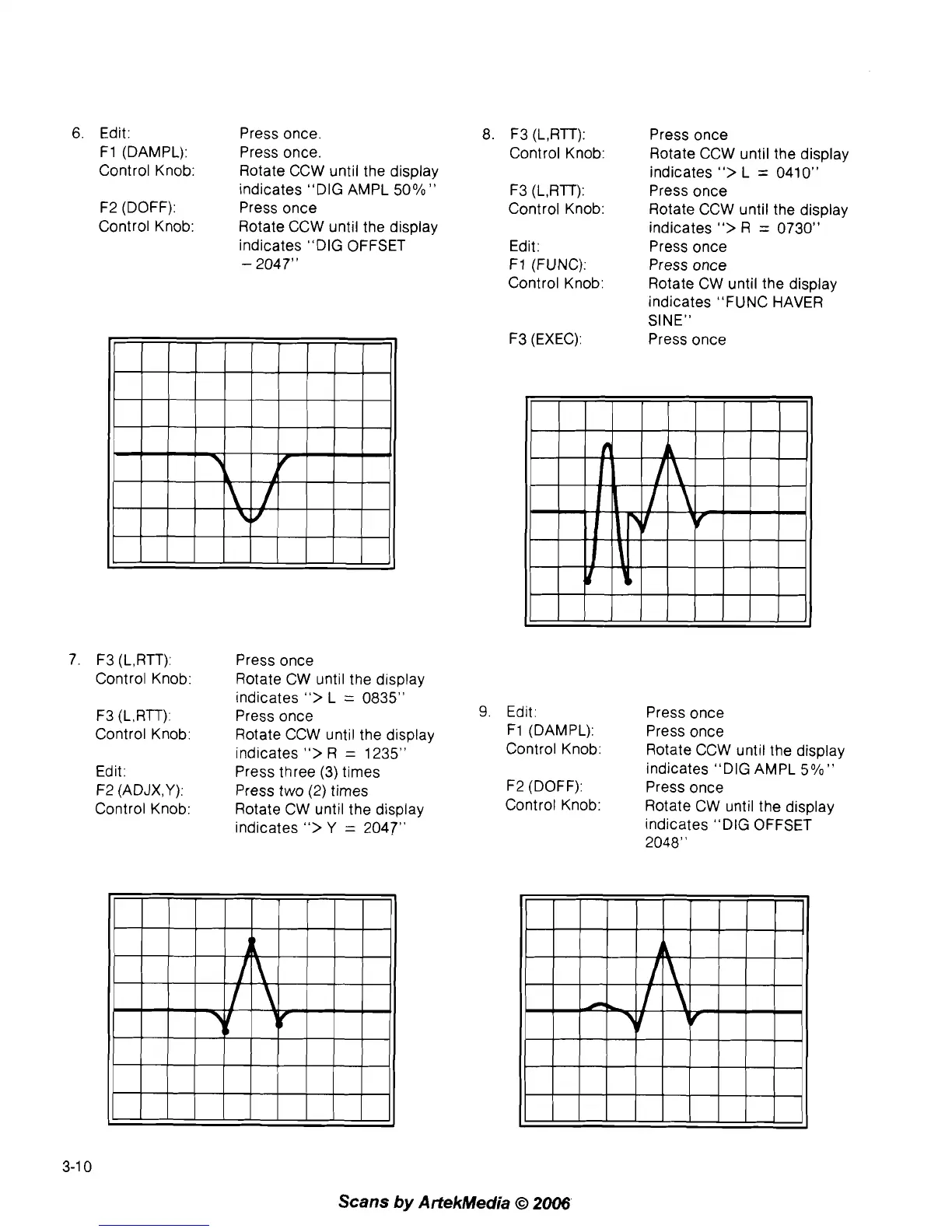
6.
Edit: Press once.
F1 (DAMPL): Press once.
Control Knob:
Rotate CCW until the display
indicates "DIG AMPL
50%"
F2 (DOFF): Press once
Control Knob:
Rotate CCW until the display
indicates "DIG OFFSET
-
2047"
7. F3 (L,RTT): Press once
Control Knob:
Rotate CW until the display
indicates
">
L
=
0835"
F3 (L,RTT): Press once
Control Knob:
Rotate CCW until the display
indicates
">
R
=
1235"
Edit: Press three (3) times
F2
(ADJX,Y):
Press two
(2)
times
Control Knob:
Rotate CW until the display
indicates
">
Y
=
2047"
8.
F3 (L,RTT):
Control Knob:
F3
(L,RTT):
Control Knob:
Edit:
F1 (FUNC):
Control Knob:
F3 (EXEC):
Press once
Rotate CCW until the display
indicates
">
L
=
0410"
Press once
Rotate CCW until the display
indicates
">
R
=
0730"
Press once
Press once
Rotate CW until the display
indicates "FUNC HAVER
SINE"
Press once
9.
Edit: Press once
F1 (DAMPL): Press once
Control Knob:
Rotate CCW until the display
indicates "DIG AMPL
5%"
F2 (DOFF): Press once
Control Knob:
Rotate CW until the display
indicates "DIG OFFSET
2048"
Scans
by
ArtekMedia
O
2006'



 To Next Page