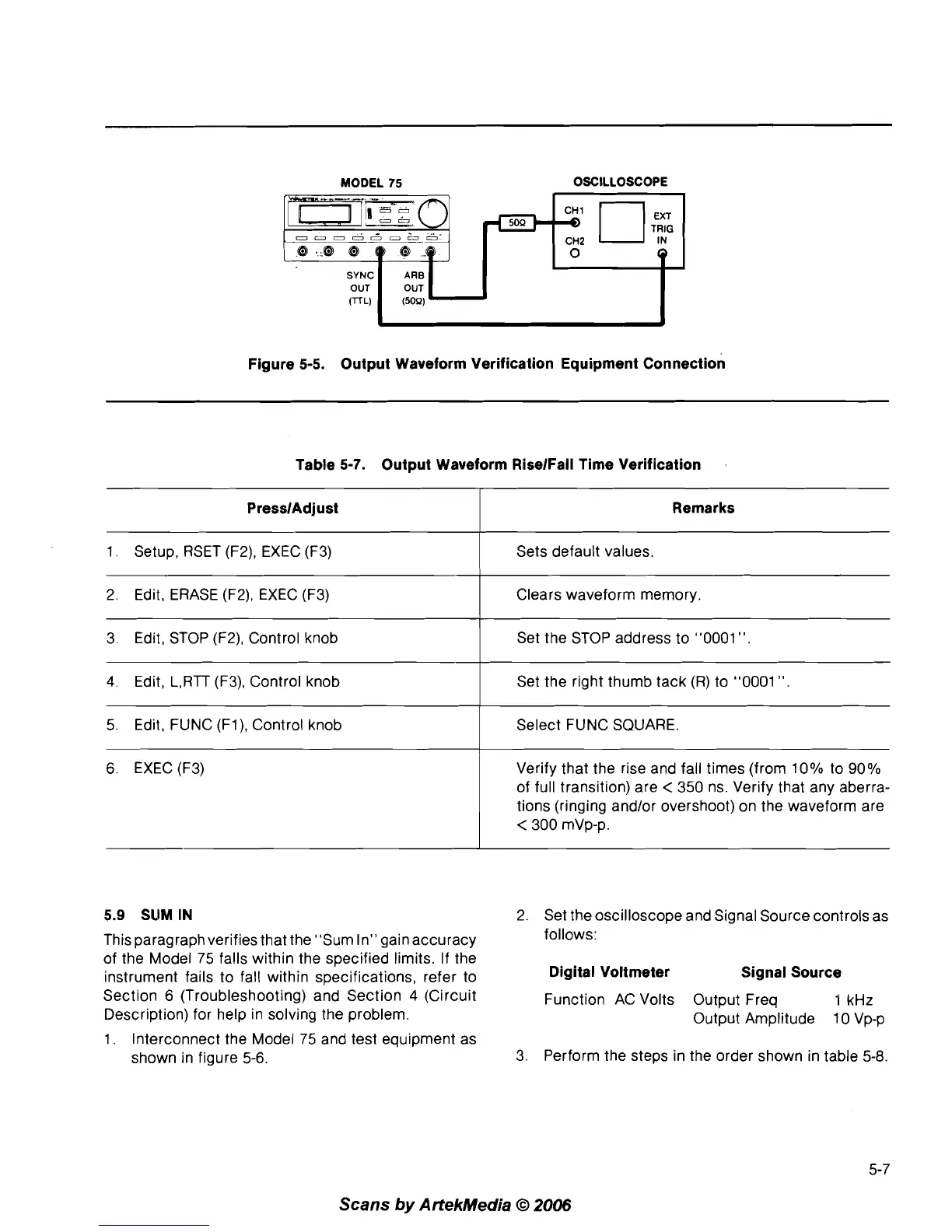
MODEL
75
OSCILLOSCOPE
Figure 5-5. Output Waveform Verification Equipment Connection
Table 5-7. Output Waveform
RiselFall Time Verification
5.9
SLIM
IN
2. Set the oscilloscope and Signal Source controls as
PresslAdjust
1. Setup, RSET (F2), EXEC (F3)
2. Edit, ERASE
(F2), EXEC (F3)
3. Edit, STOP
(F2), Control knob
4.
Edit, L,RTT (F3), Control knob
5. Edit, FUNC
(Fl), Control knob
6.
EXEC (F3)
This paragraph verifies that the "Sum In'' gain accuracy
follows:
of the Model 75 falls within the specified limits.
If
the
instrument fails to fall within specifications, refer to
Digital Voltmeter Signal Source
Section
6
(Troubleshooting) and Section
4
(Circuit Function AC Volts Output Freq 1 kHz
Description) for help in solving the problem.
Output Amplitude 10 Vp-p
1. Interconnect the Model 75 and test equipment as
shown in figure
5-6.
3. Perform the steps in the order shown in table
5-8.
Remarks
Sets default values.
Clears waveform memory.
Set the STOP address to "0001
".
Set the right thumb tack (R) to "0001
".
Select FUNC SQUARE.
Verify that the rise and fall times (from
10% to 90%
of full transition) are
<
350 ns. Verify that any aberra-
tions (ringing
and/or overshoot) on the waveform are
<
300 mVp-p.
Scans
by
ArtekMedia
O
2006



 To Next Page