Table
6-1
I.
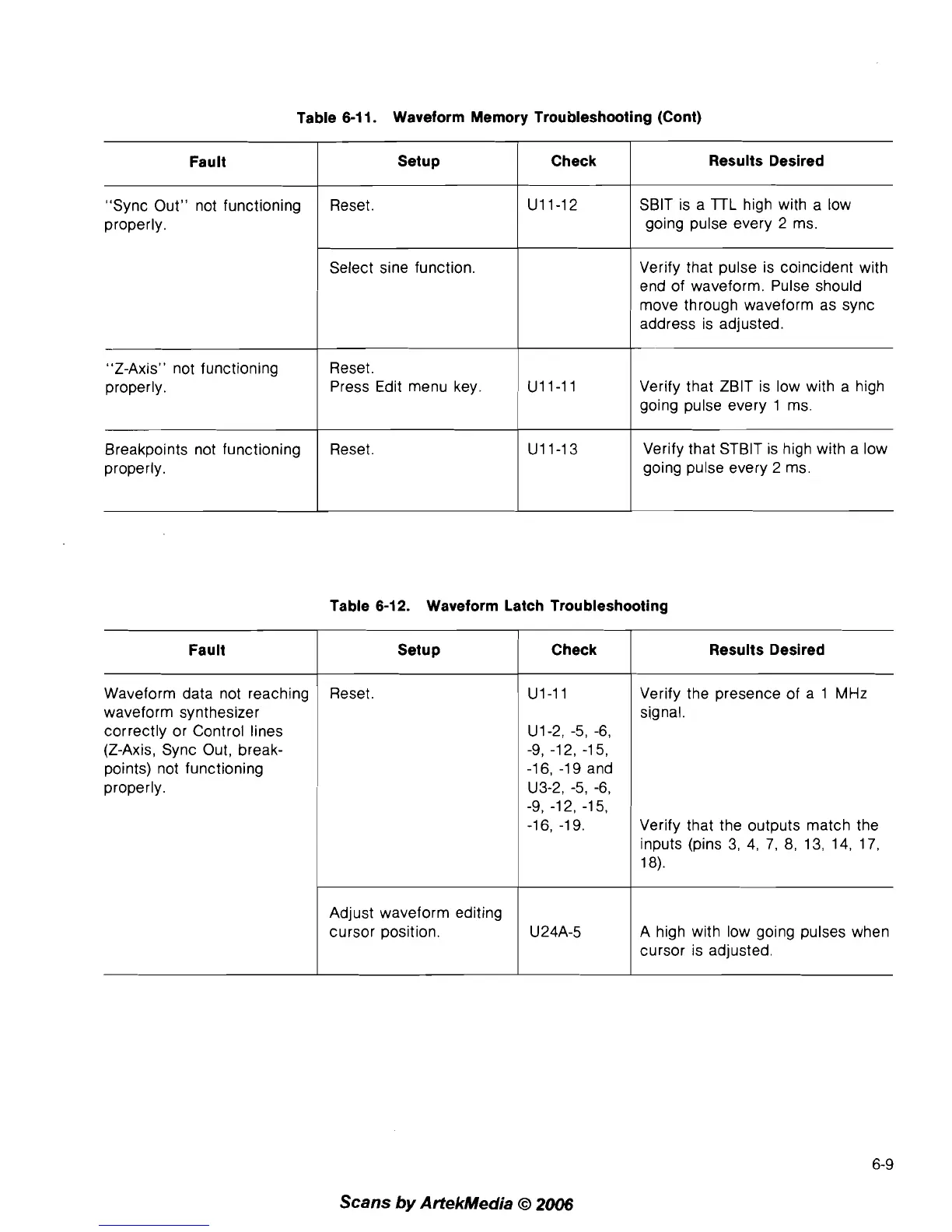
Waveform Memory Troubleshooting (Cont)
Fault
"Sync Out" not functioning
properly.
"Z-Axis" not functioning
properly.
Breakpoints not functioning
properly.
Reset.
Setup
1
Check
Select sine function.
Results Desired
SBlT is a
lTL
high with a low
going pulse every 2 ms.
Verify that pulse is coincident with
end of waveform. Pulse should
move through waveform as sync
address is adjusted.
Reset.
Press Edit menu key.
,
U11-11 Verify that ZBlT is low with a high
going pulse every 1 ms.
Reset.
Verify that
STBlT is high with a low
going pulse every
2 ms.
Table
6-12.
Waveform Latch Troubleshooting
I
Check
Fault
Results Desired
Setup
Waveform data not reaching
waveform synthesizer
correctly or Control lines
(Z-Axis, Sync Out, break-
points) not functioning
properly.
Reset.
U1-2, -5, -6,
-9, -1 2, -1 5,
-16, -19 and
U3-2, -5, -6,
-9, -12, -15,
-16, -1 9.
Verify the presence of a 1
MHz
signal.
Verify that the outputs match the
inputs (pins 3, 4, 7, 8, 13, 14, 17,
18).
A high with low going pulses when
cursor is adjusted.
Adjust waveform editing
cursor position.
Scans
by
ArtekMedia
O
2006
U24A-5



 To Next Page