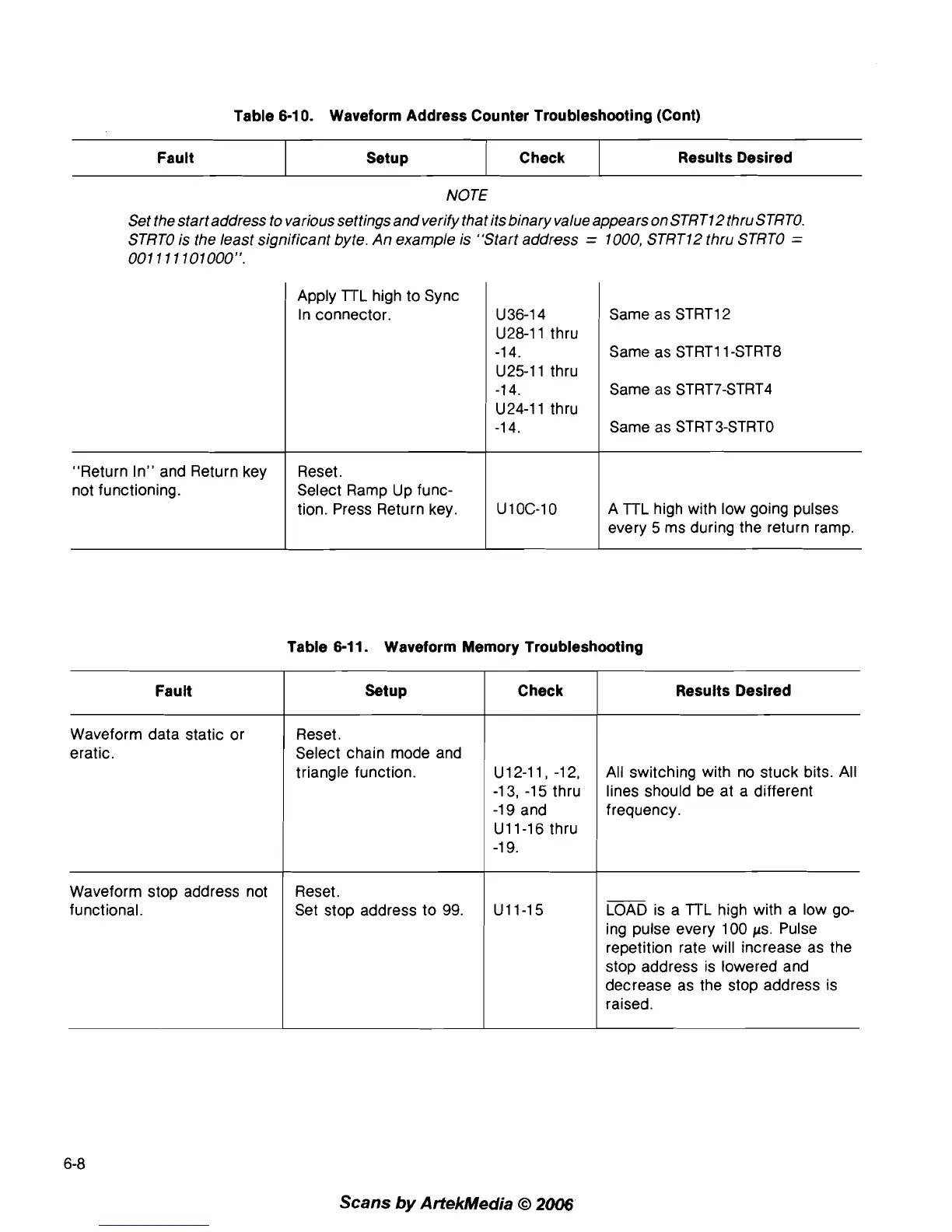
Table 6-1
0.
Waveform Address Counter Troubleshooting (Cont)
NOTE
Set the start address to various settings and verify that its binary value appears on
STRT12thru STRTO.
STRTO is the least significant byte. An example is "Start address
=
1000, STRT12 thru STRTO
=
001
11
1101000".
"Return In" and Return key
not functioning.
Fault
Apply TTL high to Sync
In connector.
Check
Setup
Reset.
Select Ramp Up func-
tion. Press Return key.
Results Desired
U 36-1 4
U28-11 thru
-1 4.
U25-11 thru
-1 4.
U24-11 thru
-1 4.
Same as
STRT12
Same as STRT11 -STRT8
Same as STRT7-STRT4
Same as STRT3-STRTO
A TTL high with low going pulses
every 5 ms during the return ramp.
Table 6-1 1. Waveform Memory Troubleshooting
Fault
I
Setup Check
I
Results Desired
Waveform data static or
eratic.
Reset.
Select chain mode and
triangle function. u12-11, -12,
-1 3, -1 5 thru
-1
9
and
U11-16 thru
-1
9.
All switching with no stuck bits. All
lines should be at a different
frequency.
Waveform stop address not
functional.
Reset.
Set stop address to
99.
LOAD is a TI-L high with a low go-
ing pulse every 100
ps. Pulse
repetition rate will increase as the
stop address is lowered and
decrease as the stop address is
raised.
Scans
by
ArtekMedia
O
2006



 To Next Page