16
•
SmartSensor HD User Guide
mounting straps through the slots on the mount.
3 Position the mount on the pole at the height you chose from the
mounting table in the previous chapter.
4 Tighten the straps.
5 Attach the knuckle you prepared earlier to the mount using the
large bolts (the cable connector should be pointed down). Don't
tighten completely yet, as you still need to align the sensor to
the roadway.
Aligning the sensor to the roadway
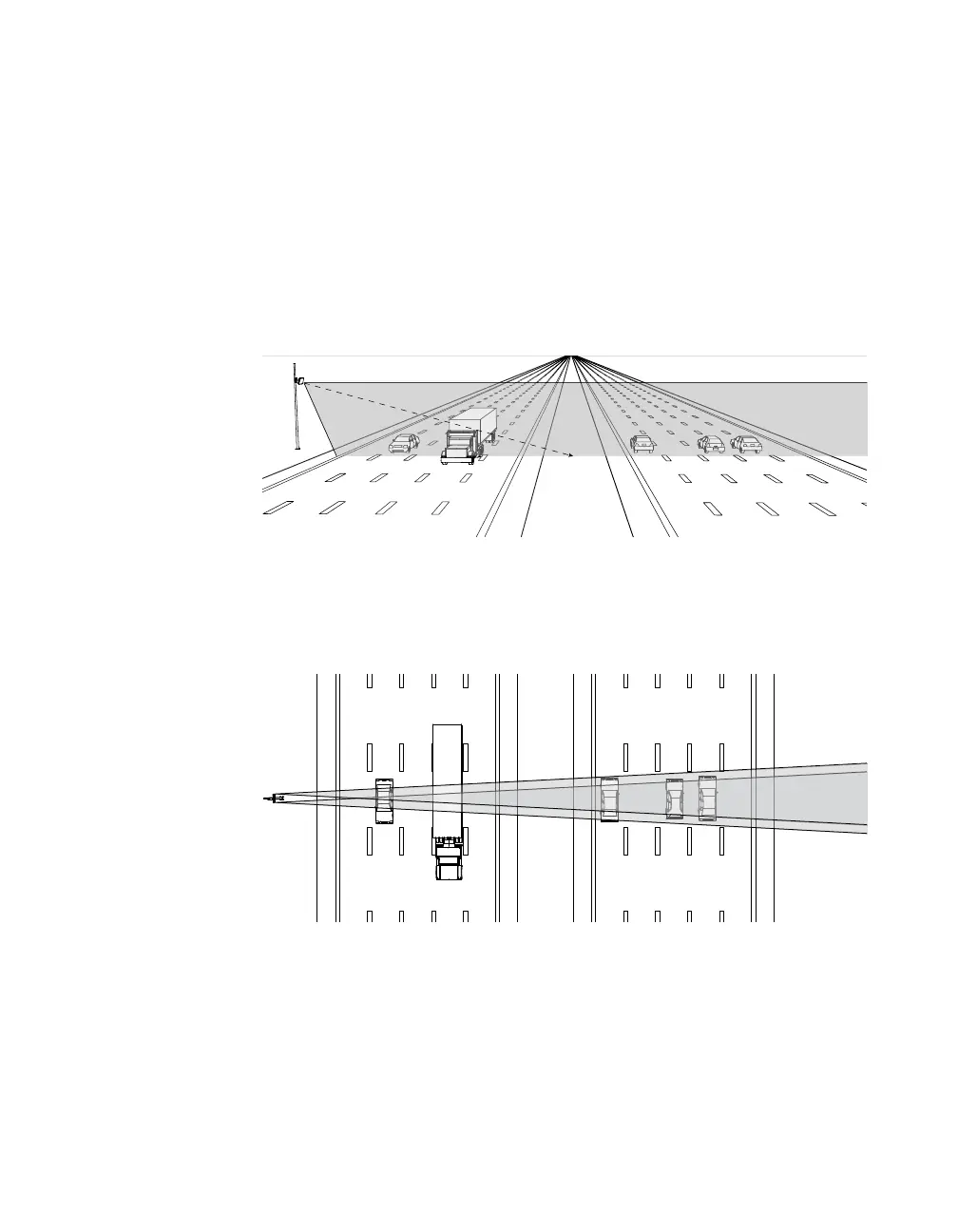
Figure 7. Up-and-down positioning
1 Tilt the sensor down so the front is aimed at the center of the
detection area.
Figure 8. Side-to-side positioning
2 Adjust the side-to-side angle so it’s perpendicular to the flow of
trac.
Note. Be sure to
keep the straps
adjustable, because
once you’ve used the
alignment tool in the
software, you may
need to fine-tune the
sensor’s positioning.



 To Next Page