EasyManua.ls Logo

Wavetronix SmartSensor HD - Changing General Tab Settings

Wavetronix SmartSensor HD
109 pages
Print Icon
To Next Page IconTo Next Page
To Previous Page IconTo Previous Page
Loading...
42
 SmartSensor HD User Guide
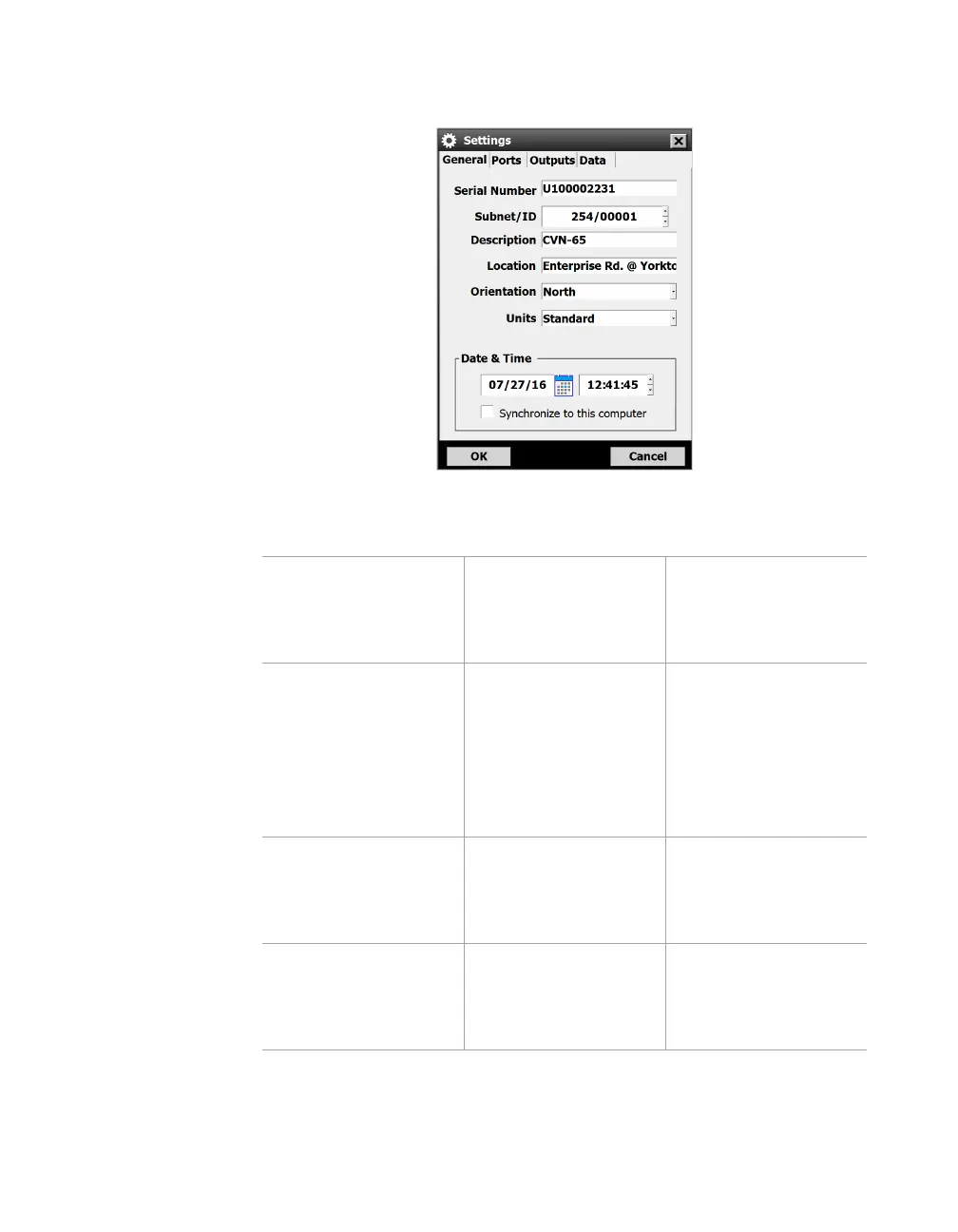
Changing General tab settings
Figure 45. General tab
Setting Description Details
Serial Number Shows the
identification number
assigned to the
sensor by Wavetronix.
Can’t be changed.
Subnet/ID Subnet: defaults to
000. ID: defaults to
the last five digits
of the sensor serial
number. No two
sensors should have
the same ID.
Subnet: change if
you want to create
groupings of sensors
ID: generally you
won’t need to change
this.
Description Lets you create a
description of the
sensor. Limit of 32
characters.
Change this if you
think you’ll find it
useful in identifying
the sensor later.
Location Lets you enter the
sensor’s location.
Limit of 32 characters.
Change this if you
think you’ll find it
useful in identifying
the sensor later.

Table of Contents

Other manuals for Wavetronix SmartSensor HD

Related product manuals