60
•
SmartSensor HD User Guide
Setting Description Details
Copy Sidebar Saves all the lanes
currently shown in the
sidebar to the edit
area.
This is the
recommended
method for saving
automatically
configured lanes to
your configuration.
Sidebar 2 shoulder area window
If you click the shoulder area, instead of a lane, it will open a
window with just the range/width of the shoulder and the Copy
Sidebar option.
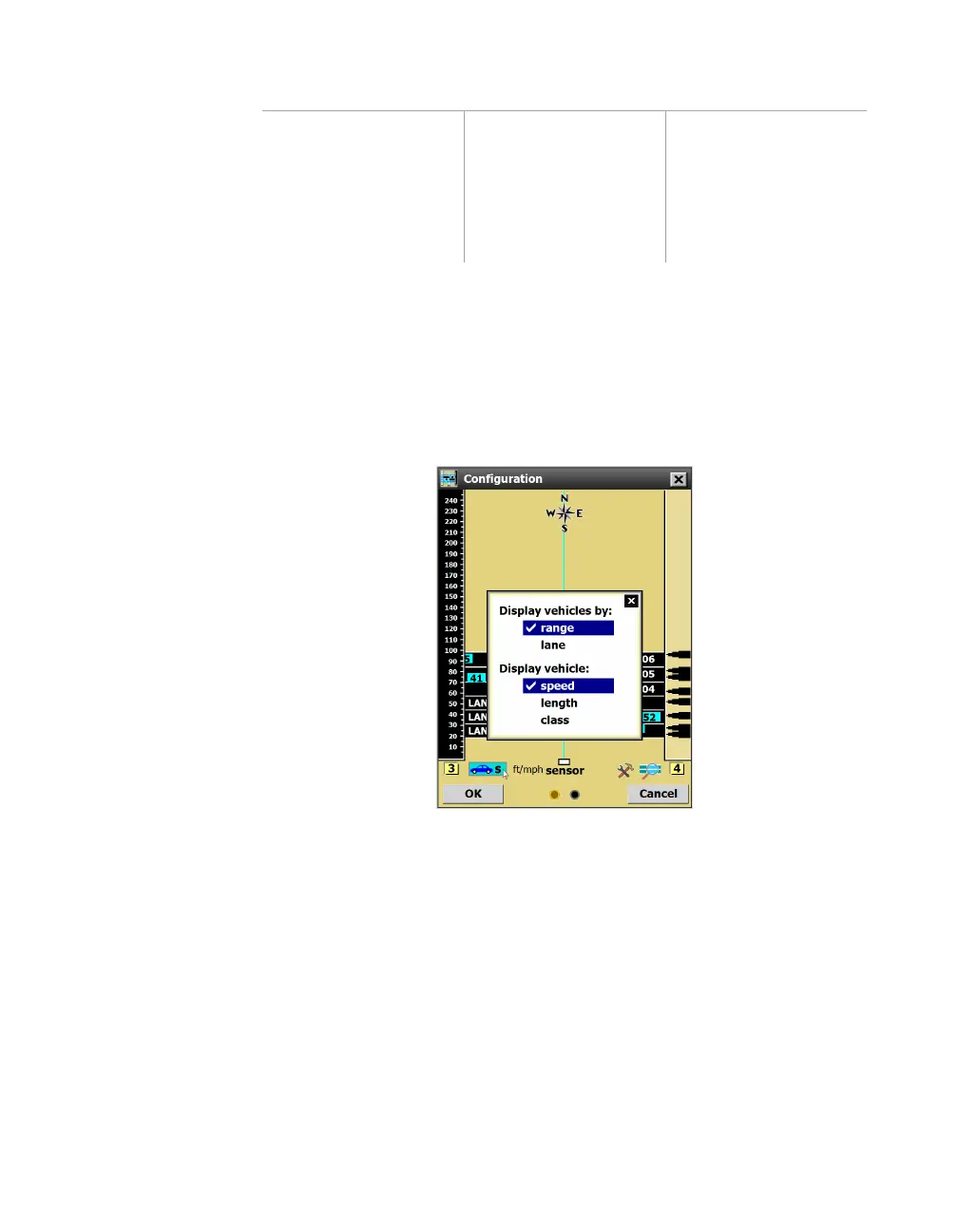
Using the Vehicle Display menu
Figure 63. Choosing vehicle display options
Click the vehicle display button (dark blue car on a teal back-
ground) to change how the detected vehicles are displayed.



 To Next Page