Chapter 3: Installing Power, Surge Protection, and Communications
•
27
8 Connect the grounding lug to earth ground.
Setting up the traffic cabinet
Lightning
Surge
Protection
W
ProtectedProtected
Click!
200
RS-485RS-232 DCE
110 VAC
SmartSensor
GNDGNDRDTDCTSRTSGND
485+485-GND-DC+DC
L N G
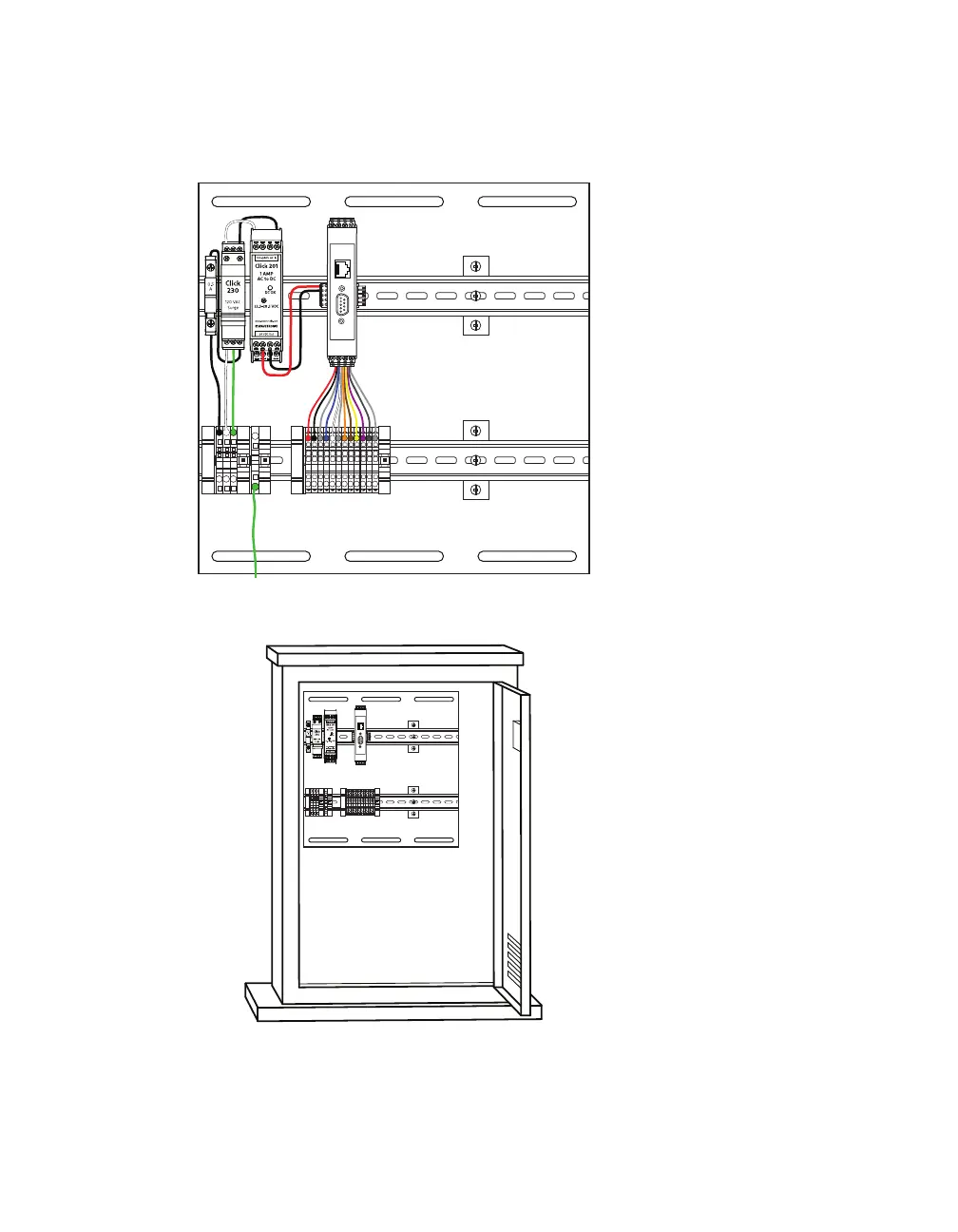
Figure 24. Standard Preassembled Backplate (for trac cabinet)
Lightning
Surge
Protection
W
ProtectedProtected
Click!
200
RS-485RS-232 DCE
110 VAC
SmartSensor
GNDGNDRDTDCTSRTSGND485+485-GND-DC+DC
L N G
Figure 25. Mounting the backplate in the cabinet
1 If you haven’t already, run the homerun cable back to the trac
cabinet.
Note. This section
assumes you are
using the Standard
Preassembled
Backplate from
Wavetronix; if you
bought individual
Click modules
instead, see Click
100–400 Series User
Guide and support
document 295,
How to Assemble
the Power Plant.



 To Next Page