26
•
SmartSensor HD User Guide
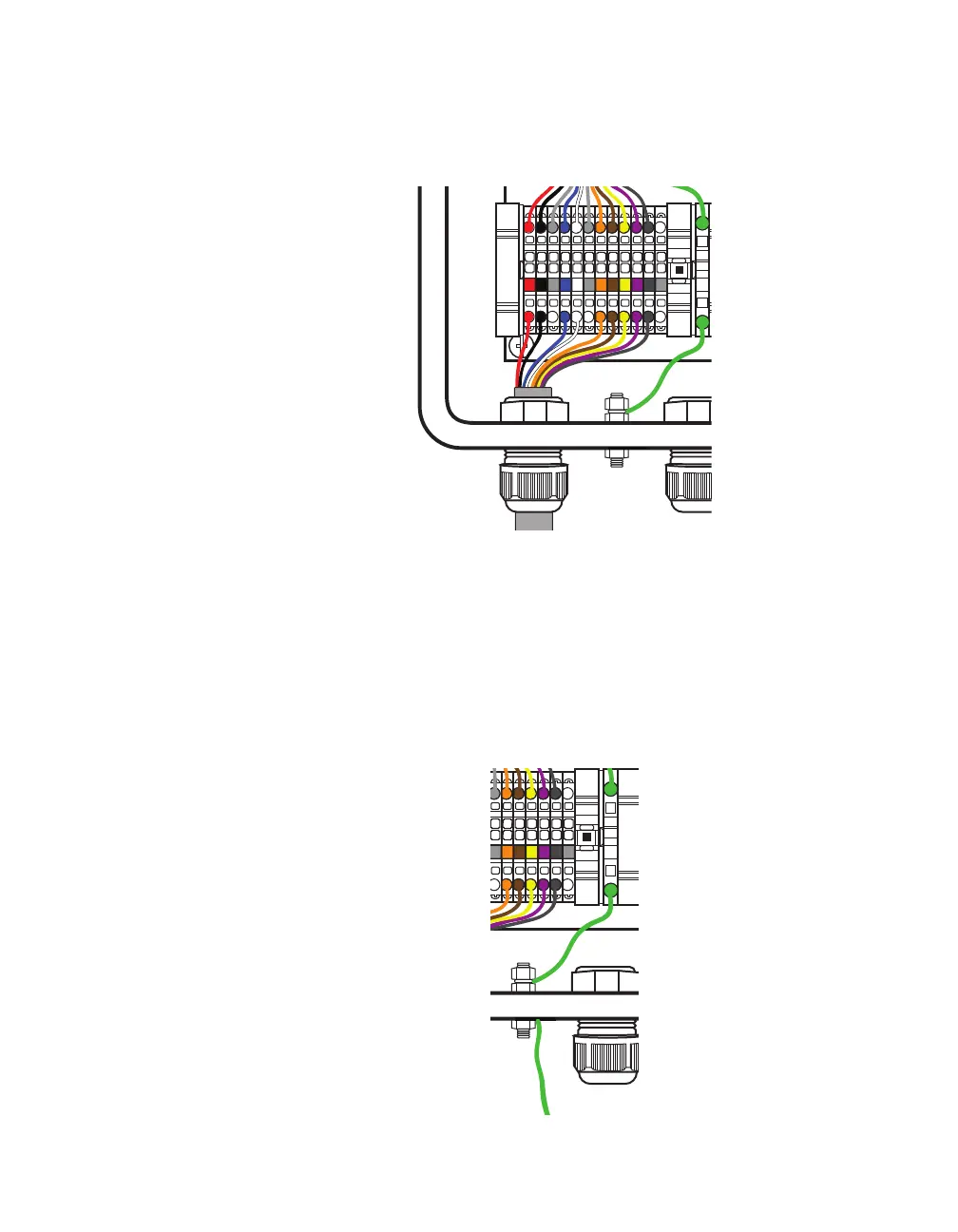
block. The blocks are color-coded for your convenience: land
the black conductor into the block with the black label, and so
on.
Lightning
Surge
Protection
W
ProtectedProtected
Click!
200
RS-485RS-232 DCE
To SmartSensor
GNDGNDRDTDCTSRTSGND
485+485-GND-DC+DC
To Trac Cabinet
GNDGNDRDTDCTSRTSGND
485+485-GND-DC+DC
GNDGNDRDTDCTSRTSGND485+485-GND-DC+DC
GNDGNDRDTDCTSRTSGND485+485-GND-DC+DC
Figure 22. Connecting homerun cable to terminal blocks
6 Insert one end of the homerun sensor cable (the cable that runs
to the trac cabinet) into the leftmost grip on the bottom of the
box. Twist the cable grip to tighten.
7 Follow the instructions in steps 4 and 5 to land each conductor
into the correct spots in the set of terminal blocks marked “To
Trac Cabinet,” remembering to follow the color-coded labels.
Lightning
Surge
Protection
W
ProtectedProtected
Click!
200
RS-485RS-232 DCE
To SmartSensor
GNDGNDRDTDCTSRTSGND
485+485-GND-DC+DC
To Trac Cabinet
GNDGNDRDTDCTSRTS
GND
485+485-GND-DC+DC
GNDGNDRDTDCTSRTSGND485+485-GND-DC+DC
GNDGNDRDTDCTSRTS
Figure 23. Connecting earth ground



 To Next Page