56
•
SmartSensor HD User Guide
Viewing sidebars
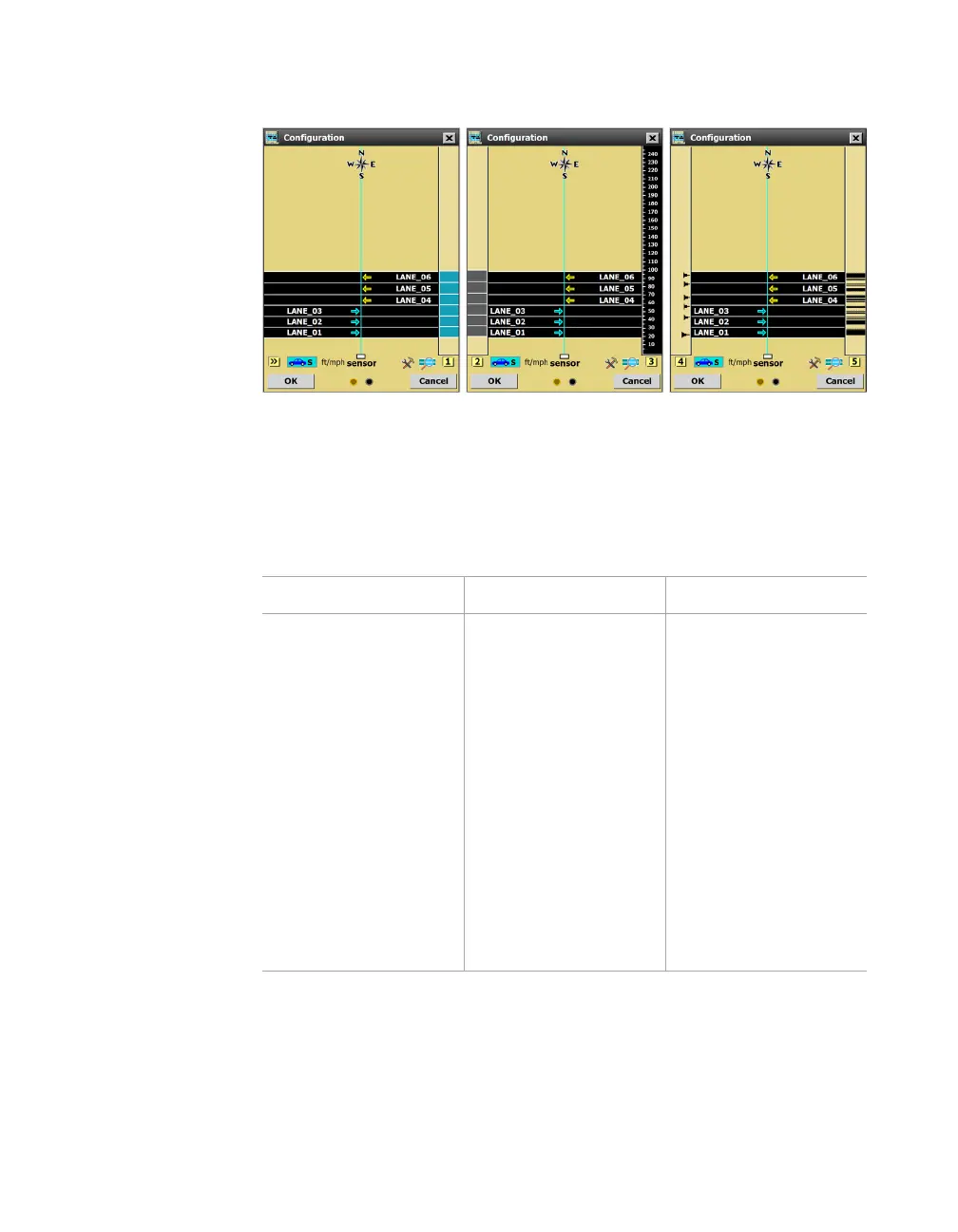
Figure 60. Sidebar options
The sidebars appear on either side of the screen and give informa-
tion about the lanes and shoulder. Click the sidebar button to cycle
through the six sidebar options.
Setting Description Details
>> (off) No sidebar shown. N/A
1
(Automatic
configuration)
Shows the lanes
that have been
automatically
detected by the
sensor, in blue.
Use this to save only
certain automatically
configured lanes
to the sensor,
as discussed
under Automatic
Configuration. Or
use the automatically
configured lanes as
a reference—to see
where the software
has detected lanes—
while you’re manually
configuring or
adjusting lanes.



 To Next Page