Chapter 4: Connecting to the Sensor
•
39
Updating the sensor
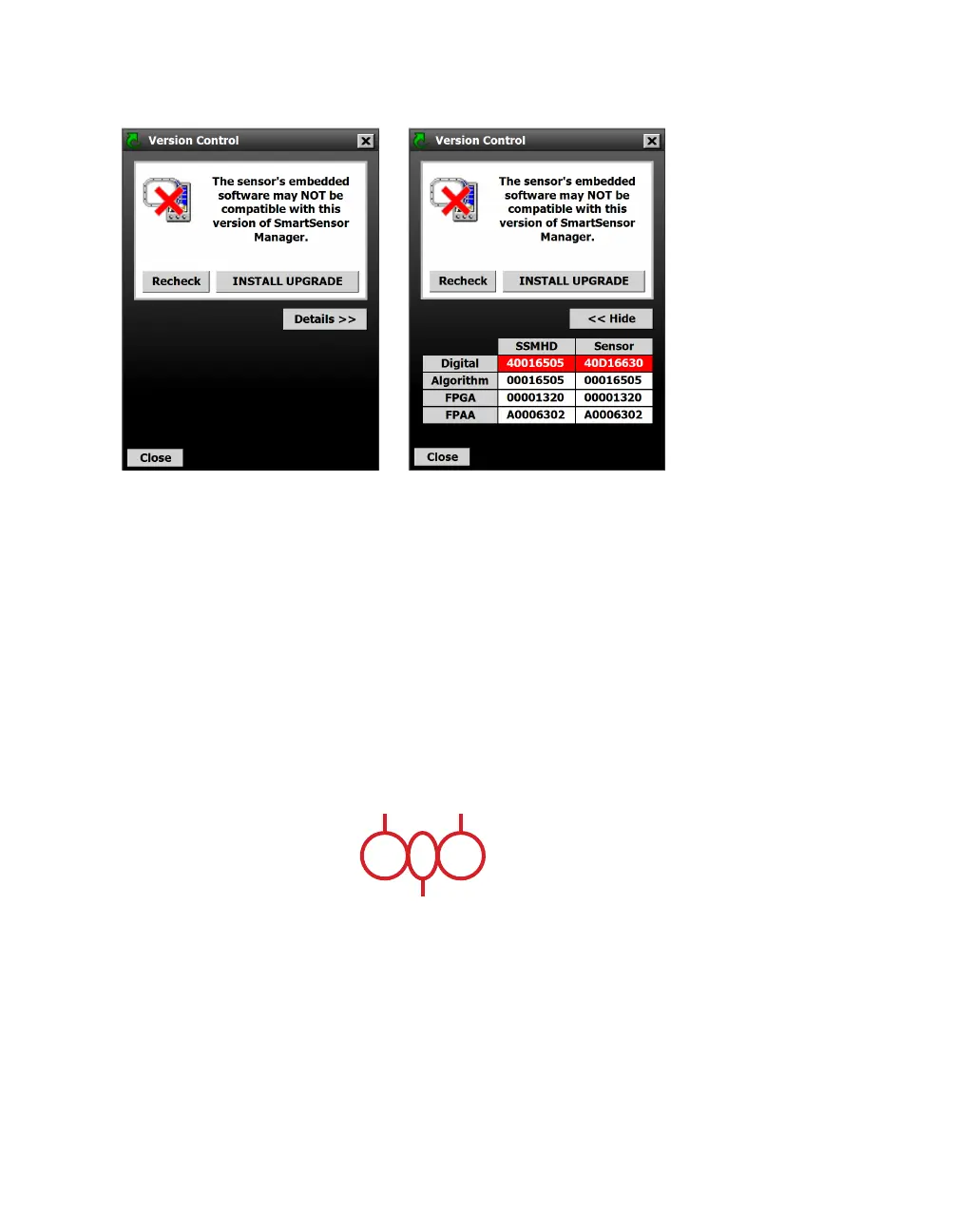
Figure 41. Version Control basic screen and detailed screen
1 If the version of SSMHD doesn’t match the version of the sen-
sor’s embedded firmware, then after you click Connect, the
Version Control screen will appear.
2 If you would like specifics on the mismatch, click the Details >>
button.
3 Click Install Upgrade, or, if you prefer not to upgrade at this
time, click Close.
Reading the date code
20019305
Year
(2019)
Month
(May)
Day
(5th)
Figure 42. Date code
The firmware numbers can be interpreted according to this date
code image. The month number is written in hexadecimal, meaning
that October will be written as A, November as B, and December
as C.



 To Next Page