Chapter 4: Connecting to the Sensor
•
37
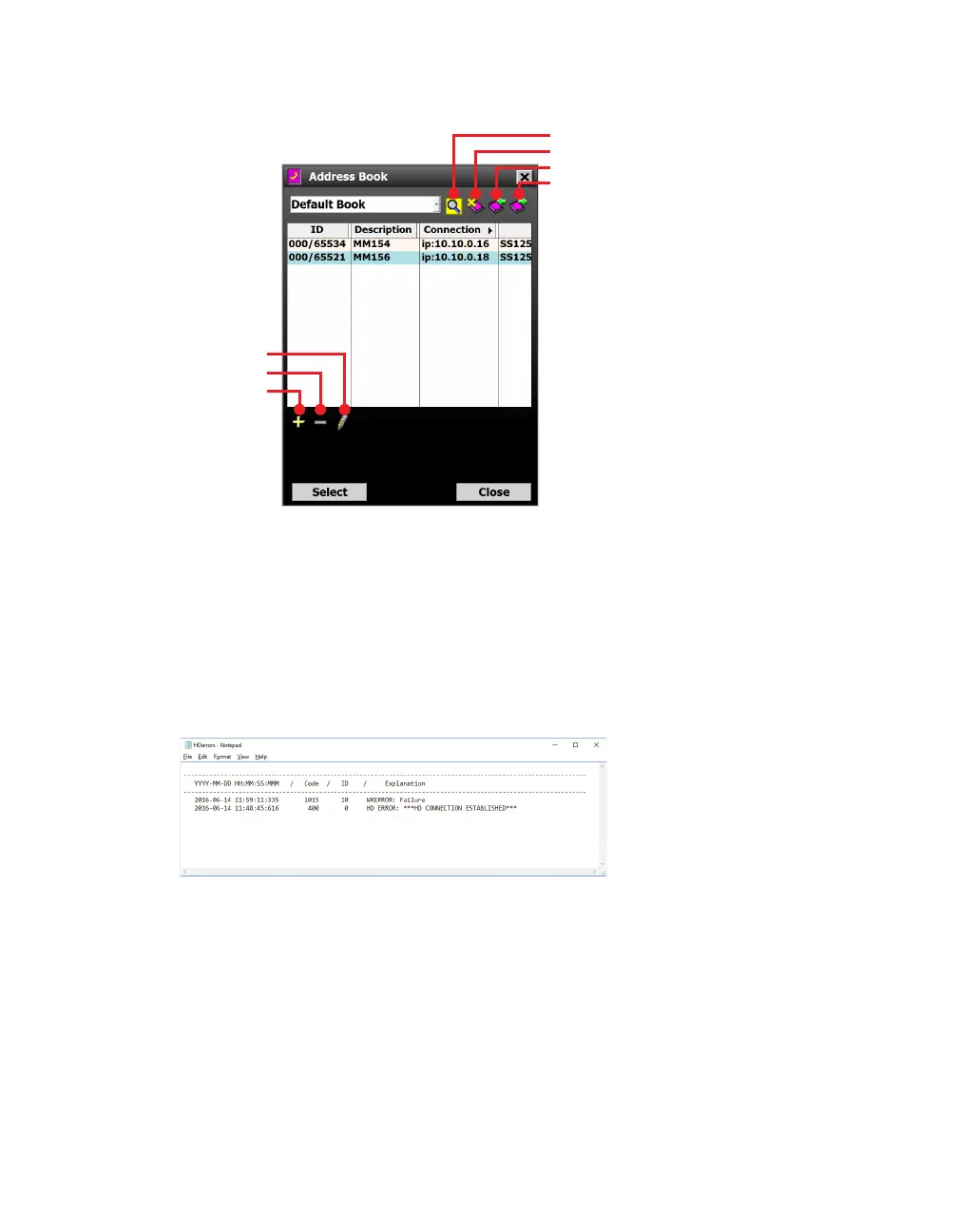
Using the address book
Filters address books
Deletes an address book
Imports an address book
Exports an address book
Edits the selected device
Deletes the selected device
Adds device to address book
Figure 37. Address book screen
1 Click on the book icon at the bottom of the connection screen
(serial, Internet or virtual).
2 The address book screen will appear; use the settings pointed
out to add, edit and delete device connection settings.
Viewing the error log
Figure 38. Error log
1 Click on the notepad icon at the bottom of the connection
screen (serial, Internet or virtual).
2 The error log will be saved to C://ProgramFiles/Wavetronix/
SmartSensor Manager HD vX.X.X/bin. It will also open in your
default .txt editor. If you need to save a copy for troubleshooting
purposes, do a Save As, as the file will be written over next time
you view an error log.
Note. The address
book lets you
save device
connection settings
for future use.
Note. The error
log can be useful
in troubleshooting,
or you may need
to save it and
send to support@
wavetronix.com.



 To Next Page