EasyManua.ls Logo

Wavetronix SmartSensor HD - Using the Lane Window

Wavetronix SmartSensor HD
109 pages
Print Icon
To Next Page IconTo Next Page
To Previous Page IconTo Previous Page
Loading...
Chapter 6: Configuring Lanes 
67
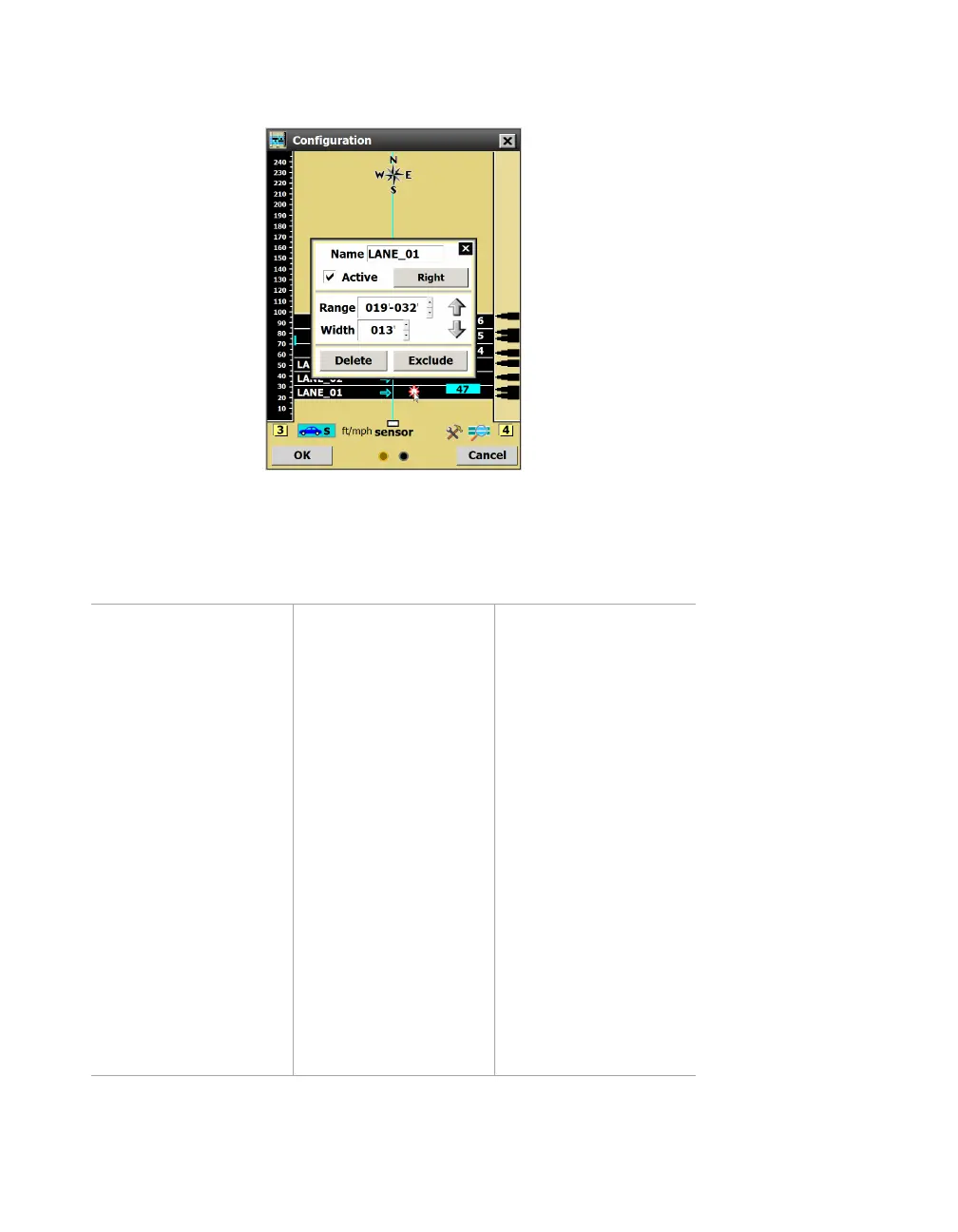
Using the Lane window
Figure 67. Lane window
Click a saved (black) lane in the edit area to open this window.
Setting Description Details
Name Lets you type in a
new lane name.
SSMHD uses “LANE_
xx” as the default (“xx”
is the number of the
name, with LANE_01
nearest the sensor).
When you add a new
lane, all lanes with this
name format will be
updated.
For RTMS and Z4
data push, lane
mapping may be
changed using the
notation #xx (“xx”
being a lane number).
All lanes must use this
format for the new
lane mapping to take
effect.
Note. If you decide
to renumber the
lanes manually, the
software won’t let
you use “LANE_xx”
as the format,
but you can use
the lowercase
version, “Lane_xx”,
if you’d like.

Table of Contents

Other manuals for Wavetronix SmartSensor HD

Related product manuals