52
•
SmartSensor HD User Guide
˿
You may need to reset the alignment if there has been a drastic
change to the sensor’s position.
˿
It can be dicult to align if there are non-parallel lanes of traf-
fic (such as freeway ramps) in front of the sensor. Mark the
non-parallel lanes as inactive or excluded (covered in the next
section) until the alignment is taken care of.
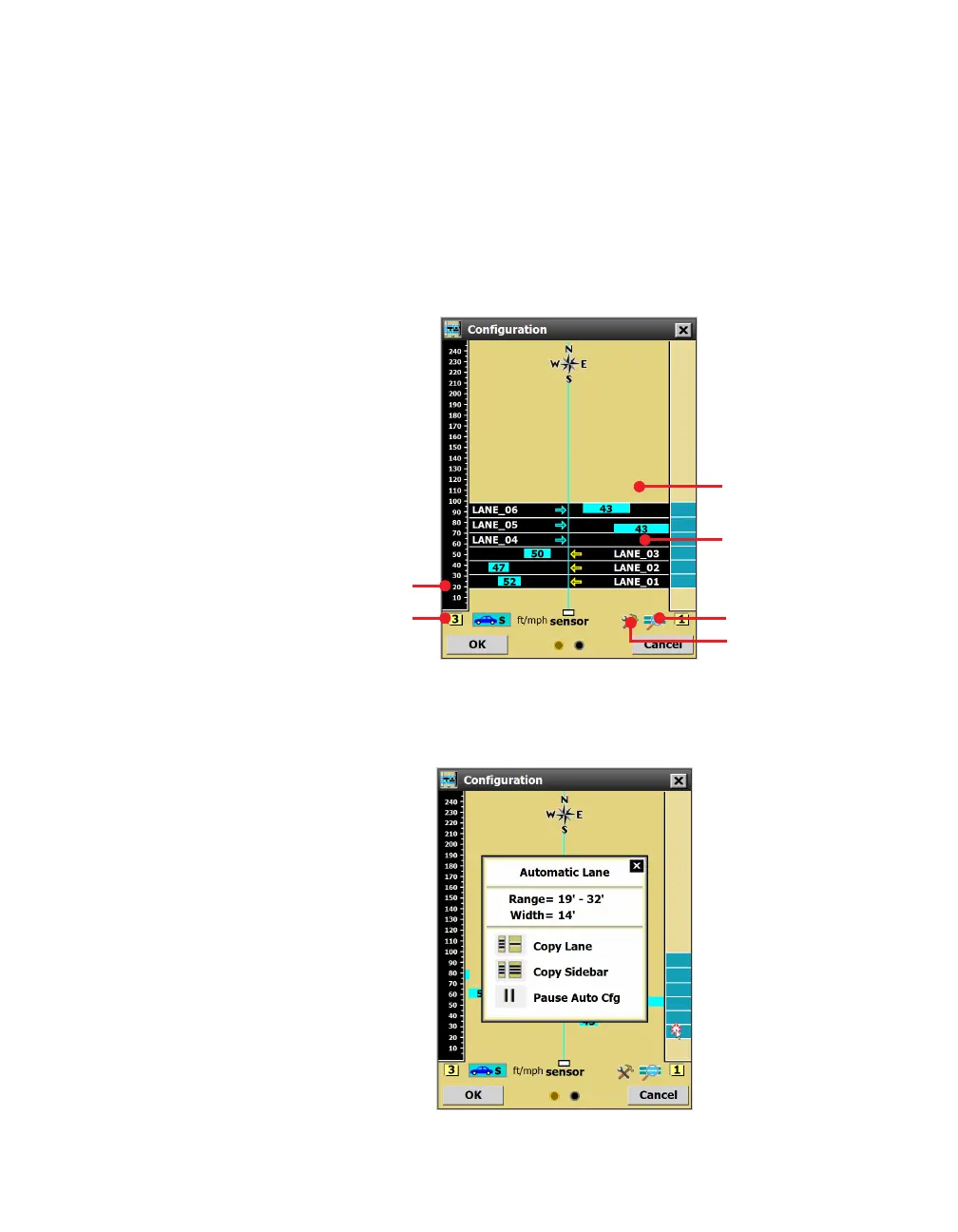
Lane configuration
Sidebar
Sidebar button View menu
Tools menu
Roadway
Shoulder area
Figure 54. Configuration screen
Capturing lanes
Figure 55. Automatic Lane window
Note. There must be
trac on the road
for the automatic
configuration process
to work. If there’s
no trac on the
road, you may need
to drive your own
vehicle back and
forth in front of the
sensor a few times.



 To Next Page