Wecon VD2 SA Series Servo Drives Manual (Lite V1.1)
WECON technology Co., Ltd
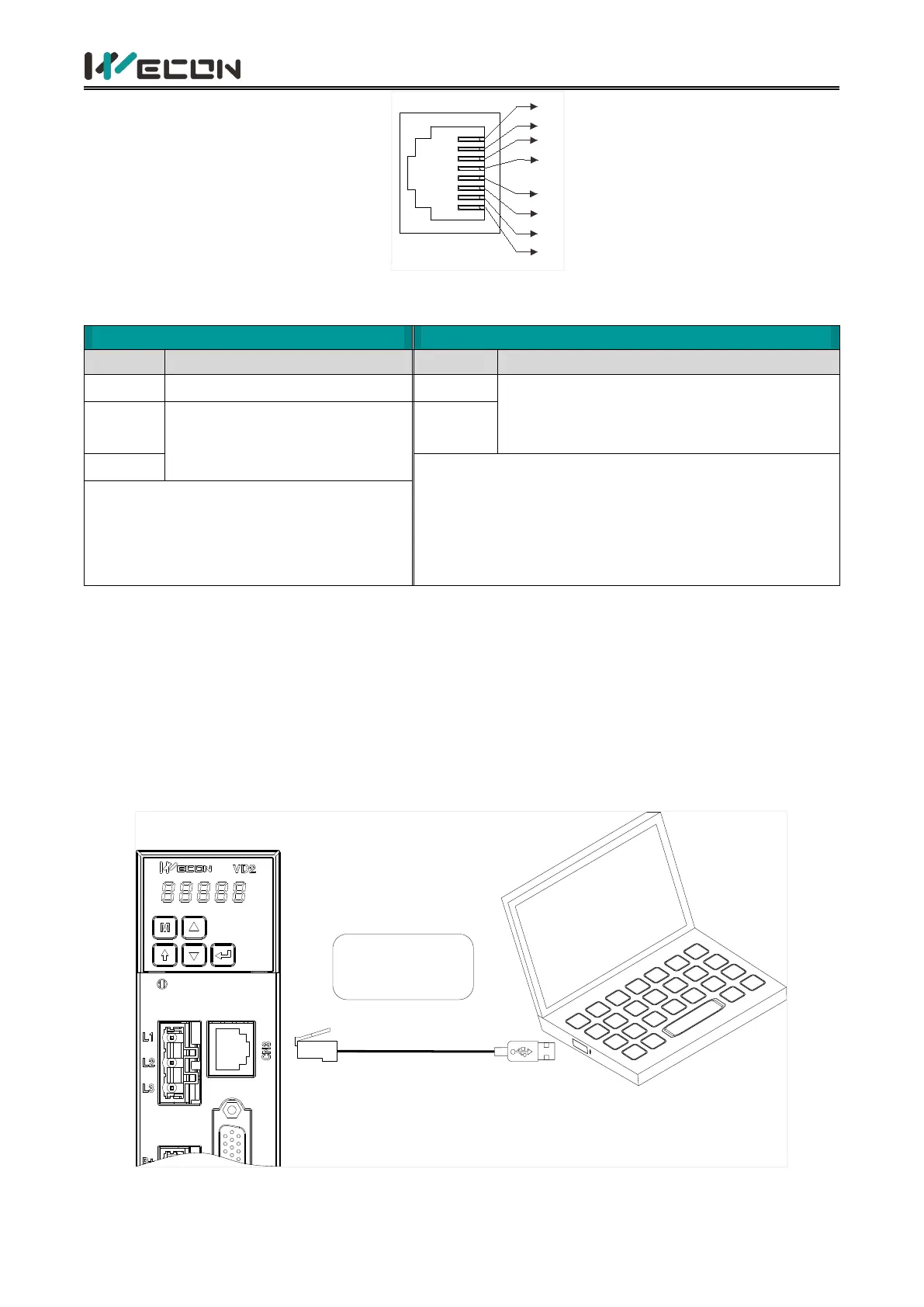
Figure 4-29 Pin number of an RJ45 socket
The communication modes supported by the driver communication ports are in the following table.
RS422, RS485 communication mode
choose one of two. Set by function code
P12-05
✎Note: The CN3 and CN4 interfaces are physically
connected and are actually the same communication
interface. When P12-05 is set to 1, CN3 and CN4 use
RS485 communication mode. If the value is set to 0,
both use RS422 communication mode.
✎Note: The CN5 and CN6 interfaces are
physically connected and are actually the
same communication interface.
Table 4-18 Communication port communication modes
4.5.1 Communication connection with servo host computer (RS422)
Servo drives communicate with the host computer via RS422 communication. A USB to RS422 (RJ45
connector) cable is required for communication, and you need to equip it by yourselves.
(1) VD2A&VD2B
VD2A and VD2B servo drives communicate with the host computer via the CN3 interface by RS422
communication. Figure 4-32 and Figure 4-33 show the communication connections.
Please prepare the
cables by yourselves
USB RS422
→
Host
( )PC and upper controller
Figure 4-30 The Connection between VD2A drive and PC



 To Next Page