Wecon VD2 SA Series Servo Drives Manual (Lite V1.1)
WECON technology Co., Ltd
5.2.5 Monitor display
After the servo drive is powered on or the servo enable is ON, you can press the "Mode" key to
enter the monitor display mode.
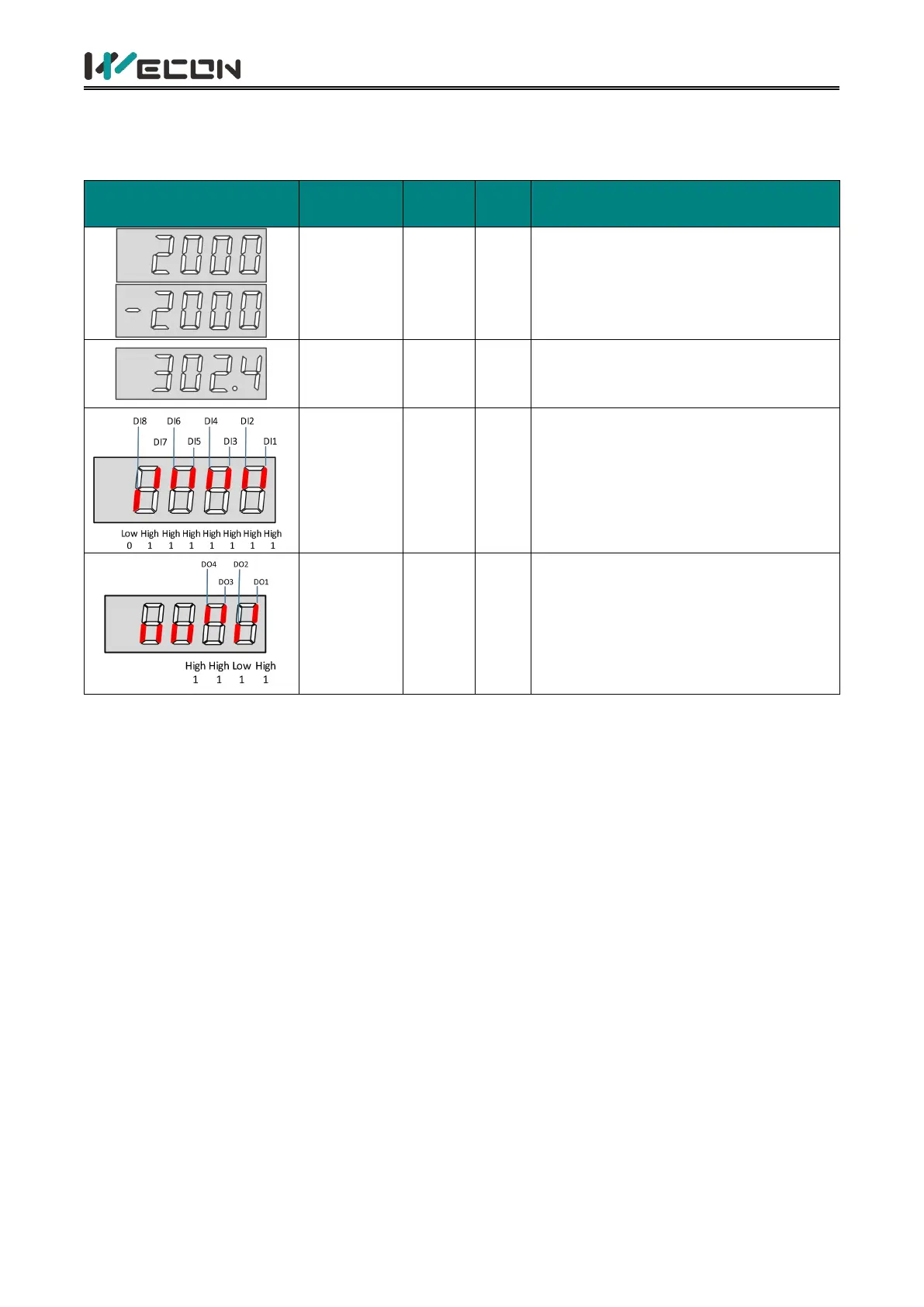
Indicates the actual operating speed
of servo motor, expressed in decimal.
Indicates the voltage value between
P+ and - of the drive, the DC bus
voltage
Indicates the level status
corresponding to the 8 DI terminals.
The upper half of the LED light
indicates high level, and the lower half
light indicates low level. (The VD2F
model has only 4 DI ports)
Indicates the level status
corresponding to the 4 DO terminals.
The upper half of the LED light
indicates high level, and the lower half
light indicates low level.
Table 5-6 Monitoring volume display example



 To Next Page