CFW300 | 23
English
First Time Power-Up and Start-Up
5 FIRST TIME POWER-UP AND START-UP
5.1 START-UP PREPARATION
The inverter must have already been installed according to Chapter 3 INSTALLATION AND
CONNECTION on page 9.
DANGER!
Always disconnect the main power supply before making any connection.
1. Check if the power, grounding and control connections are correct and firm.
2. Remove all the materials left behind from the installation work from inside the inverter or the
cabinet.
3. Verify the motor connections and if its voltage and current are within the inverter rated value.
4. Mechanically uncouple the motor from the load. If the motor cannot be uncoupled, make
sure that any speed direction (forward or reverse) will not result in personnel injury and/or
equipment damage.
5. Close the inverter or cabinet covers.
6. Measure the power supply and verify if it is within the allowed range, according to Chapter
8 TECHNICAL SPECIFICATIONS on page 31.
7. Apply power to the input: close the input disconnecting switch.
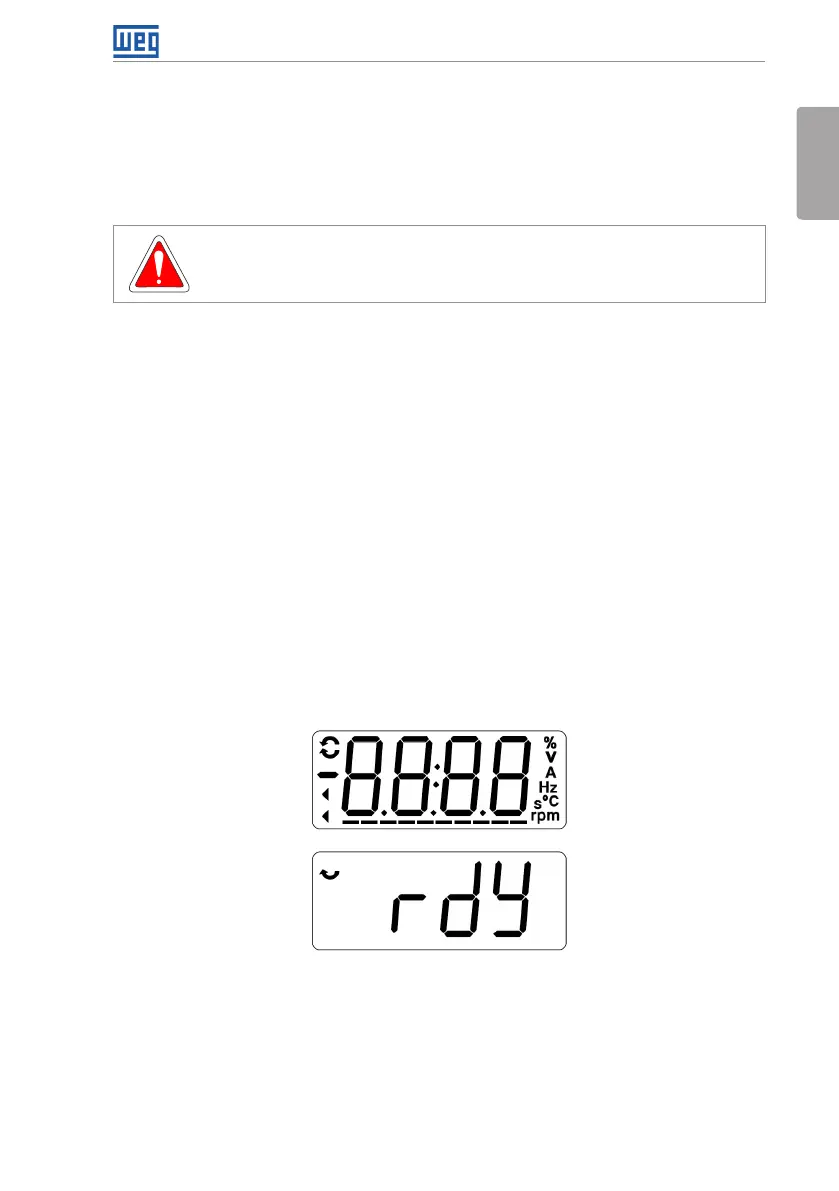
8. Check the result of the first time power-up:
The HMI display indicates:
Figure 5.1: HMI display when powering up
5.2 START-UP
This section describes the power-up of the inverter with HMI operation, using the minimum
connections of Figure 3.1 on page 13 and without connections in the control terminals.
Furthermore, two types of control will be considered: V/f control (scalar) and vector control
VVW. For further details on the utilization of these types of control refer to the CFW300
programming manual.



 To Next Page