1
/
4
-DIN,
1
/
8
-DIN &
1
/
16
- DIN Controllers & Indicators - Product Manual
Page 118 Glossary 59305, Issue 5 – March 2005
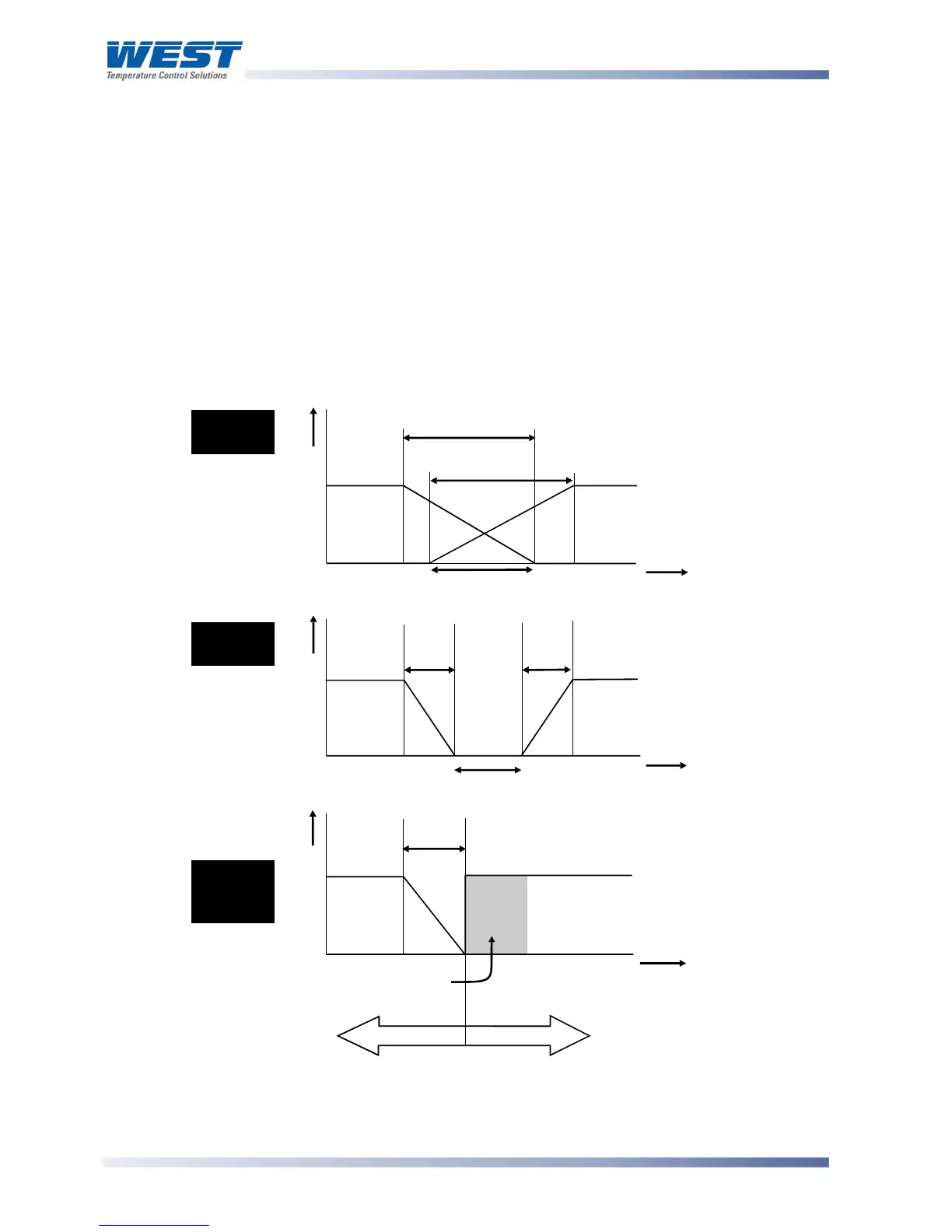
Overlap/Deadband Type: Controller Parameter
Defines the portion of the primary and secondary proportional bands (-6B- + -6B:) over
which both outputs are active (Overlap), or neither is active (Deadband). It is adjustable in
the range -20% to +20% of the two proportional bands added together. Positive values =
Overlap, negative values = Deadband.
This parameter is not applicable if the primary output is set for On-Off control or there is no
Secondary Output. If the Secondary Output is set for On-Off, this parameter has the effect of
moving the Differential band of the Secondary Output to create the overlap or deadband.
When Overlap/Deadband = 0, the “OFF” edge of the Secondary Output Differential band
coincides with the point at which the Primary Output = 0%. ).
Display code = ,+, default value = 0%.
Also refer to Differential, On-Off Control, Primary Proportional Band and Secondary
Proportional Band.
Figure 43. Overlap and Deadband
Overla



 To Next Page