•NORMAL
Select to record 24/7 video and audio.
•NORECORD
Select to not record any video or audio and disable all logging and notications.
•OTHER
Indicates that a timeframe other than whole hours has been selected in the normal Schedule menu. This
other schedule allows times to be selected in 1/2 hour increments
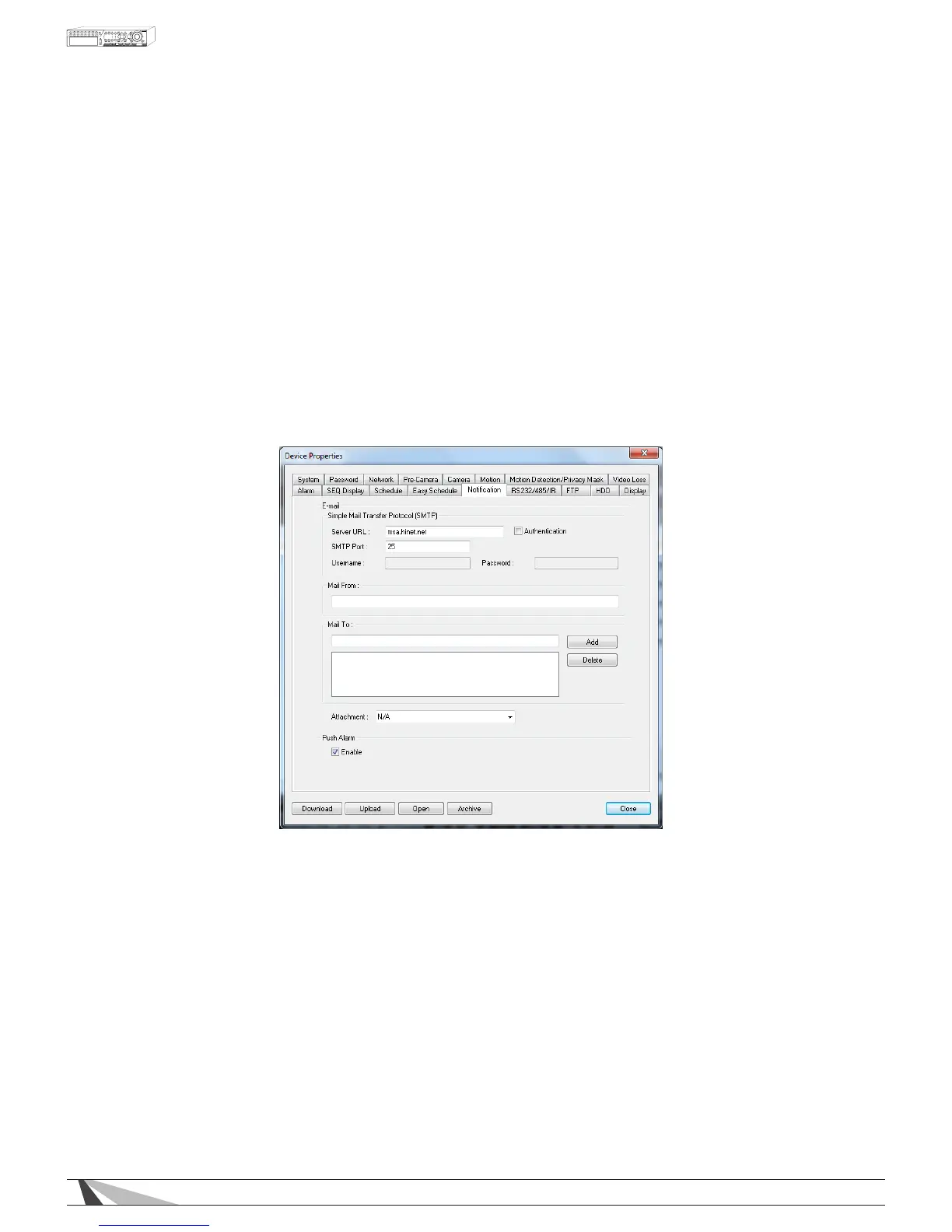
9.3.13. E-MAIL (NOTIFICATION)
When an event occurs and e-mail is enabled as a corresponding action, an e-mail will be sent based on
the parameters set in this menu. Consultation with the e-mail service provider may be required to set these
parameters correctly.
Note:DVRcurrentlyonlysupportsTLSencryptionforemail.
Thefollowingisabriefdescriptionforeachiteminthismenuanditsspecicoperations:
•SMTPSERVER(SERVERURL)
Enter the SMTP mail server name.
•SMTPPORT
Enter the SMTP port for e-mail transmission. The default value is 25.
•AUTHENTICATION
Check/uncheck this item depending on whether the SMTP mail server requires authentication.
•USERNAME
Enter the username to the e-mail service.
•PASSWORD
Enter the password to the e-mail service.
•MAILFROM
Enter the e-mail address of the associated e-mail account.
Note:Thissettingisspecicandmustmatche-mailclientsettingsusedtoaccessane-mailaccountorthe



 To Next Page