9.4. VIDEO STREAM (DUAL STREAM)
This DVR offers two simultaneous video (and audio) streams to allow the DVR to record at a higher resolution
while streaming the video to remote devices at a lower resolution.
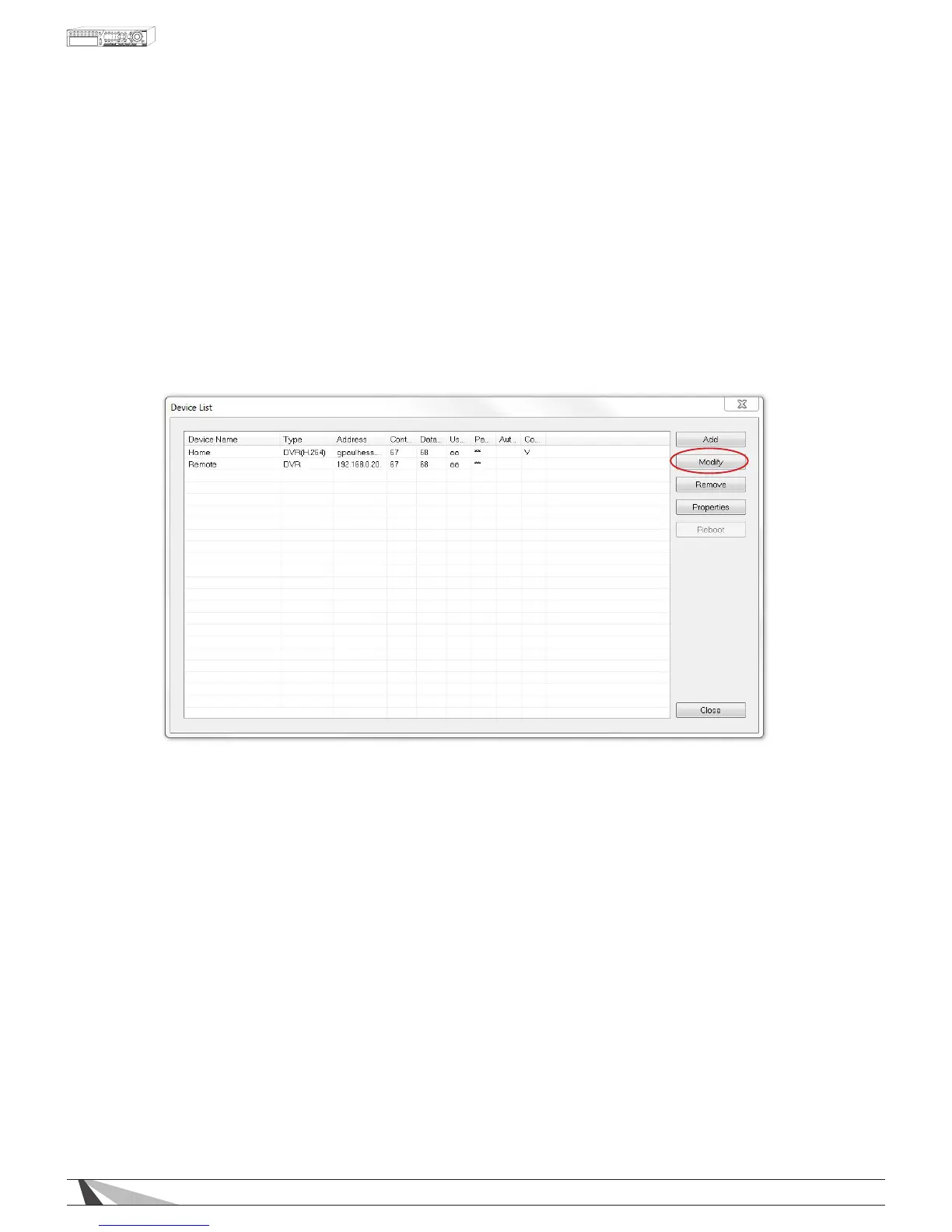
Internet Explorer allows the user to choose which stream is being viewed, Record or Extra. Use the Modify menu
of
DeviceCong to change the video stream being displayed in Internet Explorer. The setting should be based
on the bandwidth capability of the network.
To access this menu, select
DeviceCongicon from Internet Explorer.
1. Select the DVR to control and click on Modify.
2. Adjust the Video Stream accordingly.
• RECORD
If Record is selected, the PC will match the Best REC Resolution setting found in Pre-Camera tab.
The Record setting (with Compression set to Normal, see Section 9.3.4) delivers the best video performance
but requires the network to offer the necessary bandwidth capacity. See Section 9.3.4 for more information
on the Record setting.
• EXTRA
I f Extra is selected, the PC will use the extra network stream (Video Stream) to reduce bandwidth
consumption and speed video delivery to the remote PC. In the Network tab select one of the four
QCIF options listed in Video Stream. See 9.3.3 for more information on the Video Stream setting.



 To Next Page