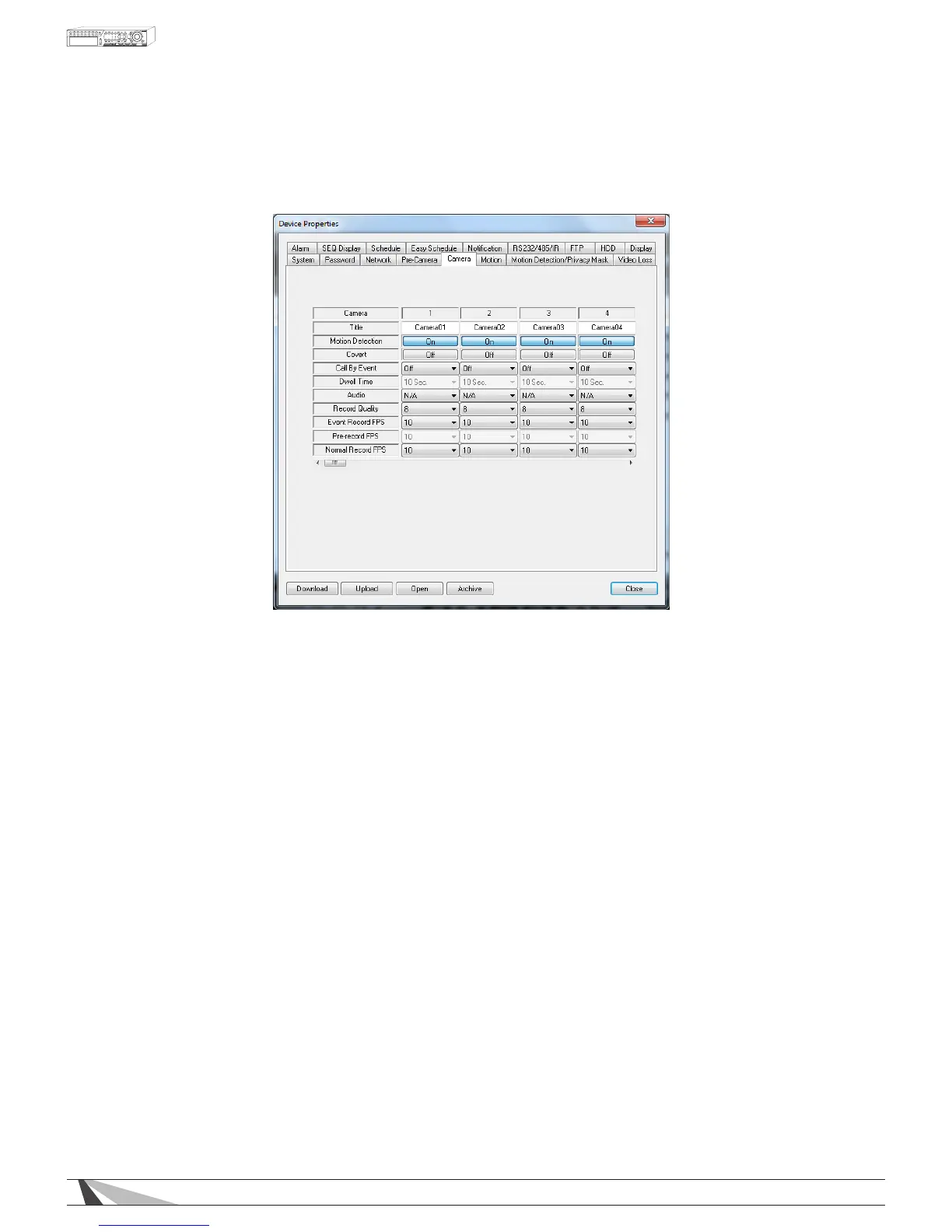
9.3.5. CAMERA
The Camera setup allows the administrator to dene additional attributes for each camera
Thefollowingisabriefdescriptionforeachiteminthismenuanditsspecicoperations:
•TITLE
Name each camera with a unique identifying name up to eight characters maximum.
•MOTIONDETECTION
Enable or disable motion detection for the selected camera. Default setting enables this feature.
Note:ThishasnoeffectonSmartSearchfunctions.
•COVERT
If a camera’s covert function is enabled, the video of this camera can only be seen if the user has logged
in as an Administrator. The default setting is disabled.
•CALLBYEVENT
If the following events occur for this camera, the main display (VGA or BNC) will switch to the video of this
camera for a specied period of time (dwell). Options are: Off, Motion, Alarm, Both (Motion & Alarm).
•DWELLTIME
Used in conjunction with Call By Event, Dwell Time species how long the main display will show the
camera on the screen. The Dwell Time can be set from 3 to 60 seconds
•AUDIO
Select the corresponding AUDIO IN input for the camera. The audio for the selected AUDIO IN input will
be recorded along with the video for this camera. Selections include N/A or AUDIO Inputs 1 or 2. The
AUDIO INPUTS can only be assigned to one camera each. The default setting is “N/A”.
Note:Theaudiowillonlybeheardwheninfullwindowviewofthecorrespondingcameraandthe
AudioOutbuttonisenabled.
•RECORDQUALITY
Select the Record Quality for each camera. Values range from 1-9, with 1 the lowest quality and 9 the
highest quality.



 To Next Page