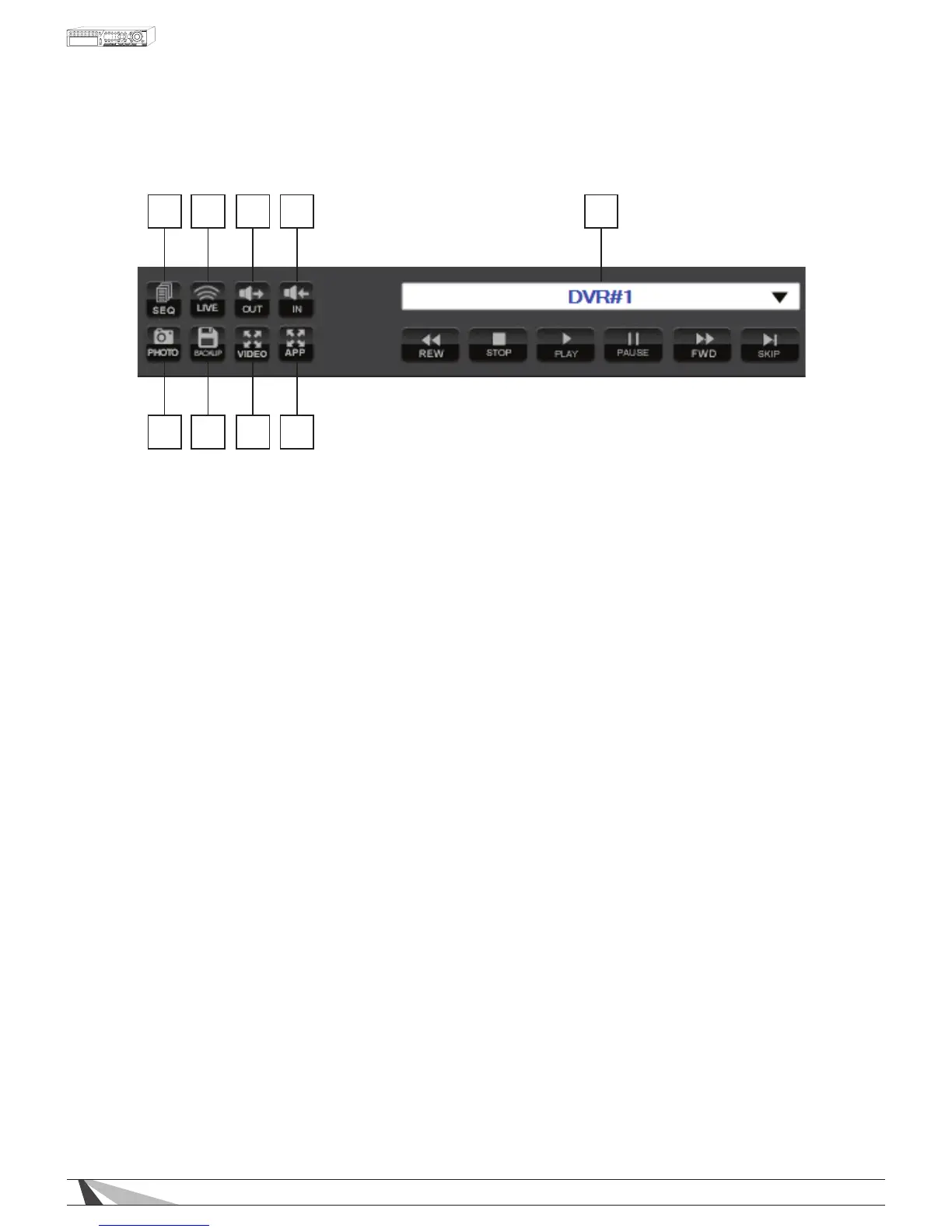
9.2.2. CONTROL PANEL
1 2 3 4 5
6789
1. SEQ. MODE
Enables the Sequence Mode dened in the setup. This feature will automatically cycle through the cameras
on the display. When SEQ mode enabled recorded playback is unavailable, turn SEQ mode off before
playing recorded video.
NOTE:SEQbuttonfunctionalitycannotbeenabledforcameragridviews9through64ontheIEBrowser
GUI.
2. LIVE
When in Playback mode, use this icon to exit playback and return to Live Video.
3. AUDIO OUT
When viewing a camera in the single window view, select the Audio Out icon to listen to the associated
audio.
4. AUDIO IN
Use the microphone in the PC to send audio to the DVR. An amplier and speaker must be attached to the
Audio Out connection of the DVR to use this function.
5. NAME OF SELECTED DVR
The name of the connected DVR is displayed in this box. Change the connected DVR or connect to
multiple DVRs simultaneously to mix and match camera views.
6. FULL SCREEN
Expand the user interface to ll the entire display.
7. FULL VIDEO
Expand the video window to ll the entire display.
8. ARCHIVE MENU
Select this icon to save and backup les.
9. SNAPSHOT
Select this icon to take a Snapshot of the screen being viewed. A pop-up window will allow this snapshot to
be saved to the local PC.
3. FREEZE
Freezes live and recorded playback video. Select this icon again to resume Live and Playback modes.
8. AUDIO BROADCAST
Similar to the Audio In function, use this feature to broadcast audio to multiple DVRs simultaneously.
Expand the user interface to ll the entire display.



 To Next Page