•COPY
Press this button on the front panel of the DVR or the remote control to display the Search menu and then
copy recorded video to the storage device connected to the USB port.
•TRANSPORTCONTROLS
Use the Transport buttons on the front panel of the DVR or the remote control during playback to control
the video. Alternatively use the mouse to click on these icons.
•FAST/SLOW
Use the mouse to select this icon to toggle the speed of the forward and backward transport buttons.
•PLAY/PAUSE
Press this button on the front panel of the DVR or remote control to launch the Instant Playback menu to
playback the last 30 seconds or 1, 2, 3 or 5 minutes of video. Alternatively use the mouse to click on this
icon.
•ALARMRESET
Use the button on the remote control to cancel an alarm. Alternatively use the mouse to select this icon.
This will reset the alarm outputs and silence the buzzer.
4.4. DIGITAL ZOOM
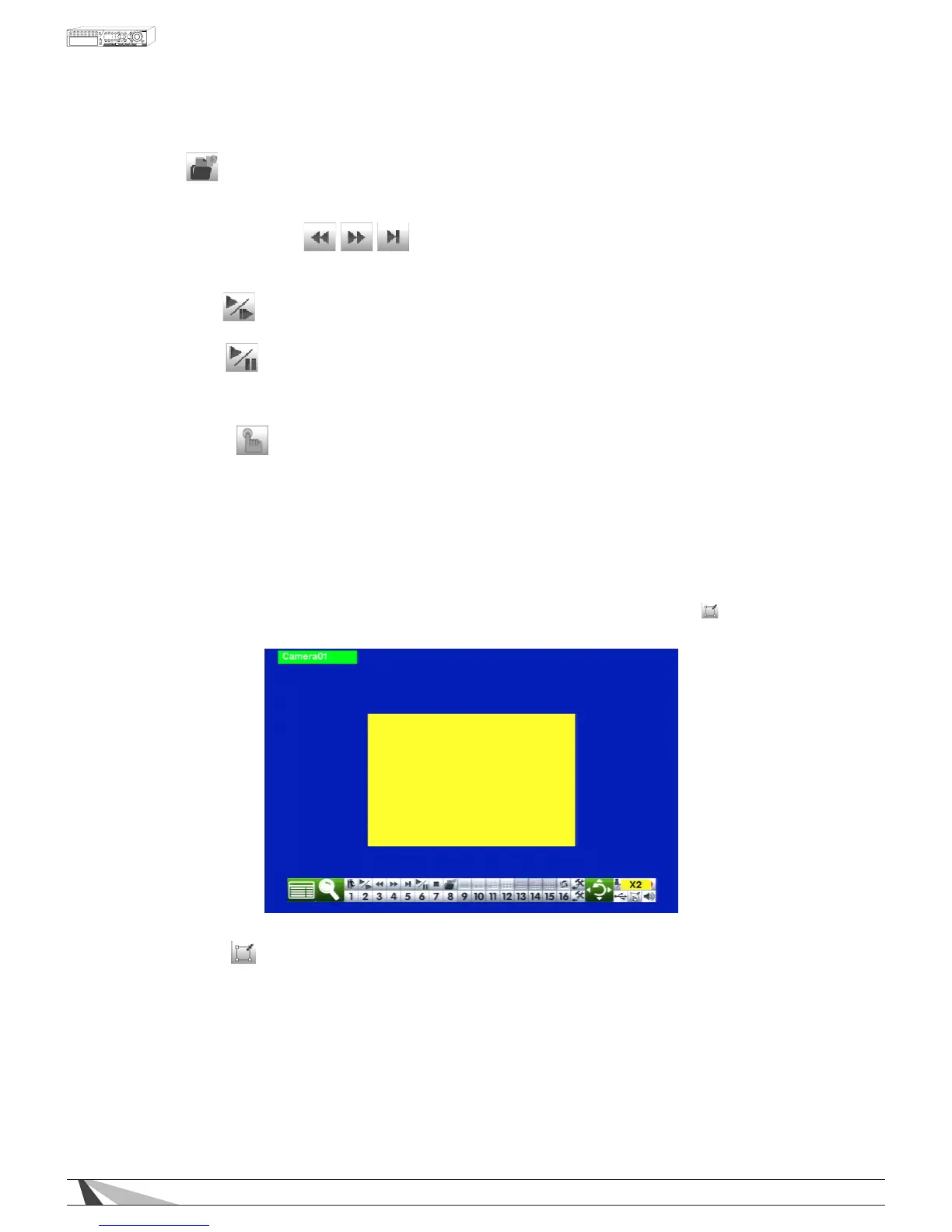
The DVR supports X2 and X4 Digital Zoom. Use this function in full window display mode. Press the X2 button
on the remote control to enter Digital Zoom. Alternatively use the mouse to select the icon ( )found in the
Control Bar. A yellow zoom window will be displayed in the video window as shown.
•X2ANDENTER
Use the buttons on the front of the DVR or the remote control to zoom from X1 to X2. Pressing the X2 button
again followed by ENTER button will zoom to X4. Pressing the X2 button followed by ENTER a third time will
return the zoom to normal X1 view.
•▲▼◄►
Use these buttons on the front of the DVR or the remote control to move the zoom window.
•ESC
Use the ESC button on the front of the DVR or the remote control to escape from Digital Zoom mode and
return to the normal full screen display. Alternatively use the mouse to select the exit button or simply “right-
click.”



 To Next Page