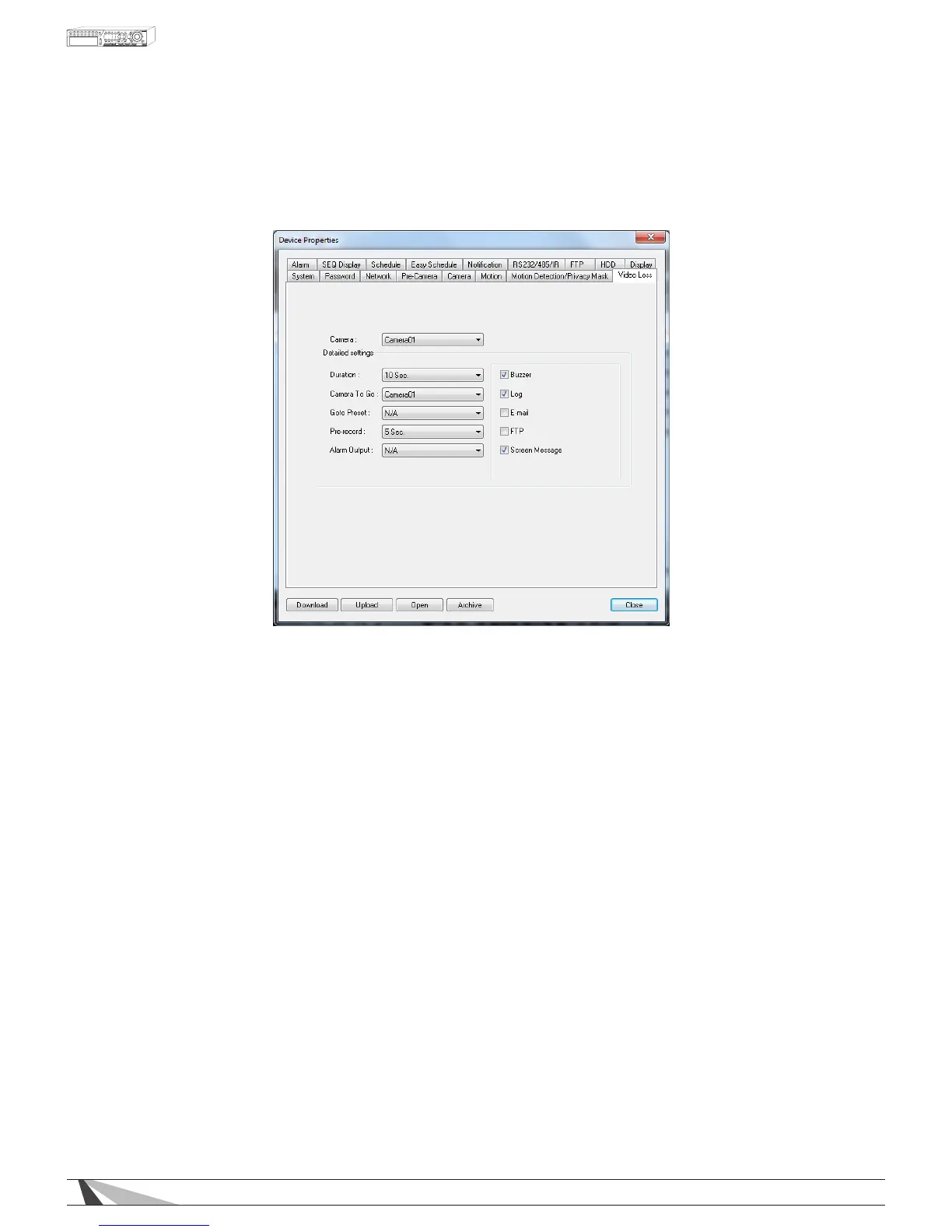
9.3.8. VIDEO LOSS
Video Loss Setup allows the administrator to dene how the system responds when video signal is lost
for the camera.
Thefollowingisabriefdescriptionforeachiteminthismenuanditsspecicoperations:
• CAMERA
Select the camera to dene video loss triggered events.
•DURATION
Set the length of time the buzzer and the corresponding Alarm Out relay will remain triggered once
video loss is detected for this camera. The Buzzer and Alarm Out relay will reset immediately once
video signal is restored.
•CAMERATOGO
The Camera to Go setting will specify which PTZ camera will go to a predened preset when video loss is
detected for this camera. This feature is used in a system that includes PTZ cameras since the Camera
to Go must be a PTZ camera.
•GOTOPRESET
This feature works in conjunction with the Camera to Go setting above and denes the preset position
the “Camera to Go” PTZ camera will go to when video signal is lost for this camera. For more details
about preset positions for PTZ cameras, refer to Section 7.
•PRE-RECORD
Dene how much time the DVR will record before video loss is detected. The Pre Record FPS set in
Section 9.3.5 determines the frame rate of this recording.
Note:Actualpre-recordtimemaybeshorterthanthevaluesetifthetotalsizeofthepre-recordvideo
exceedsthepre-recordvideobuffer.
•ALARMOUT
Dene which Alarm Output will be triggered when video loss for this camera is detected. Select N/A
for none or either of the Alarm Outputs (1 for NC or 2 for NO).
•BUZZER
By default, the internal buzzer is enabled to sound when video loss for the camera is detected.



 To Next Page