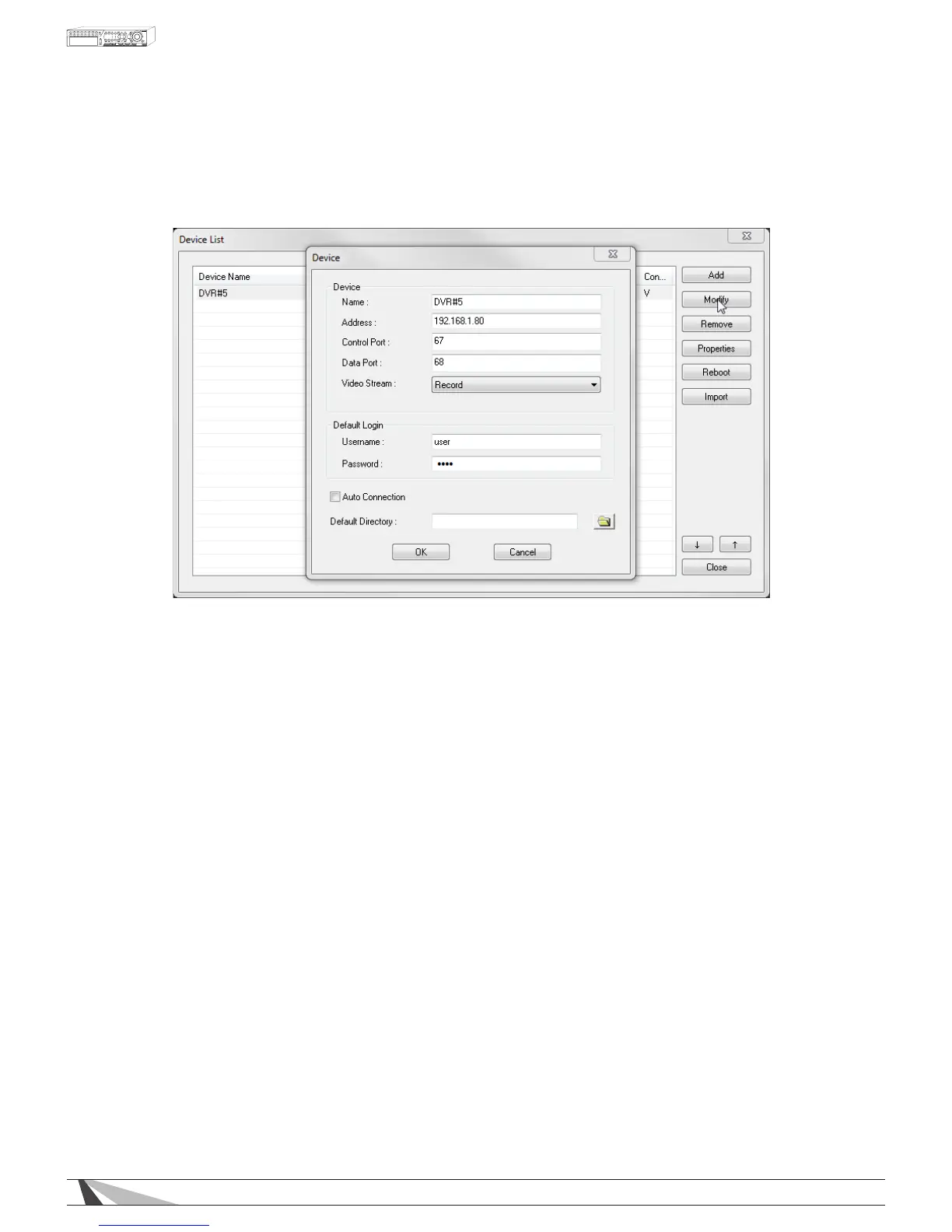
9.2.8.1. MODIFY
DVRsintheDeviceListmaybemodiedusingthismenu.
Thefollowingisabriefdescriptionforeachiteminthismenuanditsspecicoperations:
• NAME
Enter a meaningful name for the DVR
• ADDRESS
Enter the IP address or URL domain name for the DVR.
• CONTROLPORT
Set the control port for the (DVR) device. The default value is 67 and is auto-populated in menu.
• DATAPORT
Set the data port for the (DVR) device. The default value is 68 and is auto-populated in menu.
• VIDEOSTREAM
Set the Video Stream to Record to view live video at the same rate as the recording (main) stream. Or set
the Video Stream to Extra (for “extra” network stream) for Video Streaming. Video Streaming is helpful
when viewing a remote DVR over a slow network connection. This allows the DVR to continue to record as
the set rate but reduces the resolution to speed the video delivery to remote devices.
NOTE: WhenVideoStreamingisnotcongured,thisVideoStreamsettingwillALWAYSreverttoRecord
mode.SeeSection 9.4fordetails.
• USERNAME
Enter the login user name for the DVR. The login name must match a name already set in the DVR.
• PASSWORD
Enter the corresponding password for the login user name. The password must match the password for the
chosen login name already set in the DVR.
• AUTOCONNECTION
If this option is enabled, the Internet Explorer user interface will automatically connect to the corresponding
DVR to display status messages on the PC screen even if the particular DVR is not being viewed.



 To Next Page