•EVENTRECORDFPS
Set the Frames Per Second Record rate for each camera when events such as motion or alarm inputs
trigger the camera to record. Settings for Post Record time determines how long the DVR will record
after the event triggers recording. Please refer to Section 9.3.6 and Section 9.3.9 for Post-record time.
Select a value from 0 (off) - 30.
Note:ThetotalEventRecordFPSshouldnotexceedthesystemrecordingcapacityof270FPS(9CH)or
480FPS(16CH)FPSatCIFresolution,240FPSatHalf-D1resolutionor120FPSatFull-D1resolutionassetin
Pre-Camerasetupin Section 9.3.4.Checkthesystem’stotalEventRecordFPSbyaddingeachcamera
connectedtothesystem’sindividualFPS..TheDVRwillautomaticallylowertheactualrecordrateifset
beyondthesystem’scapabilitiesoncethetotalmaximumFPSisreached.
Recommendation: The higher the FPS setting for a camera, the more uid the motion on playback.
A slower FPS setting could result in “choppy” video during playback, As a reference, live video equals
30 FPS. In surveillance, 15 FPS is recognized as very good quality video while 7 FPS is typically sufcient
for most cases.
•PRE-RECORDFPS
The Frames Per Second Pre-Record rate for each camera when events such as motion, video loss or alarm
inputs trigger the camera to record. For this DVR, the Pre-Record FPS is always the same as Event Record
FPS. Settings for Pre-Record determine how much time the DVR will record before the event triggers
recording. Please refer to Section 9.3.6, Section 9.3.8, and Section 9.3.9 for Pre-record time.
•NORMALRECORDFPS
Unless disabled in the schedule (see Section 9.3.11), or this setting is set to 0 the DVR is always recording.
If there is no event triggering the DVR to record (such as motion or alarm inputs), the recording is referred
to as Normal Record. Set the FPS for each camera to be recorded at from a minimum of 0 (off) to a
maximum equal to the Event Record setting.
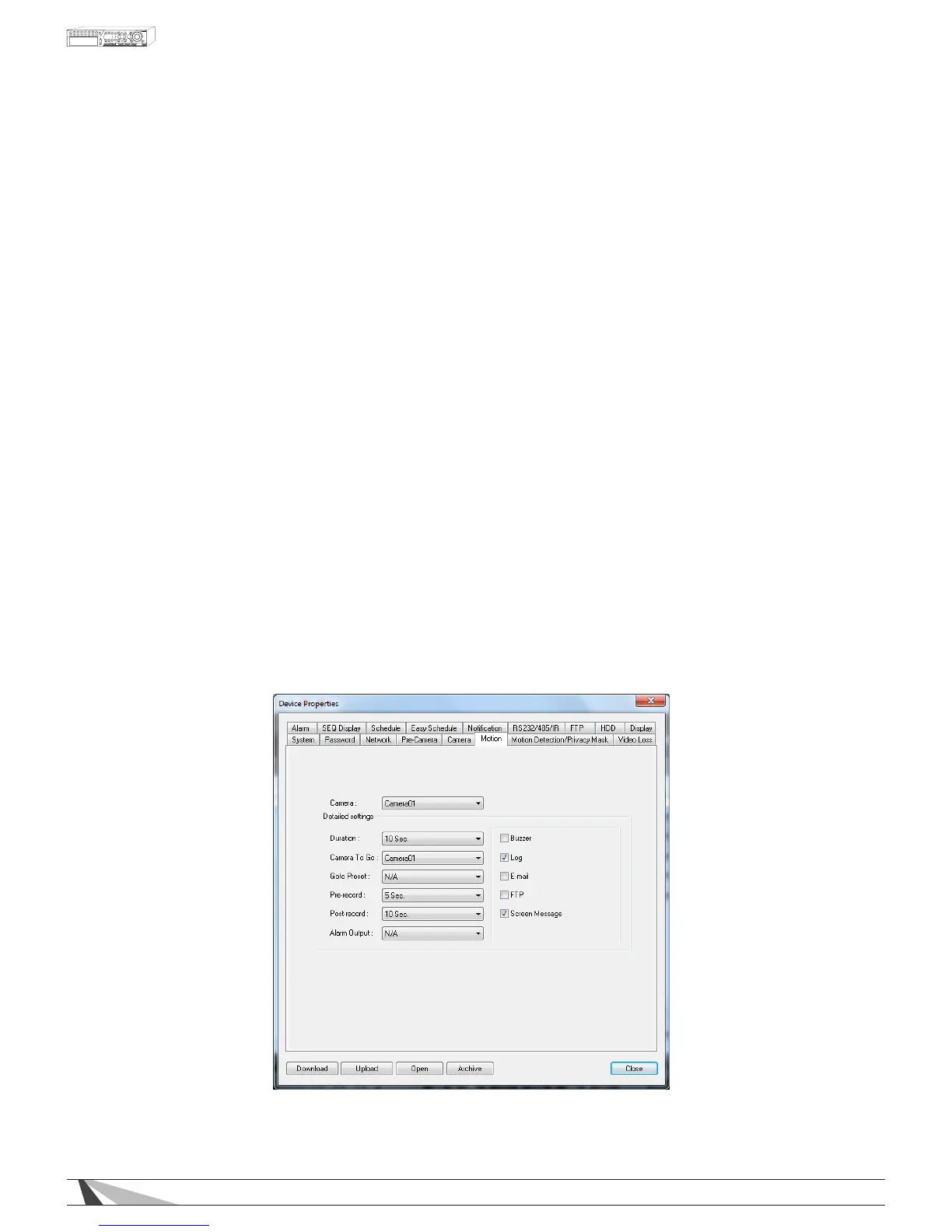
9.3.6. MOTION
Motion Setup allows the administrator to dene how the system responds when motion is detected for
the camera. Use the OSD from the VGA, HDMI or BNC main monitor outputs to dene the motion detection
area (See Section 6.2.2).



 To Next Page