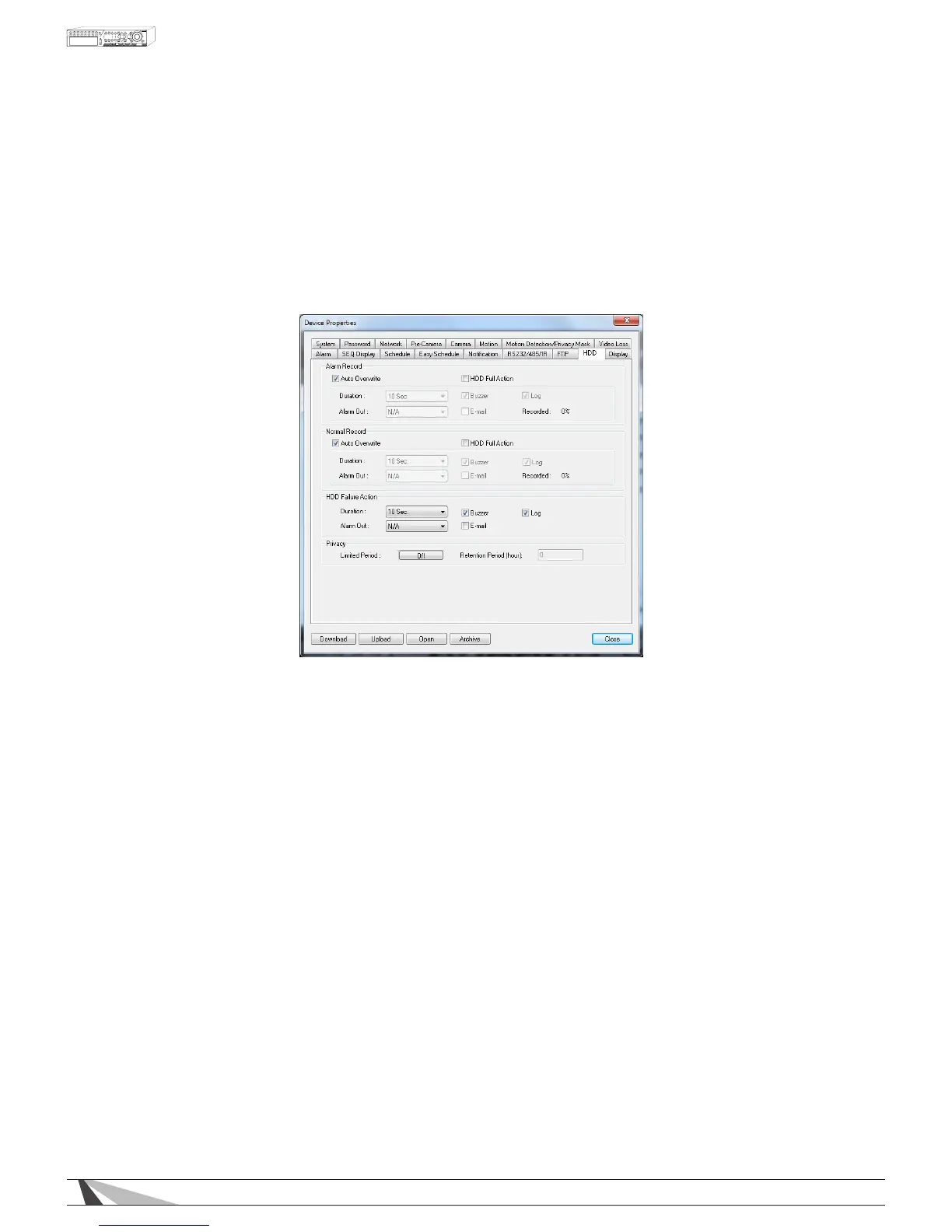
9.3.16. HDD
Alarm-triggered video and audio is typically more important than non-even normal video and audio recording
in surveillance applications. The DVR is designed to allow the hard drive to be partitioned into an alarm partition
and a normal partition. Partitions can only be set from the VGA or BNC main display (See Section 6.7). Alarm
video and audio will be recorded in alarm partition and normal video and audio will be recorded in the normal
partition.
HDD Setup in Internet Explorer allows the administrator to dene the behavior for Alarm Record and Normal
Record partitions if the hard drive becomes full.
Thefollowingisabriefdescriptionforeachiteminthismenuanditsspecicoperations:
ALARM RECORD/NORMAL RECORD/HDD FAILURE ACTION
•HDDFULLACTION
Based on the hard drive status, the DVR can sound the buzzer, log the event and email an alert when the
hard drives reaches its maximum capacity.
•DURATION
Set the duration that the Alarm Out relay and the buzzer will remain triggered when the corresponding
partition is full. Set the time from 3 seconds to 60 minutes or ‘-‘ indenitely until the Alarm Reset button on
the remote control is pressed.
•ALARMOUT
Dene which Alarm Output will be triggered when the corresponding partition is full.
•BUZZER
By default, the internal buzzer is enabled to sound when the corresponding hard drive partition is full.
•LOG
By default, the DVR will log when the corresponding hard drive partition is full to the event Log
•E-MAIL
Send an e-mail message to a predened email address when the corresponding hard drive partition is full.
•RECORDED%
Shows the amount of HDD space that has been overwritten since the beginning of the last overwrite cycle.
PRIVACY
•LIMITEDPERIOD
Turns Privacy option On or Off
•RETENTIONPERIOD
Determines how long the DVR will hold on to previously recorded footage. Example - If this option is set to
30 hours, the DVR will keep a running window containing 30 hours of footage. Anything prior to the 30 hours
will be deleted.



 To Next Page