2-24
Chapter 2: Installation and Setup
Aug 2012
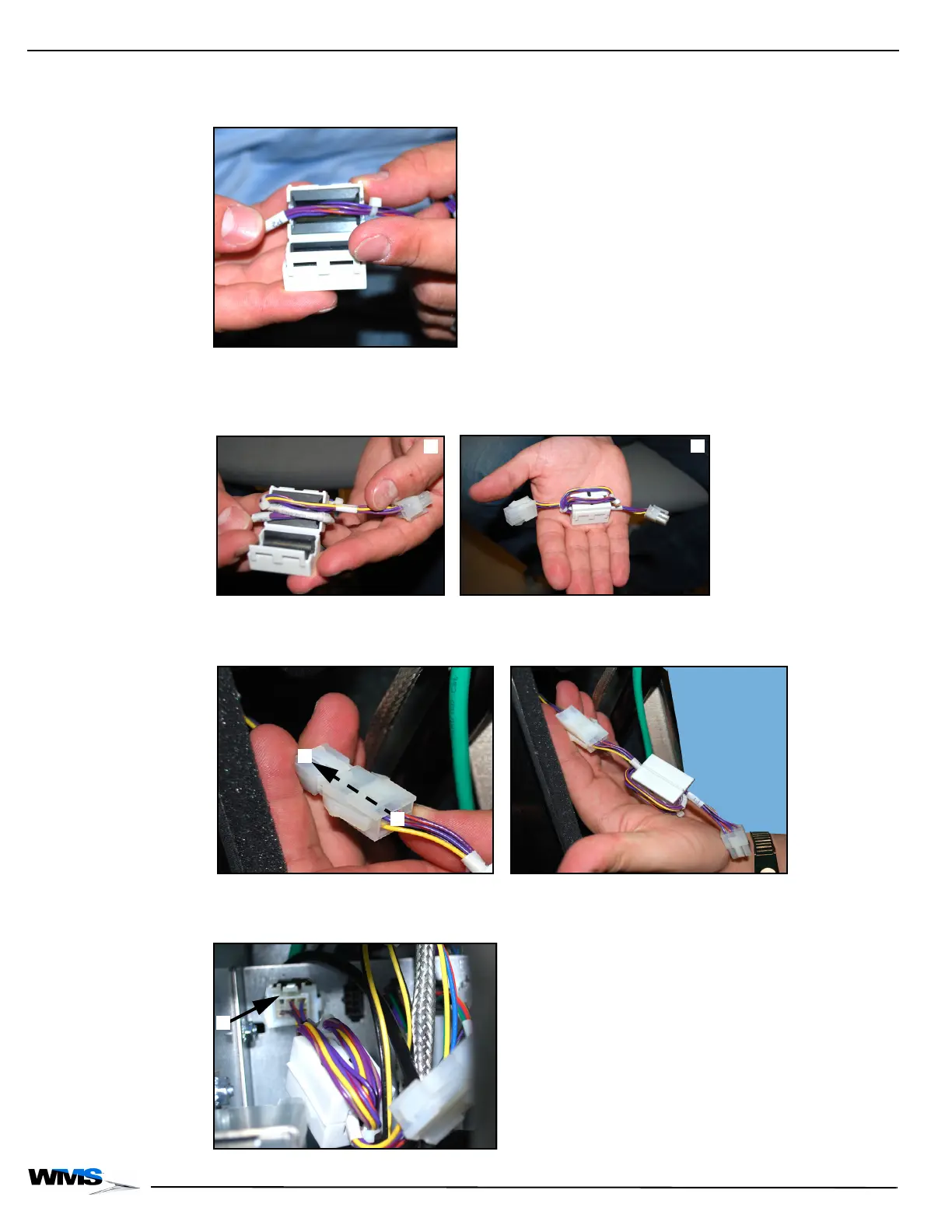
2 Lay the Tower Light Extension Cable across the ferrite (6556-001668-00-00), making sure the
cable fits into the two slots on either side of the ferrite, Figure 2-52.
Figure 2-52 Laying Tower Light Extension Cable across ferrite.
3 Wrap the Tower Light Extension Cable twice around the ferrite (two full turns), Figure 2-53 (A),
and then close the ferrite, Figure 2-53 (B).
Figure 2-53 Wrapping cable around ferrite (left) and ferrite closed with cable wrap (right).
4 Connect ferrite connection P2, Figure 2-54 (A), to the Tower Light Cable, Figure 2-54 (B).
Figure 2-54 Connecting P2 to Tower Light Cable (left) and connected (right).
5 Reconnect the Tower Light Cable to Tower Light Board, Figure 2-55 (A).
Figure 2-55 Reconnecting Tower Light Cable to board.



 To Next Page