03/2016 – UM-MT-EN-01 111
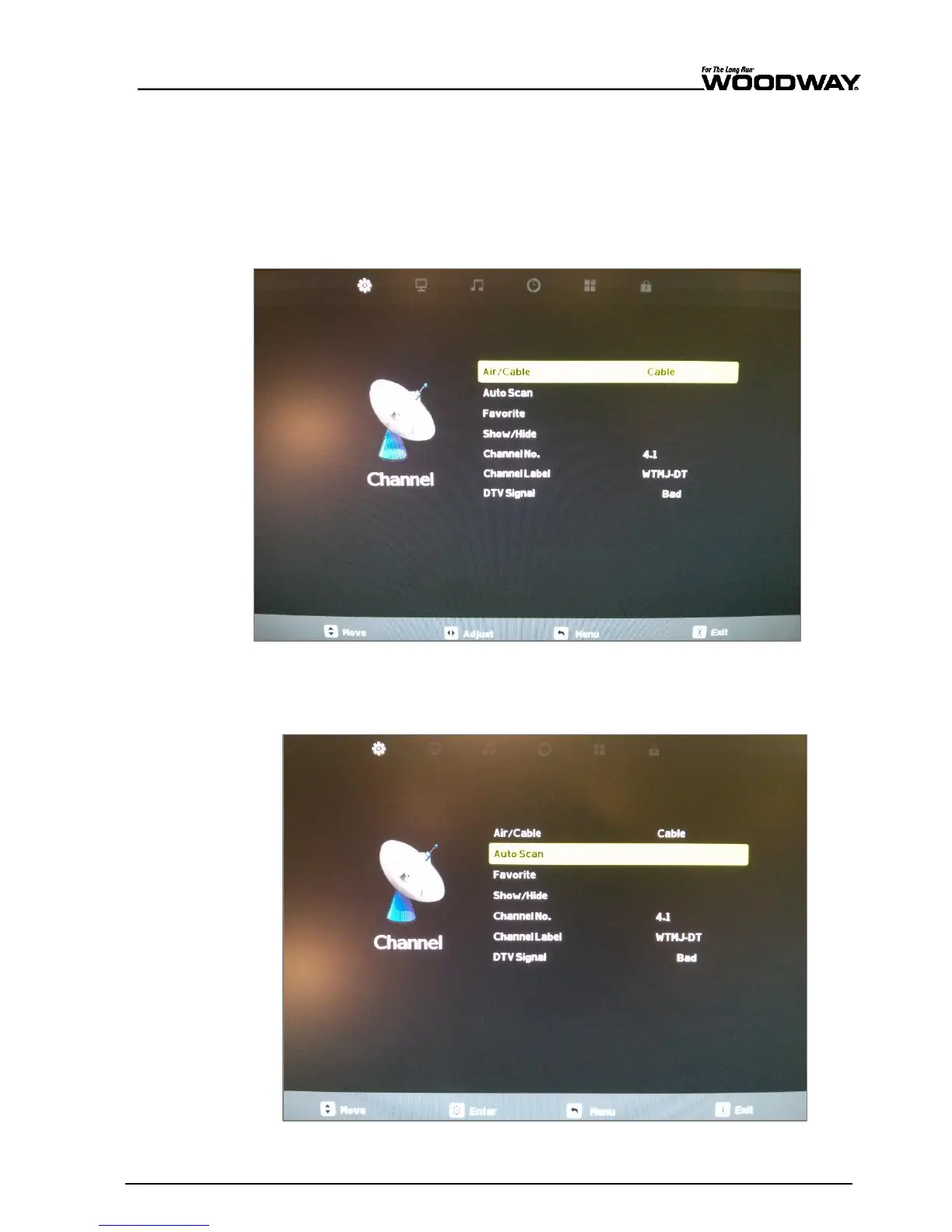
To perform a channel scan, you must be in the “CHANNEL” submenu.
5. The “CHANNEL” submenu should be the first submenu to open when opening the TV
menu screen. If you are not on the “CHANNEL” submenu, use the VOL[+] and VOL[-]
buttons to navigate through the icons.
6. Press the CH[-] key once to highlight “AIR/CABLE” and select the input source.
If you are using over-the-air digital TV signals through an antenna, select “AIR”.
If you are connected to a cable TV provider or through a cable distribution network
use “CABLE”.
Fig. 101 Channel submenu
7. Once the correct input option is chosen, press the CH[–] button once to highlight “AUTO
SCAN”.
Fig. 102 AutoScan option





 To Next Page