HW-130 Programmer User Guide
1-8 Xilinx Development System
Note: If the software cannot establish communication with the
programmer, a message is displayed and indicates possible reasons
for the communication failure.
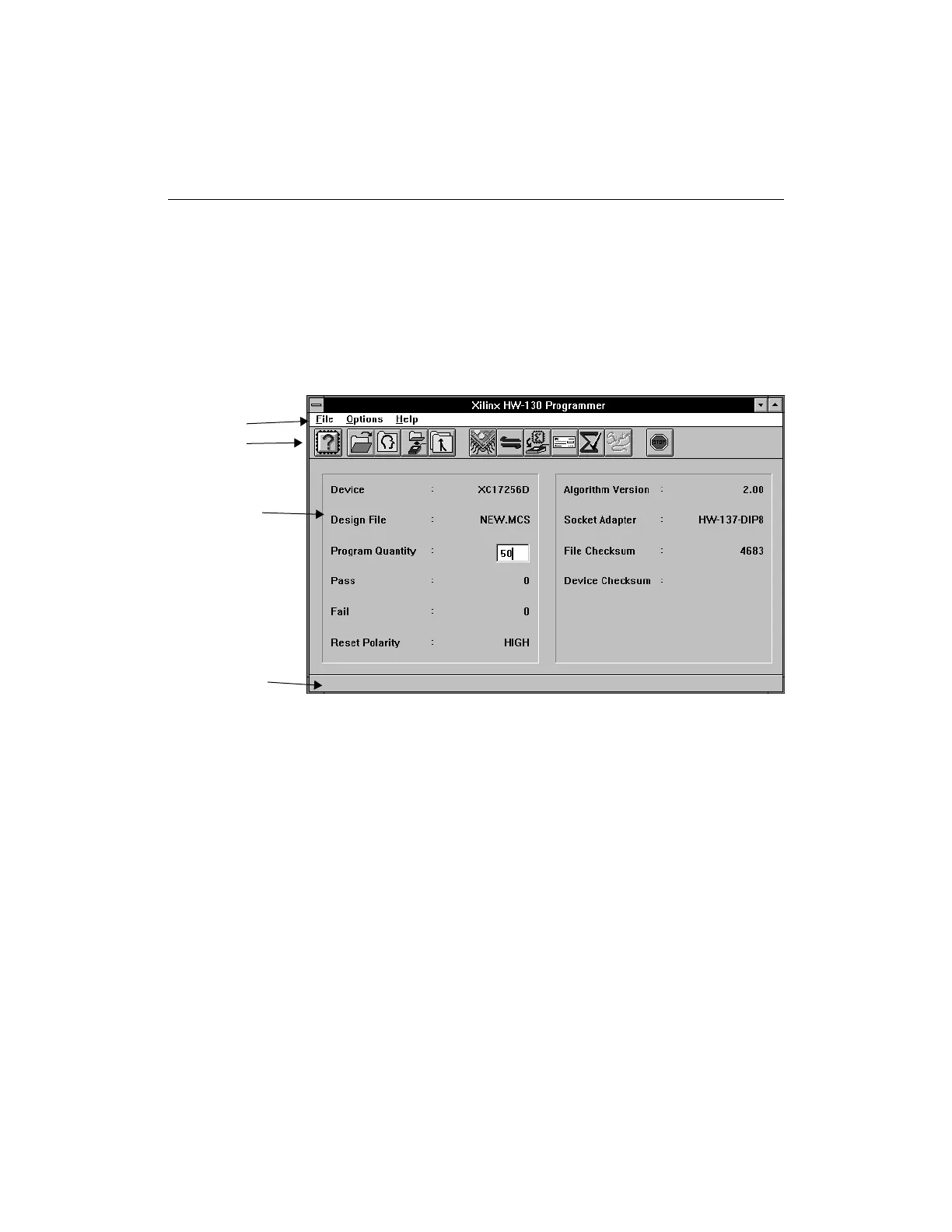
The HW-130 screen is displayed. It consists of a menu bar and
toolbar buttons. The toolbar buttons allow you to interface
directly with the programmer operations.
Figure 1-5 Main Window (Windows)
Menu Bar
The menu bar is located at the top of the HW-130 Programmer
window. It includes the File, Options, and Help menus.
Toolbar
The toolbar is located at the top of the screen below the menu bar. It
displays several icons, which you can use to specify commands
directly. The toolbar offers an alternative to the menu commands.
Note: In the DOS version of the program, the command buttons,
located at the bottom of the screen, replace the toolbar. See Figure 1-7.
Menu Bar
Toolbar
Display
Status Bar














 To Next Page