HW-130 Programmer User Guide
2-2 Xilinx Development System
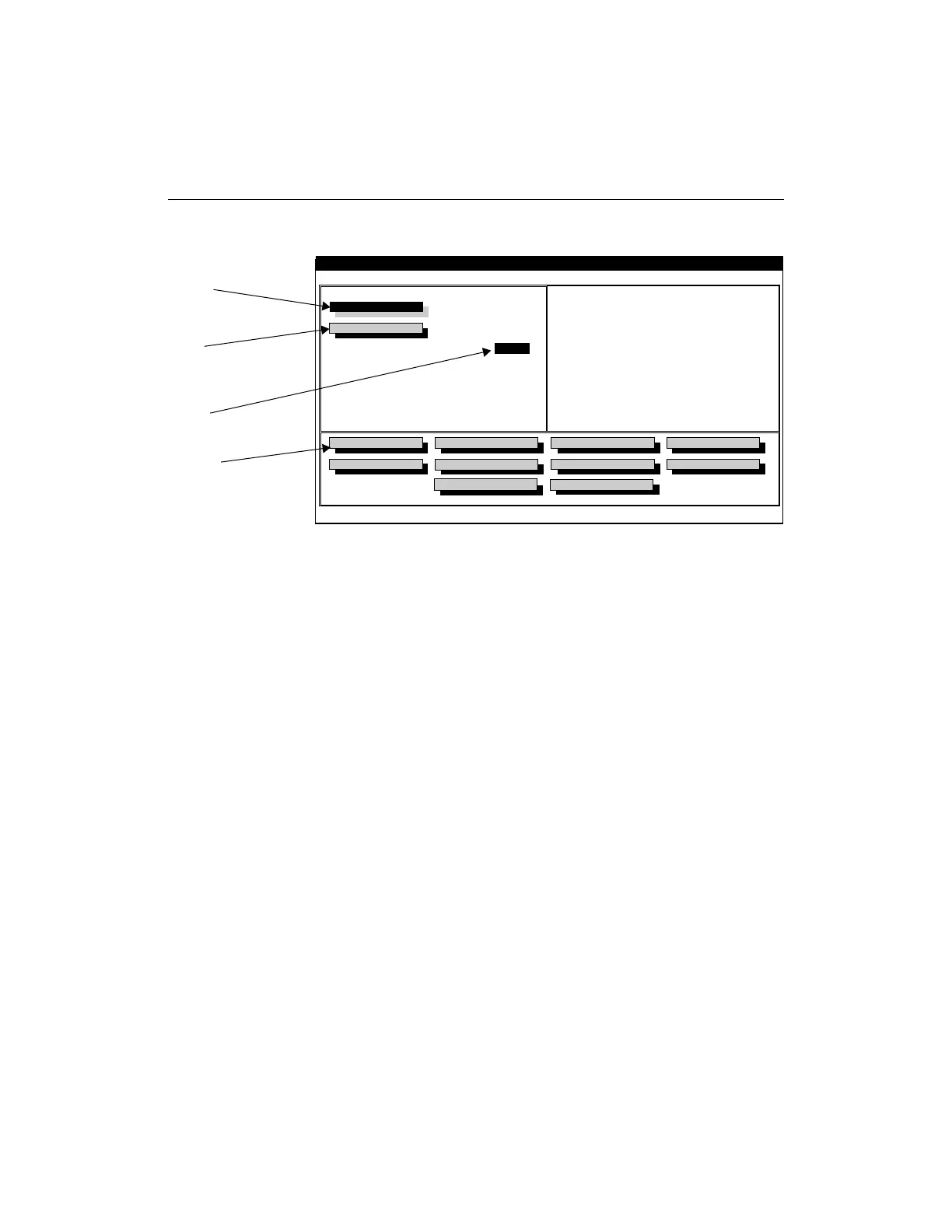
Figure 2-2 Main Screen (DOS)
Note: Throughout this section, quick keys are indicated next to the
programmer operations. A summary of all the quick keys and how to
use them is available in the “Keyboard Reference” appendix.
Specifying a Device (Ctrl-D)
To specify a device, use the Select Device command and follow these
instructions.
1. Install the appropriate adapter for the device to be selected and
programmed. Refer to Figure 1-1 for an illustration showing how
to place the adapter on the programmer.
Note: If you have installed the wrong adapter for the selected device,
an error message appears when you begin an operation.
2. Select the Select Device command from the File menu or click
on the Select Device toolbar button shown in Figure 2-3.
Step 2:
Select the design to program
into the device. The file
checksum is displayed after
the file is loaded.
Step 1:
Select the device type
Step 3:
Enter the quantity of devices
to program. The default is 1.
Step 4:
Select this button to initiate the
programming sequence. This
step includes a blank check
and a verification. The device
checksum is updated after
completion of programming.
to program. The algorithm is
downloaded at the same time.
Device Select
Design File
Options
File Help
Xilinx HW-130 Programmer
XC7372
1
Quantity
Pass
Fail
:
:
:
:
0
0
Program Device
Load Device
Verify Device
Blank Check
Cancel
Device Checksum
Signature String
Exit
Selects Device to be programmed
Create a File
Append Data
Algorithm Version
Socket Adapter
:
:
:
:
File Checksum
Device Checksum
1.00
HW-133-PC84
Device Secured
NO
X6034














 To Next Page