HW-130 Programmer User Guide 2-1
Chapter 2
Programmer Operations
This chapter describes the programmer procedures available for the
HW-130 Programmer. Before attempting any of the programmer
operations included in this chapter, verify that the device type and
other device-related criteria are correct.
If you saved the settings of a previous programming session, the
software uses the last-used communications port, baud rate, and
sound options when you execute the hw130.exe program. These
settings are stored in the hw130.ini file.
Programming Quickstart
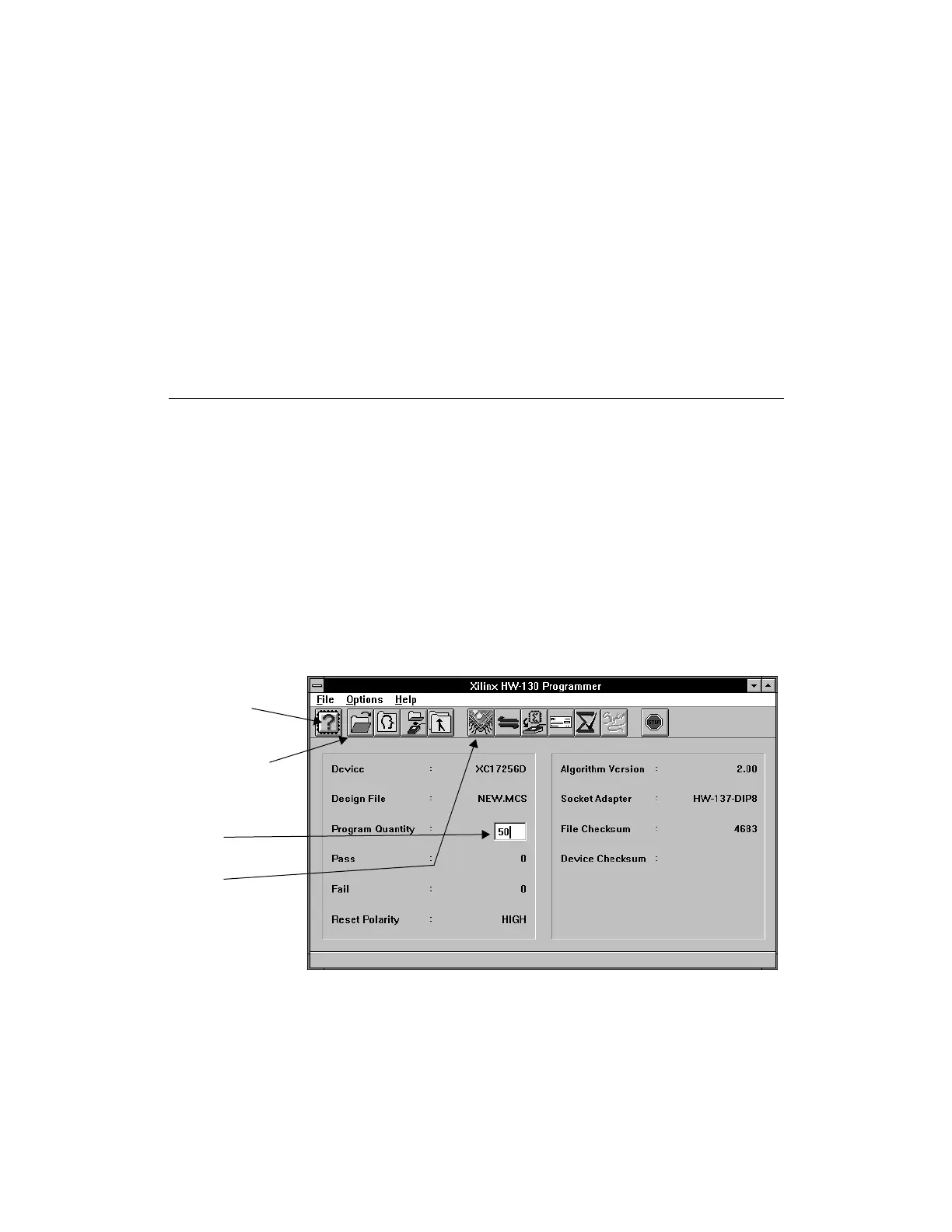
The following figure outlines the steps required to program a device.
Figure 2-1 Main Screen (Windows and UNIX)
Step 1:
Select the device type
to program. The algorithm is
downloaded at the same time.
Step 2:
Select the design to program
into the device. The file
checksum is displayed after
the file is loaded.
Step 3:
Enter the quantity of devices
to program. The default is 1.
Step 4:
Select this button to initiate the
programming sequence. This
step includes a blank check
and a verification. The device
checksum is updated after
completion of programming.














 To Next Page