HW-130 Programmer User Guide
1-14 Xilinx Development System
Installing Software from DOS
This section covers installation and program start-up from DOS.
Installing Software
To install the software, follow these instructions:
1. Insert the HW-130 Programmer software diskette into the
appropriate drive and select that drive (typically A:). If you are
using a CD-ROM, insert the CD into the CD-ROM drive (typically
D:).
2. At the DOS prompt, type the following:
a:/install.exe↵ (diskette)
d:/dos/install.exe↵ (CD-ROM)
3. Follow the instructions on your screen.
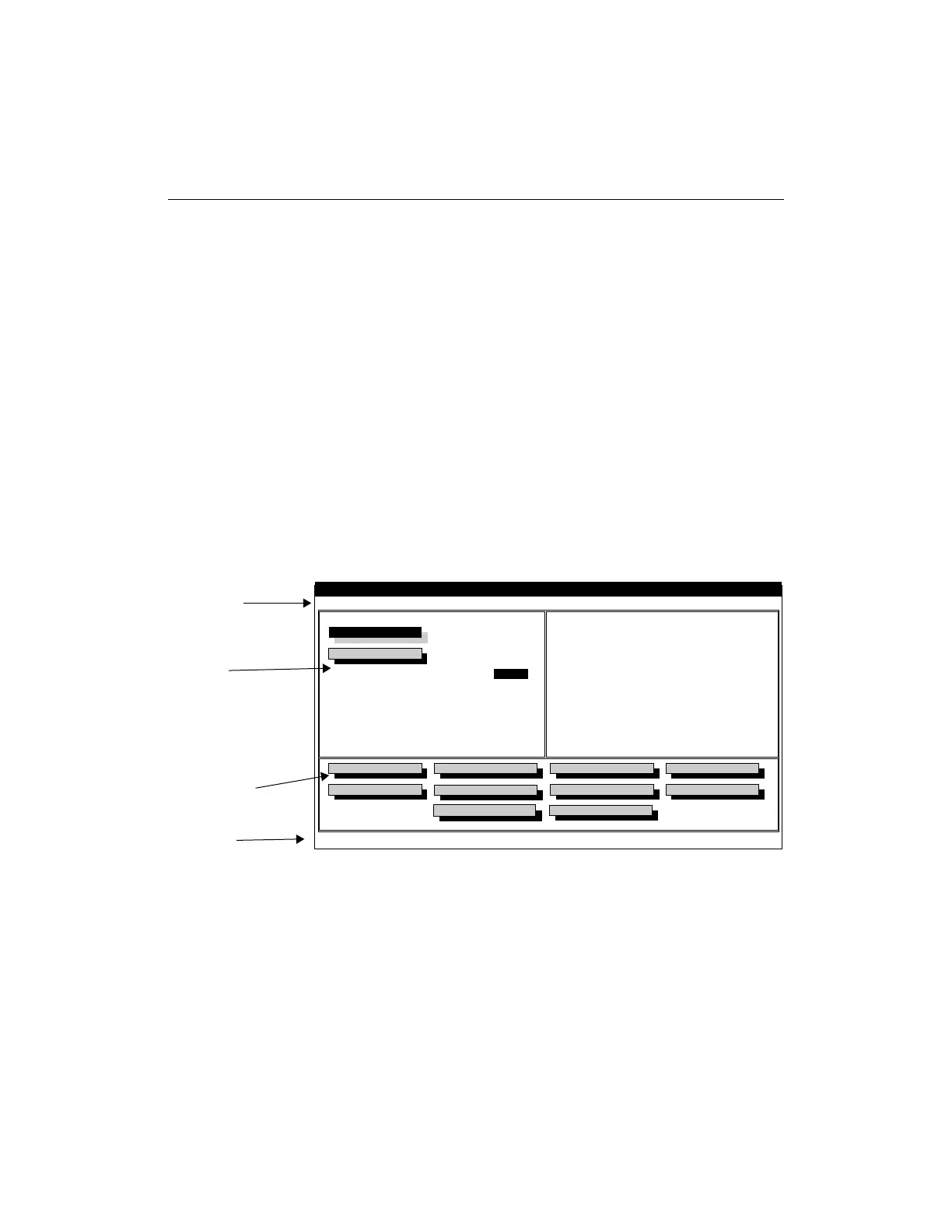
Figure 1-7 Main Screen (DOS)
Use the menus and command buttons to interface to the HW-130
Programmer. In general, menu commands are for software
configuration and diagnostics, and command buttons are for
programmer operations. Refer to the online help for a detailed
Device Select
Design File
Options
File Help
Xilinx HW-130 Programmer
XC7372
1
Quantity
Pass
Fail
:
:
:
:
0
0
Program Device
Load Device
Verify Device
Blank Check
Cancel
Device Checksum
Signature String
Exit
Selects Device to be programmed
Create a File
Append Data
Algorithm Version
Socket Adapter
:
:
:
:
File Checksum
Device Checksum
1.00
HW-133-PC84
Device Secured
NO
X6034
Menu Bar
Display
Command Buttons
Status Bar














 To Next Page