Getting Started
HW-130 Programmer User Guide 1-13
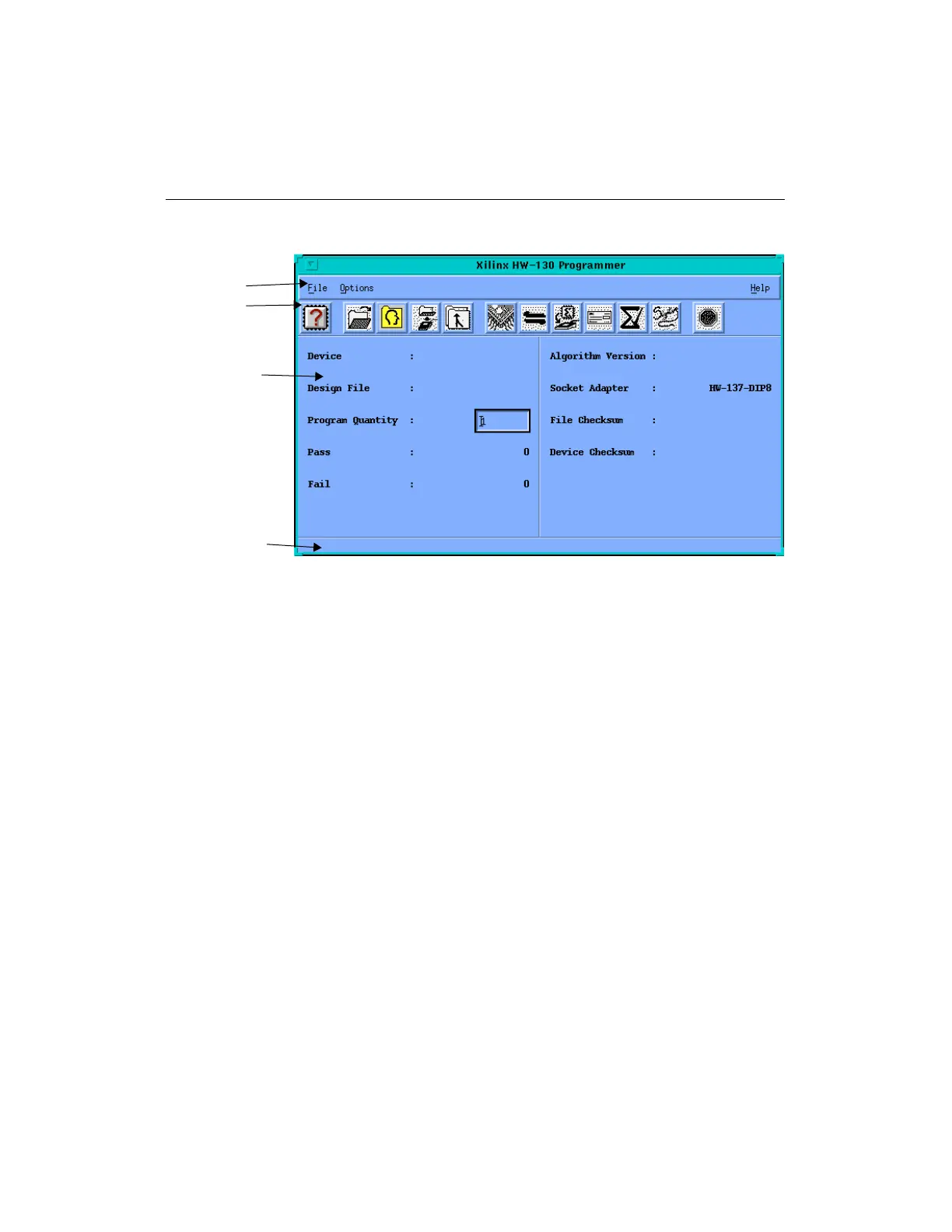
Figure 1-6 Main Window (UNIX Workstations)
Menu Bar
The menu bar is located at the top of the HW-130 Programmer
window. It includes the File, Options, and Help menus.
Toolbar
The toolbar is located at the top of the screen below the menu bar. It
displays several icons, which you can use to specify commands
directly. The toolbar offers an alternative to the menu commands.
Display
The display includes fields that are updated with the device type, the
design name, and the device quantity that you select. Additional
information appears as you perform programmer operations.
Status Bar
The status bar is located at the bottom of the HW-130 Programmer
window. It provides information about the commands that you are
about to select or that are being processed.
Menu Bar
Toolbar
Display
Status Bar














 To Next Page