E-mail: sales@xtramus.com
Website: www.Xtramus.com
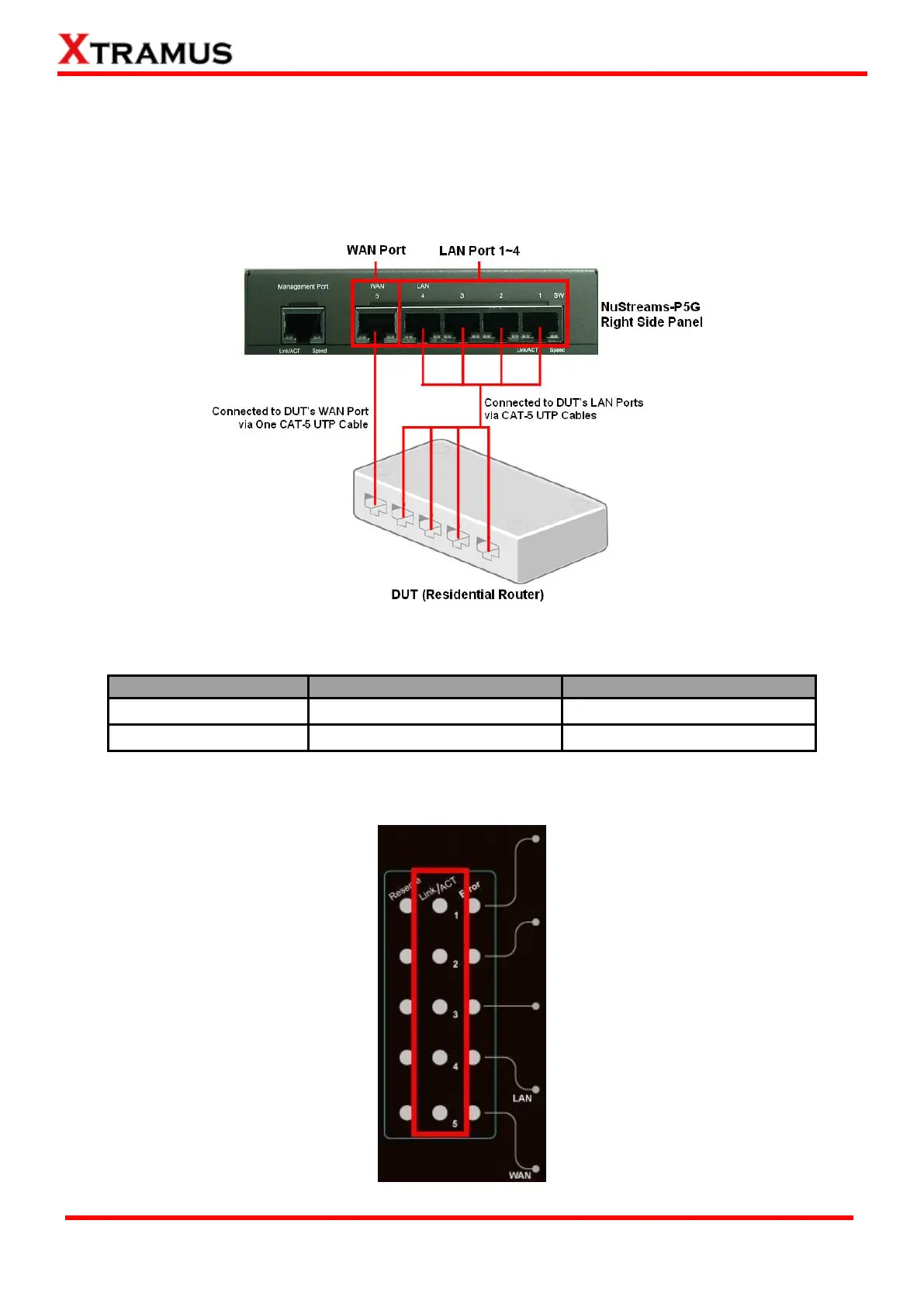
3.1.3. Installation for Residential Gateway (Broadband Router) + Switch Test
While performing tests on Residential Gateway (Residential Router) + Switch, both WAN and LAN
ports of the DUT must be connected to NuStreams-P5G with CAT-5 UTP cables as the installation
structure when performing tests on Residential Gateway (Residential Router) as shown in the figure
down below:
Test options for Residential Gateway (Residential Router) + Switch and Residential Gateway
(Residential Router) are very similar, with minor differences listed in the table down below:
Residential Gateway + Switch
If NuStreams-P5G’s WAN/LAN Ports and DUT’s ports are connected via CAT-5 UTP cables correctly,
the Link/ACT LEDs located on NuStreams-P5G’s LAN Port Status LED will be ON accordingly.



 To Next Page