E-mail: sales@xtramus.com
Website: www.Xtramus.com
5.2.2. NuSet-MiniPG Overview
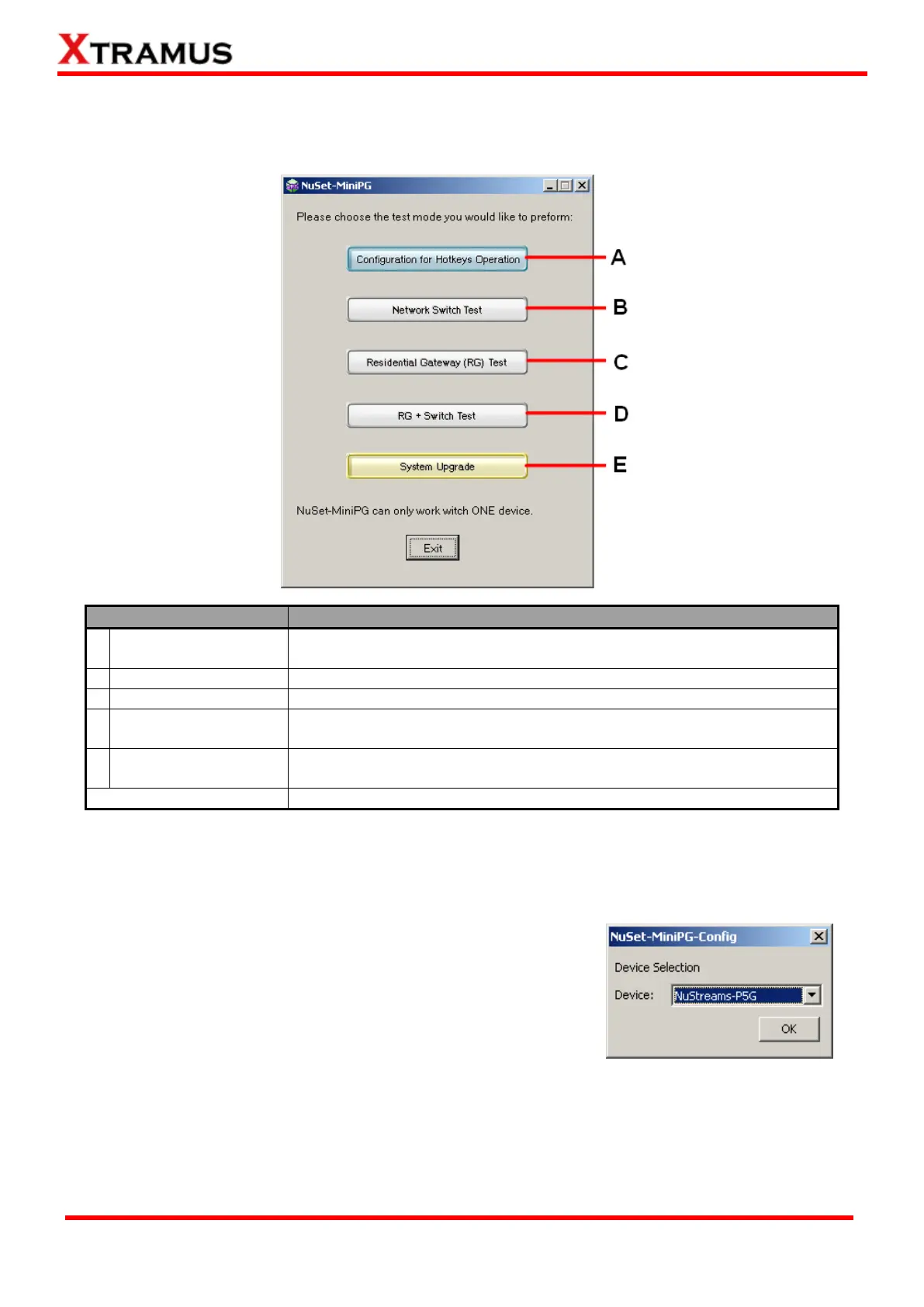
After starting NuSet-MiniPG as mentioned in “5.2.1. Starting NuSet-MiniPG”, a NuSet-MiniPG Option
Menu will pop up as shown in the figure down below:
Utility designed for setting test criteria and accessing test
results/statistics.
Utility designed for testing network switch
Utility designed for testing residential gateway (router)
Utility designed for testing network switch and residential gateway
(router)
Utility designed for upgrading NuStreams-P5G, NuStreams-P9A, and
NuPAD’s firmware, FPGA and hardware license.
*Only ONE utility can run at the same time, and NuSet-MiniPG can only work with ONE device.
You have to install different utilities in order to access different test modes listed on the NuSet-MiniPG
Option Menu. Test modes without the proper utilities installed will be displayed as gray in color and
cannot be accessed from the NuSet-MiniPG Option Menu.
When clicking an accessible option from NuSet-MiniPG Option
Menu, a Device Selection window will pop up, and prompt you to
choose the device that will be used for testing. Please choose the
device (Nustreams-P5G or NuStreams-P9A) from the scroll-down
menu, and click OK.
Note: Please note that this user’s manual will be focusing on NuSet-MiniPG-Config and NuSet-MiniPG
-UG only. As of April 25
th
, 2011, NuSet-MiniPG-ST, NuSet-MiniPG-RT and NuSet-MiniPG-RST are still
not available.



 To Next Page