E-mail: sales@xtramus.com
Website: www.Xtramus.com
5.2. NuSet-MiniPG Overview
5.2.1. Starting NuSet-MiniPG
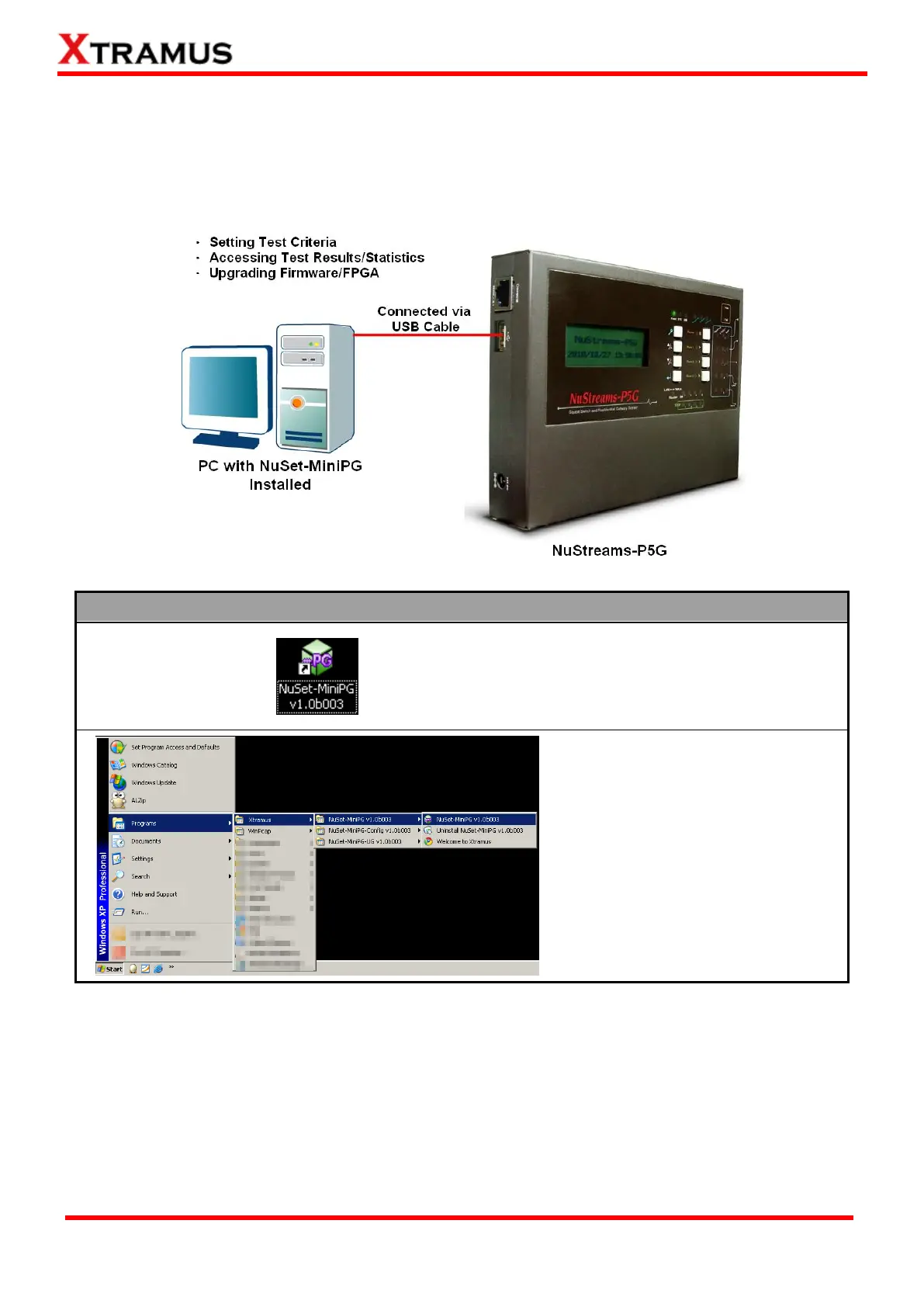
Before starting NuSet-MiniPG, please be sure that your NuStreamsP5G or NuStreams-P9A is properly
connected to your PC. The figure down below is an example for connecting NuStreams-P5G to PC via
an USB cable. You can connect NuStreams-P9A with your PC in the same manner.
You can start NuSet-MiniPG by:
Double-click NuSet-MiniPG icon
located on your PC’s desktop
Click Start Programs
Xtramus NuSet-MiniPG
NuSet-MiniPG.
If your PC is not connected with NuStreams-P5G or NuStreams-P9A, you can still run both
NuSet-MiniPG-Config and NuSet-Mini-UG under Demo Mode. Almost all functions are available under
Demo Mode. However, please note that Demo Mode is for system demo purposes only, and does
not serve any testing purposes at all.



 To Next Page