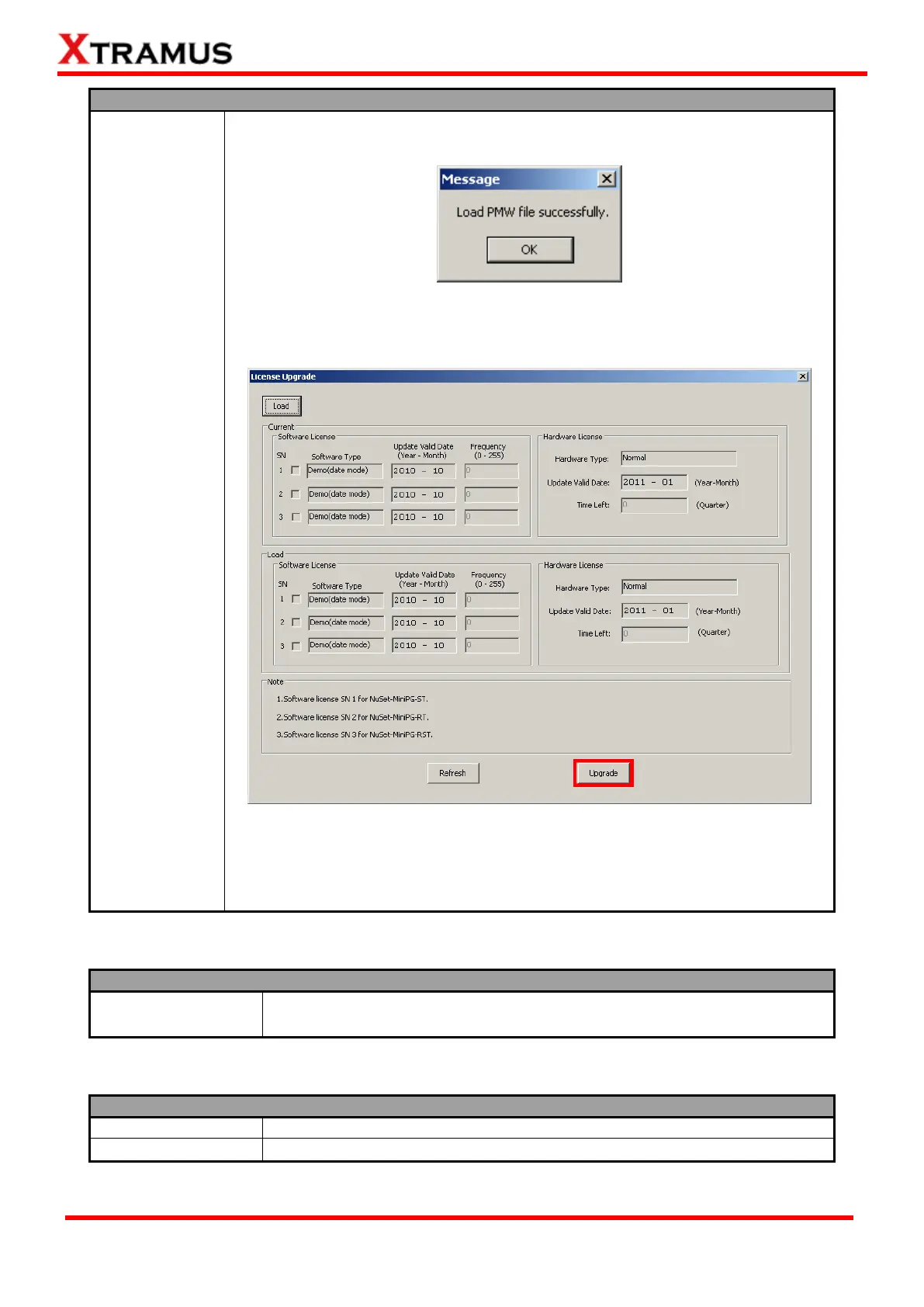
4. A message window will pop up and remind you that the PMW file has been
loaded. Please click OK to continue.
5. Please note that the PMW file you’ve chosen hasn’t been upgraded yet. Click
the Upgrade button located on License Update window’s bottom-right part
to finish upgrading your license.
If you have any problems with your NuStreams-P5G/NuSet-MiniPG’s licenses,
please contact Xtramus Technologies with the following contact information:
E-mail: sales@xtramus.com
Tel: +886-2-8227-6611 Fax: +886-2-8227-6622
5.4.2.3. Menu Bar – Languages
NuSet-MiniPG-Config has 2 different languages for its UI available. You can
set the language of UI to either English or Simplified Chinese.
5.4.2.4. Menu Bar – Help



 To Next Page